1 to 100 spelling game kids PC
Kids Learn With Fun
Download 1 to 100 spelling game kids on PC With GameLoop Emulator
1 to 100 spelling game kids sa PC
Ang 1 to 100 spelling game kids, na nagmumula sa developer na Kids Learn With Fun, ay tumatakbo sa Android systerm sa nakaraan.
Ngayon, maaari mong laruin ang 1 to 100 spelling game kids sa PC gamit ang GameLoop nang maayos.
I-download ito sa GameLoop library o mga resulta ng paghahanap. Hindi na tumitingin sa baterya o nakakadismaya na mga tawag sa maling oras.
I-enjoy lang ang 1 to 100 spelling game kids PC sa malaking screen nang libre!
1 to 100 spelling game kids Panimula
Our goal is to learn with fun and games that are an easy way to teach kids. 1 to 100 spelling game kids for toddlers and kindergarten. Kids Learn With Fun provides a new way to educate our children that's called edutainment (education + entertainment).
A great kids’ game for learning Number game 1 to 100 spelling game kids to improve our toddler's IQ training. It's the best way to increase our kid's knowledge through our different 10 activities where Kids learn how to spell and it is the best spelling game for grade 1. Many people recommended it for classroom spelling math games to learn a spell of numbers.
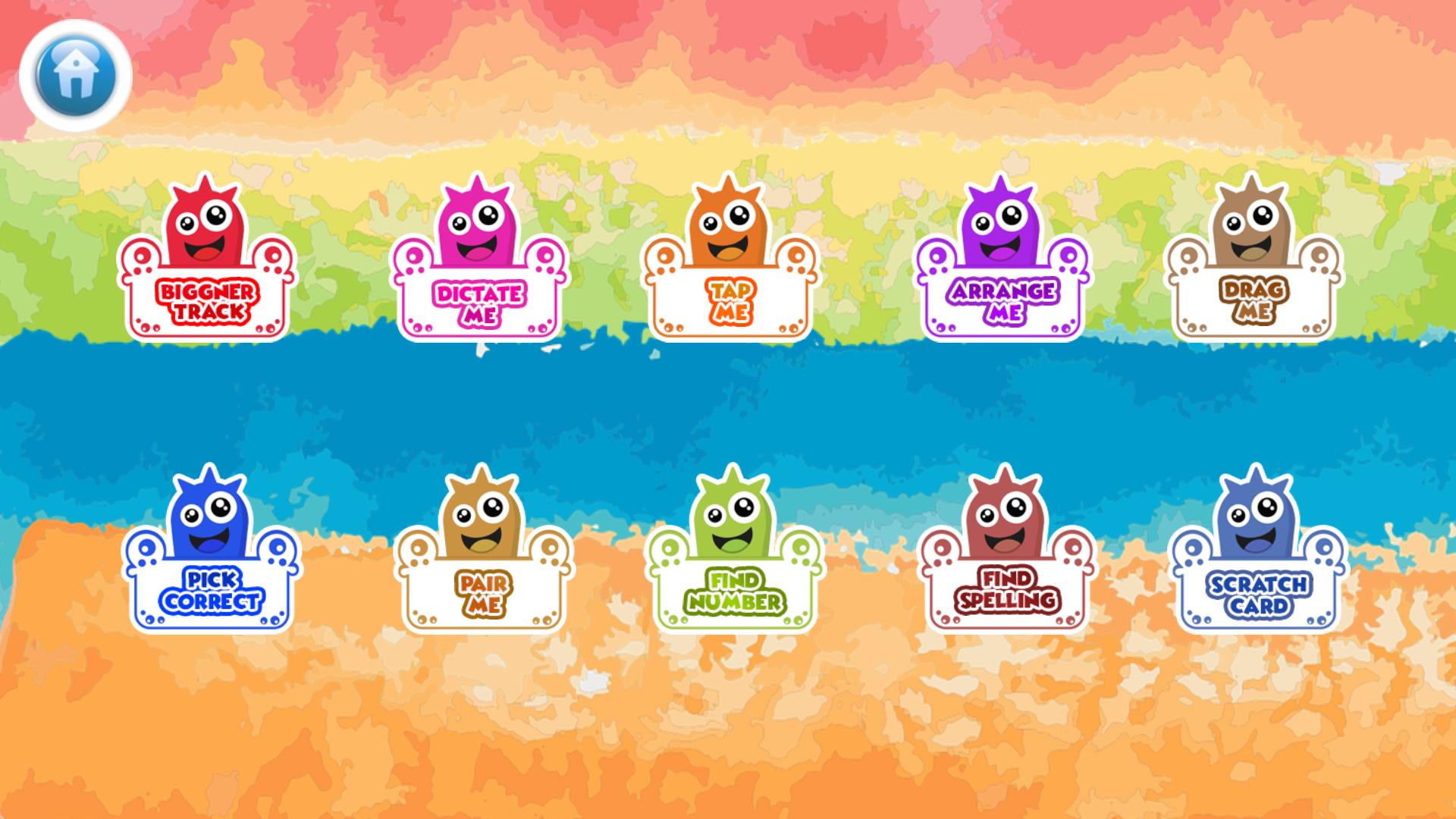
By practicing with kids’ number 1 to 100 free game baby's easily converted numbers to words with spelling game playing by spelling word practice. This is an easy way to learning numbers, numeric and spelled out. 1 to 100 spelling learning games can help to learn numbers very quickly and effectively way and also practice have fun with other games like Dictate, Tap, arrange, drag, pick, pair, find, spelling finding and also fun game scratchpad spelling board games.
Features:
1. Beginner track (Beginner): Kids learn how to spell by spelling games of 1 to 100 numbers.
2. Dictate with me (Beginner): Kids will improve power on spelling where kids also speak spelling with it. It also knows as spelling word practice games.
3. Tap me (Beginner): Kids will make confident in spelling game of 1 to 100 kids numbers as classroom spelling learning.
4. Arrange me (Intermediate & Expert): Now your kids have an intermediate level. Kids can identify the correct spelling and arrange it in the correct order like spelling board games.
5. Drag me (Intermediate): Kids understand the correct spelling of numbers like a grade 1 student.
6. Pick correct (Intermediate): Kids feel confident in spelling
7. Pair me (Expert): Now your kids is/are experts in the spelling of numbers. The perfect exercise to remember the number's spelling.
8. Find number (Expert & Fun): Kids identify the number, so they can have confidence in numbers
9. Find spelling (Expert & Fun): kids identify the spelling of numbers, so they can have confidence in the spelling of numbers. This is the final stage where finally Kids learn how to spell.
10. Scratchpad (Fun and Learn Game): Numbers fun game to learn and fun. Kids Enjoy it.
Parents also customize settings for numbers in settings option like 1 to 10, 11 to 20, 21 to 30 .... 91 to 100 through multiple option choice and the application made to enable that selection for your kids to play with it.
Preview
Tags
EducationInformation
Developer
Kids Learn With Fun
Latest Version
2.0.2.0
Last Updated
2024-04-19
Category
Education
Available on
Google Play
Show More
How to play 1 to 100 spelling game kids with GameLoop on PC
1. Download GameLoop from the official website, then run the exe file to install GameLoop
2. Open GameLoop and search for “1 to 100 spelling game kids” , find 1 to 100 spelling game kids in the search results and click “Install”
3. Enjoy playing 1 to 100 spelling game kids on GameLoop
Minimum requirements
OS
Windows 8.1 64-bit or Windows 10 64-bit
GPU
GTX 1050
CPU
i3-8300
Memory
8GB RAM
Storage
1GB available space
Recommended requirements
OS
Windows 8.1 64-bit or Windows 10 64-bit
GPU
GTX 1050
CPU
i3-9320
Memory
16GB RAM
Storage
1GB available space