
臺中市立圖書館 PC
臺 中 市 政 府
Download 臺中市立圖書館 on PC With GameLoop Emulator
臺中市立圖書館 sa PC
Ang 臺中市立圖書館, na nagmumula sa developer na 臺 中 市 政 府, ay tumatakbo sa Android systerm sa nakaraan.
Ngayon, maaari mong laruin ang 臺中市立圖書館 sa PC gamit ang GameLoop nang maayos.
I-download ito sa GameLoop library o mga resulta ng paghahanap. Hindi na tumitingin sa baterya o nakakadismaya na mga tawag sa maling oras.
I-enjoy lang ang 臺中市立圖書館 PC sa malaking screen nang libre!
臺中市立圖書館 Panimula
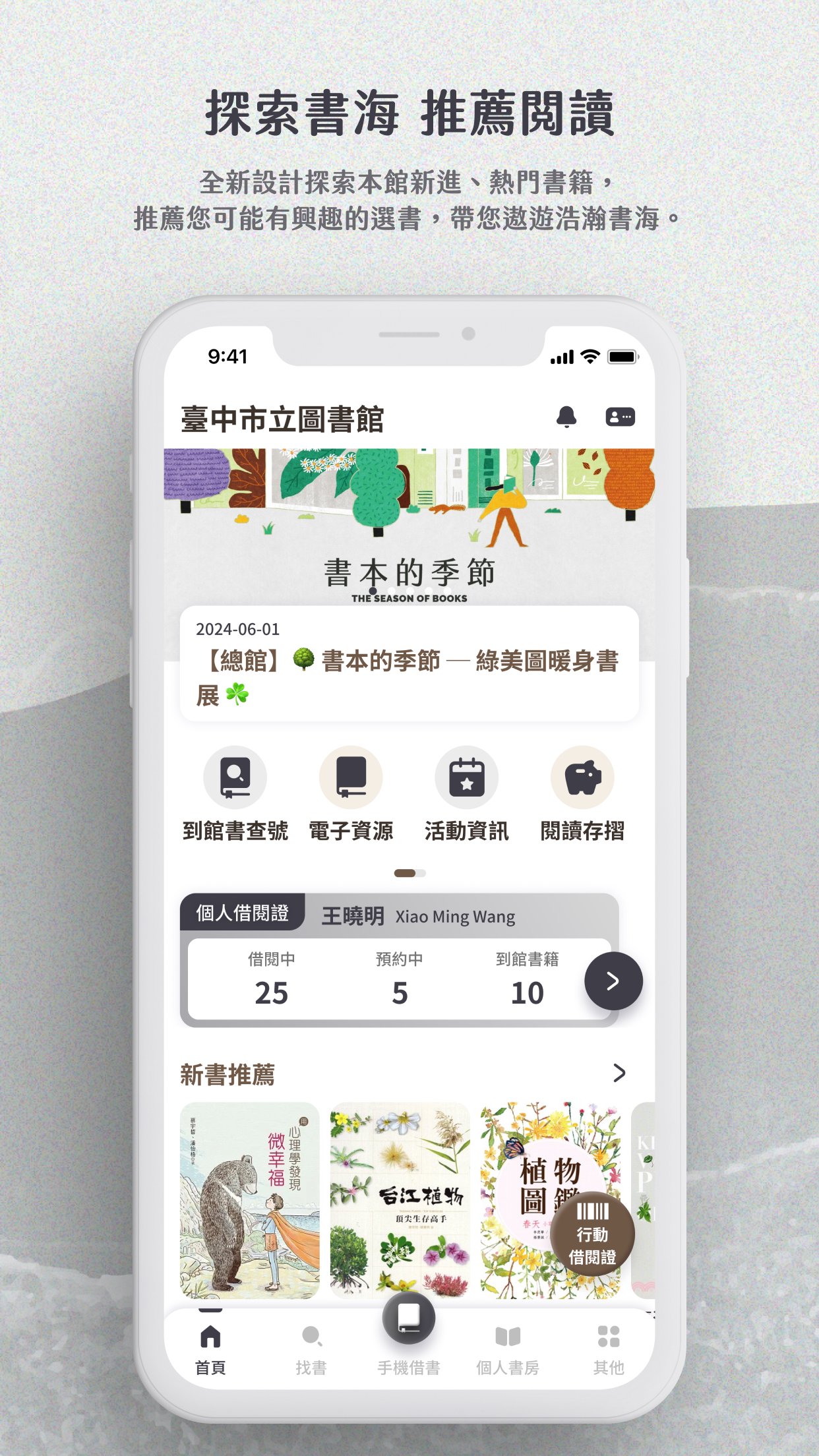
1. Explore recommendations and discover more reading inspiration
Provide new book recommendations, popular rankings and books you may like, so you can keep up with reading trends at any time.
2. Support multiple library cards and mobile library card barcodes
You can add your own and your family's library cards, switch freely, and borrow books by showing the mobile barcode without carrying physical cards.
Each library card can independently view borrowing, reservation and arrival information, and you can customize commonly used cards as defaults.
3. Message push notifications
Important notifications such as loan expiration and reservation arrival are instantly reminded through push notifications, so you don't miss any messages.
Notifications are concentrated in the message center for easy access at any time.
4. Collection query
Enter keywords to query the collection, support prompts while entering, and provide multi-condition advanced query and collection screening.
You can also scan the ISBN barcode of the book to quickly obtain detailed information.
5. Book information on one page
Book information, collection status, borrowable branches and reservation functions are integrated on a single page, making reading and operation more intuitive and smooth.
6. Mobile Book Borrowing
Scan the barcode of the book to complete the book borrowing process, no need to queue at the counter, saving your precious time.
7. Read the passbook
You can check and redeem various rewards, and clearly understand the points accumulation and usage details.
It also provides a retroactive registration function, and you can quickly register points by scanning the QR code.
Preview

Tags
EducationInformation
Developer
臺 中 市 政 府
Latest Version
4.0.40
Last Updated
2026-06-24
Category
Education
Available on
Google Play
Show More
How to play 臺中市立圖書館 with GameLoop on PC
1. Download GameLoop from the official website, then run the exe file to install GameLoop
2. Open GameLoop and search for “臺中市立圖書館” , find 臺中市立圖書館 in the search results and click “Install”
3. Enjoy playing 臺中市立圖書館 on GameLoop
Minimum requirements
OS
Windows 8.1 64-bit or Windows 10 64-bit
GPU
GTX 1050
CPU
i3-8300
Memory
8GB RAM
Storage
1GB available space
Recommended requirements
OS
Windows 8.1 64-bit or Windows 10 64-bit
GPU
GTX 1050
CPU
i3-9320
Memory
16GB RAM
Storage
1GB available space