
PolyMatchMaker PC
ChronoViking, LLC
Download PolyMatchMaker on PC With GameLoop Emulator
PolyMatchMaker sa PC
Ang PolyMatchMaker, na nagmumula sa developer na ChronoViking, LLC, ay tumatakbo sa Android systerm sa nakaraan.
Ngayon, maaari mong laruin ang PolyMatchMaker sa PC gamit ang GameLoop nang maayos.
I-download ito sa GameLoop library o mga resulta ng paghahanap. Hindi na tumitingin sa baterya o nakakadismaya na mga tawag sa maling oras.
I-enjoy lang ang PolyMatchMaker PC sa malaking screen nang libre!
PolyMatchMaker Panimula
PolyMatchMaker has been serving the Poly & Ethical Non-Monogamous community for over 20 years. With an incredible "organic" membership base, we offer a network of potential friends, dates, and partners all with similar goals; Ethical Non-Monogamy.
What we mean by "organic" is that we do not buy membership lists, nor do we share membership lists with any other non-poly site. People who are here have registered to be here.
Are you ready to meet others just like yourself? Create a free profile.
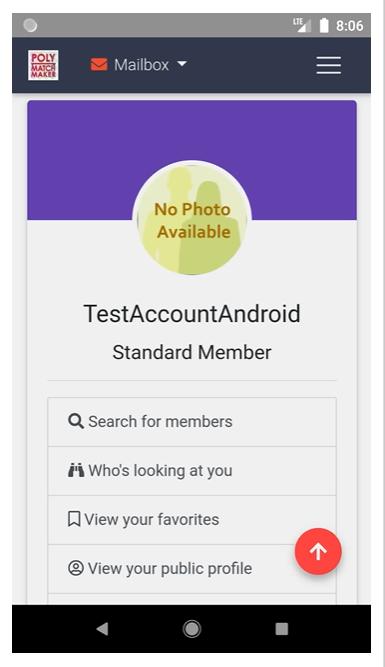
After your profile and username have been approved, you become a "Standard Member" and will be able to search our membership database, view who has looked at your profile, save favorites, and send auto-generated internal PMM "pokes".
"Premium Membership" affords you all of the items mentioned above as well as full access to internal PMM mail to send your own personal messages to other members.
Other benefits:
Do you hate bogus biography content? So do we! That’s why all biographies are screened prior to site access. This makes your app experience better and you get a more genuine view into other members' goals for meeting someone like you!
Don’t worry about app access! If you can’t get to your phone, you can always visit our website on any PC, laptop, or internet device 24/7!
Information and content provided on this application, by its parent company or its members is intended for entertainment purposes only.
Preview

Tags
DatingInformation
Developer
ChronoViking, LLC
Latest Version
1.0.0
Last Updated
2021-11-30
Category
Dating
Available on
Google Play
Show More
How to play PolyMatchMaker with GameLoop on PC
1. Download GameLoop from the official website, then run the exe file to install GameLoop
2. Open GameLoop and search for “PolyMatchMaker” , find PolyMatchMaker in the search results and click “Install”
3. Enjoy playing PolyMatchMaker on GameLoop
Minimum requirements
OS
Windows 8.1 64-bit or Windows 10 64-bit
GPU
GTX 1050
CPU
i3-8300
Memory
8GB RAM
Storage
1GB available space
Recommended requirements
OS
Windows 8.1 64-bit or Windows 10 64-bit
GPU
GTX 1050
CPU
i3-9320
Memory
16GB RAM
Storage
1GB available space