
WSTicK - Sticker Maker PC
SmartBen
Download WSTicK - Sticker Maker on PC With GameLoop Emulator
WSTicK - Sticker Maker sa PC
Ang WSTicK - Sticker Maker, na nagmumula sa developer na SmartBen, ay tumatakbo sa Android systerm sa nakaraan.
Ngayon, maaari mong laruin ang WSTicK - Sticker Maker sa PC gamit ang GameLoop nang maayos.
I-download ito sa GameLoop library o mga resulta ng paghahanap. Hindi na tumitingin sa baterya o nakakadismaya na mga tawag sa maling oras.
I-enjoy lang ang WSTicK - Sticker Maker PC sa malaking screen nang libre!
WSTicK - Sticker Maker Panimula
Sticker Maker: Wstick – Make any sticker you need!
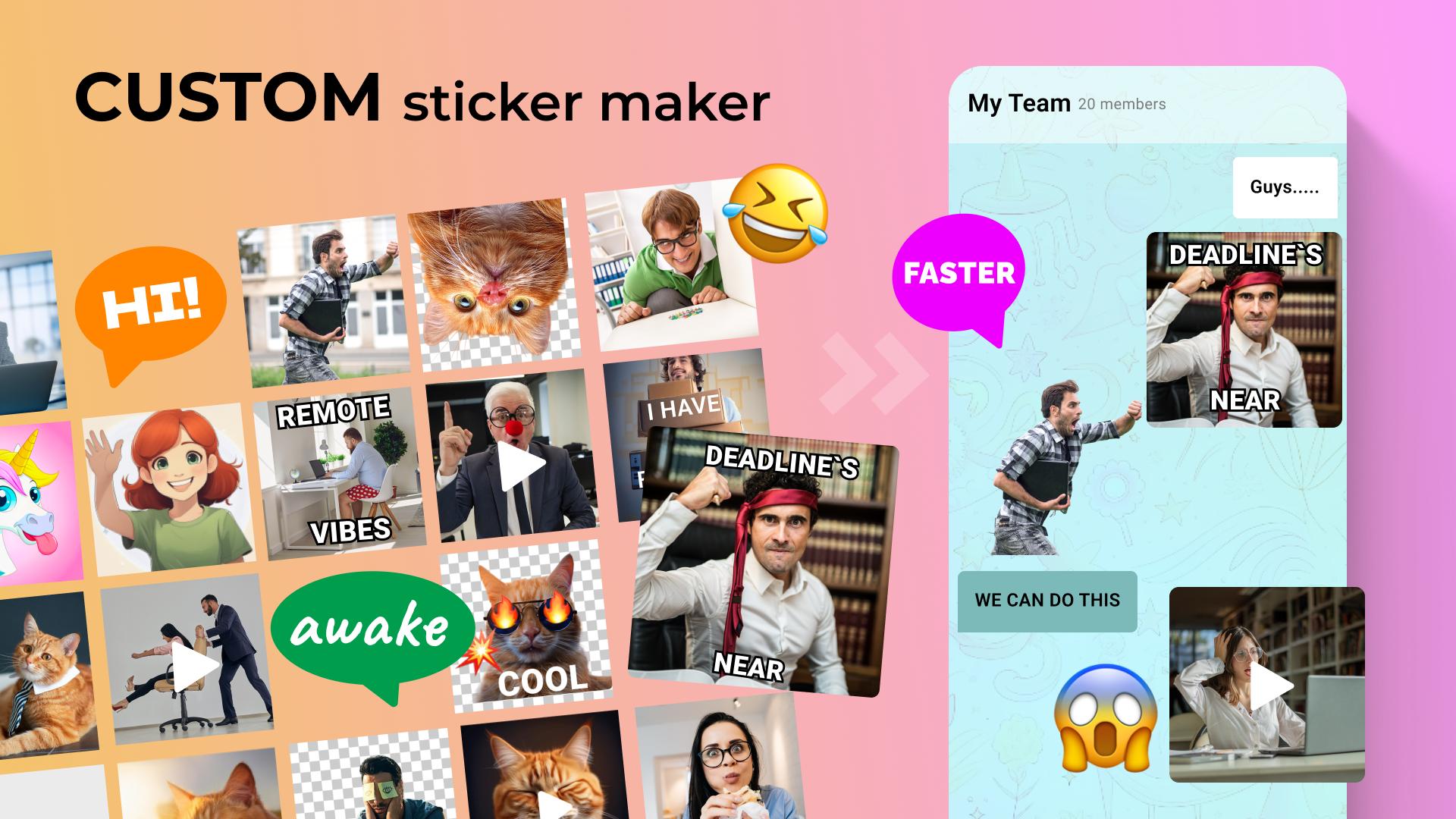
Are you looking for a simple software to create unique, different, and expressive multimedia stickers? Sticker Maker wStick is your one-way ticket to turning any picture into your sticker. To be able to make animated emojis or photo stickers, Sticker Creator Animated Stickers has everything you need. It's the ultimate Emoji Stickers App that will allow you to set your conversation with just a few taps!📄Sticker Maker: wStick Key Features:📄
🎨User-Friendly Interface: Create with Sticker Creator: Animated Stickers;
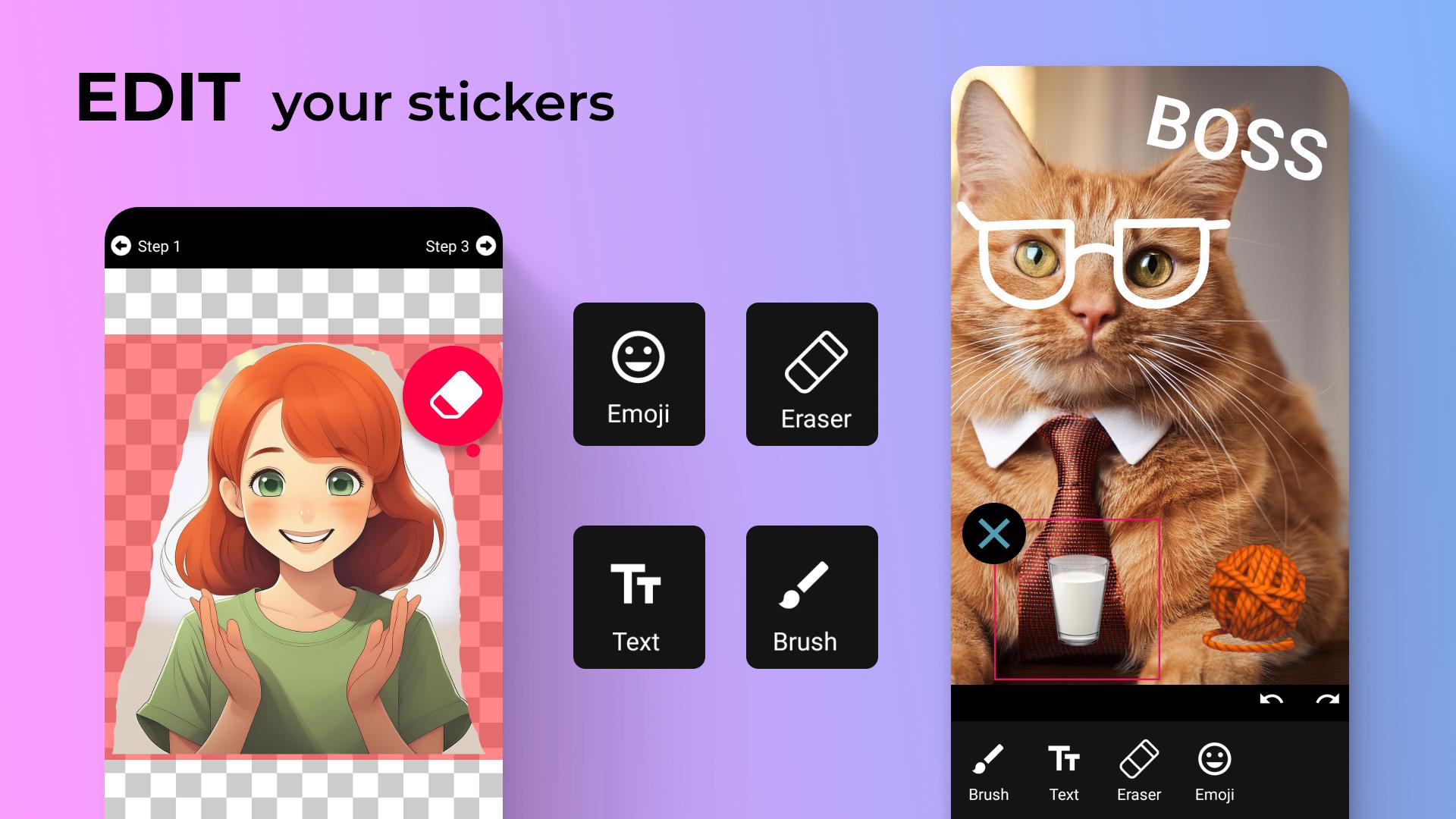
🎨Background Eraser Tool: Erase unwanted backgrounds;
🎨Crop Image Tool: Crop an image to focus on the most crucial parts;
🎨Save Existing Images: Secure them separately;
🎨Add Pictures to Storage: Easily add your photos to your library;
🎨Share Several at the Same Time (.json): Share at unbelievable speed and effortlessness;
🎨Store and Save Out-Source(.json): Save all your favorite images with Sticker Maker: wStick;
🎨Support for WTicK IOS Versions (.json): Share them with all your friends without minding about their devices.
CREATE, SHARE AND ENJOY YOUR UNIQUE STICKERS!
Sticker Maker: wStick—Make icons from your image pictures and make those icons into expressive images to manifest your personality. It's not just a sticker creator or a Sticker Creator: Animated Stickers app but a photo sticker maker with animated stickers to customize a person's creation and share it with friends and family.
Sticker Creator: Animated Stickers: Background Eraser and Crop Tools: ✂️Bring to perfection your chats by using the Background Eraser and Crop Image tools. The Photo Stickers Maker tool will help you make anything into funny looks with the Emoji Stickers App or add some delight with the Photo Stickers Maker—to create exact images precisely how you want them.
Save, Store, and Share with Sticker Creator: Animated Stickers: 💾
Sticker Maker: wStick is designed to save existing ones and easily add pictures to storage. Now, it's much easier to share your masterpieces—share several icons simultaneously in .json format or store the out-source for later use. With the support of Emoji Stickers App, you'll find it even more effortless to spread your work across devices.
Unleash Your Creativity With Photo Stickers Maker: 🎉
Sticker Maker: A stick is not just a tool; it is your creative means. From bringing your chats to life using Sticker Creator: Animated Stickers to beautiful designs with the Photo Sticker Maker, you have all you need to make your messages stand out.
Download Sticker Maker: wStick Now and Start Creating!
Join the creative revolution. Download Sticker Maker: wStick now. With power-packed features such as a background eraser, crop image tool, and easy sharing options, this Emoji Stickers App will curb anyone's craze for cool chats and enable him to express himself. Be it an experienced designer or a fresh mind who has just started working on Sticker Maker, wStick will stimulate you to create your own art genuinely.Preview
Tags
CommunicationsSocialInformation
Developer
SmartBen
Latest Version
4.0.0.1
Last Updated
2024-12-12
Category
Communications
Available on
Google Play
Show More
How to play WSTicK - Sticker Maker with GameLoop on PC
1. Download GameLoop from the official website, then run the exe file to install GameLoop
2. Open GameLoop and search for “WSTicK - Sticker Maker” , find WSTicK - Sticker Maker in the search results and click “Install”
3. Enjoy playing WSTicK - Sticker Maker on GameLoop
Minimum requirements
OS
Windows 8.1 64-bit or Windows 10 64-bit
GPU
GTX 1050
CPU
i3-8300
Memory
8GB RAM
Storage
1GB available space
Recommended requirements
OS
Windows 8.1 64-bit or Windows 10 64-bit
GPU
GTX 1050
CPU
i3-9320
Memory
16GB RAM
Storage
1GB available space