
Call Confirm PC
EasyAndroid
Download Call Confirm on PC With GameLoop Emulator
Call Confirm sa PC
Ang Call Confirm, na nagmumula sa developer na EasyAndroid, ay tumatakbo sa Android systerm sa nakaraan.
Ngayon, maaari mong laruin ang Call Confirm sa PC gamit ang GameLoop nang maayos.
I-download ito sa GameLoop library o mga resulta ng paghahanap. Hindi na tumitingin sa baterya o nakakadismaya na mga tawag sa maling oras.
I-enjoy lang ang Call Confirm PC sa malaking screen nang libre!
Call Confirm Panimula
Android has witnessed significant advancements in recent years, yet one persistent issue remains – accidental outgoing phone calls. How many times have you unintentionally dialed someone with your phone snug in your pocket, blissfully unaware? Or perhaps you tapped the call history with the intention of viewing call details, only to find the phone initiating a call?
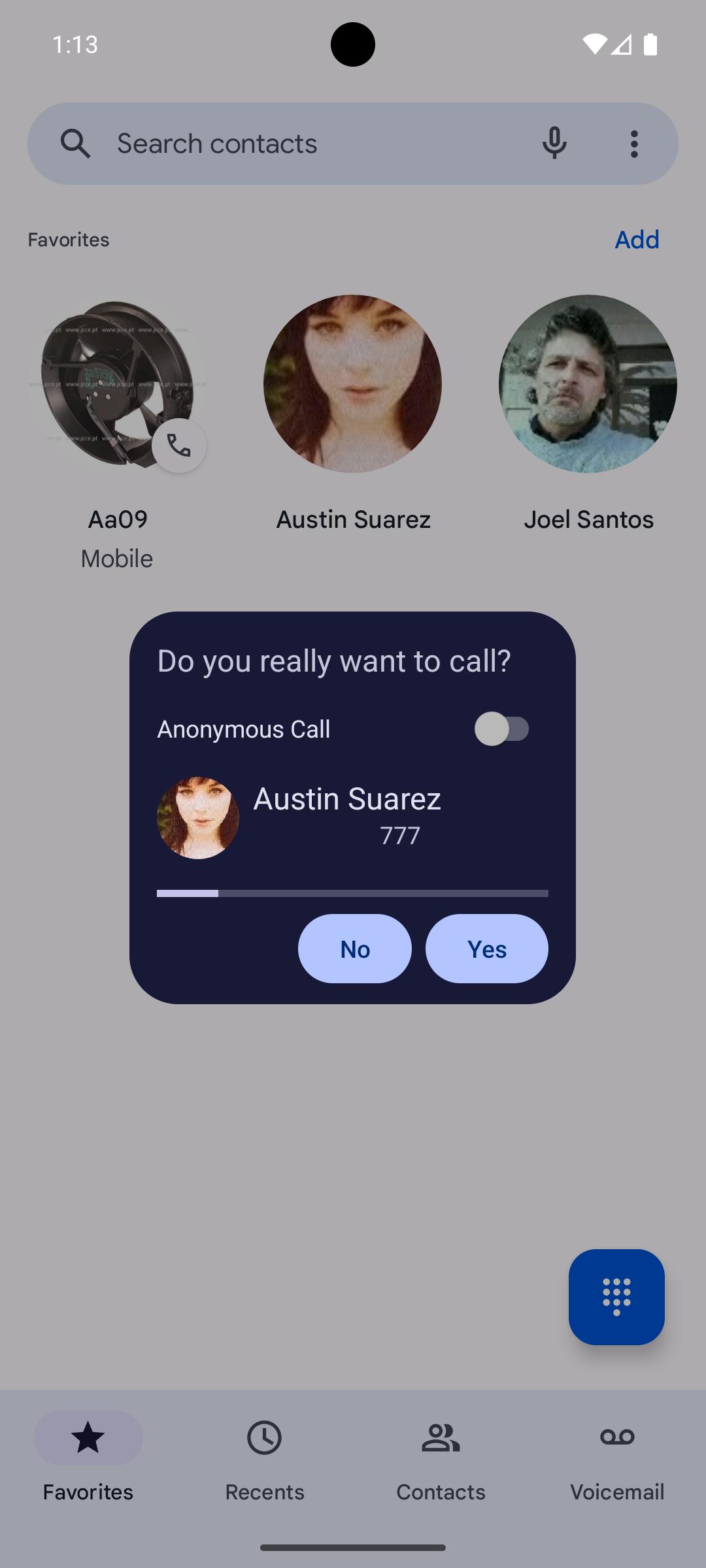
Introducing "Call Confirm" – This Call Confirmation app is the solution to inadvertent calls. This application is designed to detect when a call is about to be placed, presenting you with a confirmation dialog. This dialog displays essential information, including the number, contact name, and photo if available, allowing you to confirm or cancel the call.
But that's not all – take control of your Caller ID. Decide whether to reveal your number to the receiver. Tailor your preferences to display the number to the operator by default, contacts, favorites, or nobody – all configurable on a per-call basis.
For added convenience, when you have a Bluetooth headset connected, there's an option to skip the confirmation step.
Enjoy the benefits of the freemium version, free from ads, giving you ample time to explore its full functionality. For uninterrupted usage, consider in-app purchases to remove any time constraints.
Note: While the app is designed to seamlessly integrate into your Android experience, some devices may require adjustments in settings. Relax the battery optimization level, allow auto-start, permit running in the background, or enable popups – configurations may vary by brand. Visit https://dontkillmyapp.com/?app=pt.easyandroid.callconfirmation for device-specific tips and information.
Remember, developers strive to provide solutions, but occasional device-specific challenges may arise. Before expressing concerns, explore the suggested configurations, and share related/useful information if successful. Let's not blame developers for the mistakes of phone factories – work together to enhance your experience.
Preview

Tags
CommunicationsInformation
Developer
EasyAndroid
Latest Version
2.0.2
Last Updated
2024-11-18
Category
Communications
Available on
Google Play
Show More
How to play Call Confirm with GameLoop on PC
1. Download GameLoop from the official website, then run the exe file to install GameLoop
2. Open GameLoop and search for “Call Confirm” , find Call Confirm in the search results and click “Install”
3. Enjoy playing Call Confirm on GameLoop
Minimum requirements
OS
Windows 8.1 64-bit or Windows 10 64-bit
GPU
GTX 1050
CPU
i3-8300
Memory
8GB RAM
Storage
1GB available space
Recommended requirements
OS
Windows 8.1 64-bit or Windows 10 64-bit
GPU
GTX 1050
CPU
i3-9320
Memory
16GB RAM
Storage
1GB available space