
Sussy School Grounds PC
salma34
Download Sussy School Grounds on PC With GameLoop Emulator
Sussy School Grounds sa PC
Ang Sussy School Grounds, na nagmumula sa developer na salma34, ay tumatakbo sa Android systerm sa nakaraan.
Ngayon, maaari mong laruin ang Sussy School Grounds sa PC gamit ang GameLoop nang maayos.
I-download ito sa GameLoop library o mga resulta ng paghahanap. Hindi na tumitingin sa baterya o nakakadismaya na mga tawag sa maling oras.
I-enjoy lang ang Sussy School Grounds PC sa malaking screen nang libre!
Sussy School Grounds Panimula
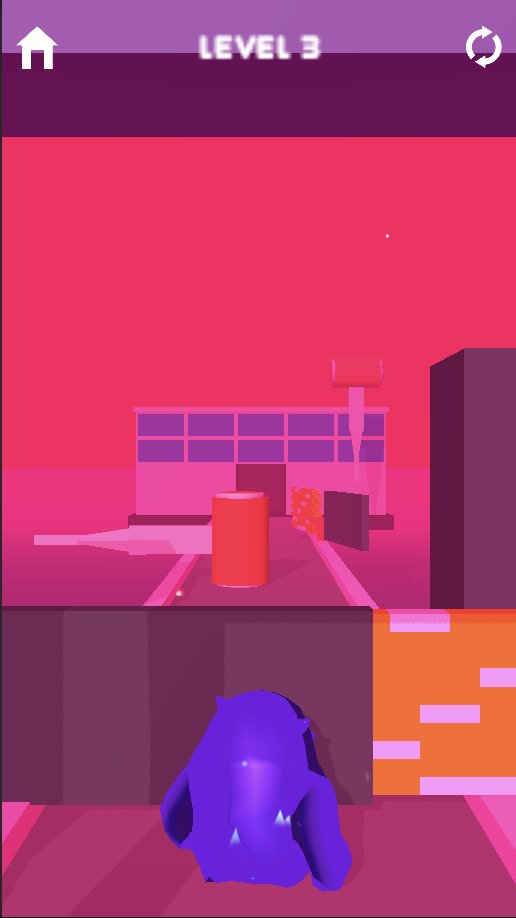
In "Sussy School Grounds", players take on the role of a student who finds themselves trapped within the ominous grounds of their school's garden. As they navigate through the dark and eerie environment, they quickly discover that the garden is not what it seems, and that supernatural forces are at play.
One of the unique features of the game is the ability for certain characters to break through walls and other obstacles, creating new paths and allowing the player to explore areas that were previously inaccessible. However, this feature comes with a cost, as the sound of breaking walls can also attract the attention of dangerous enemies that lurk in the shadows.
As the player progresses through the game, they must use their wits and strategy to avoid these enemies while using the abilities of the wall-breaking characters to uncover the dark secrets of the school garden. The game will be filled with jump scares, atmospheric tension, and unsettling imagery that will keep players on the edge of their seat throughout the gameplay experience.
Overall, "Sussy School Grounds" promises to be a chilling and intense horror game set within the mysterious and foreboding grounds of a school garden, where the ability to break walls can mean the difference between life and death.
Preview

Information
Developer
salma34
Latest Version
1.0.2
Last Updated
2023-04-03
Category
Casual
Available on
Google Play
Show More
How to play Sussy School Grounds with GameLoop on PC
1. Download GameLoop from the official website, then run the exe file to install GameLoop
2. Open GameLoop and search for “Sussy School Grounds” , find Sussy School Grounds in the search results and click “Install”
3. Enjoy playing Sussy School Grounds on GameLoop
Minimum requirements
OS
Windows 8.1 64-bit or Windows 10 64-bit
GPU
GTX 1050
CPU
i3-8300
Memory
8GB RAM
Storage
1GB available space
Recommended requirements
OS
Windows 8.1 64-bit or Windows 10 64-bit
GPU
GTX 1050
CPU
i3-9320
Memory
16GB RAM
Storage
1GB available space