
Ghost face detector PC
Mikhail Frenkel
Download Ghost face detector on PC With GameLoop Emulator
Ghost face detector sa PC
Ang Ghost face detector, na nagmumula sa developer na Mikhail Frenkel, ay tumatakbo sa Android systerm sa nakaraan.
Ngayon, maaari mong laruin ang Ghost face detector sa PC gamit ang GameLoop nang maayos.
I-download ito sa GameLoop library o mga resulta ng paghahanap. Hindi na tumitingin sa baterya o nakakadismaya na mga tawag sa maling oras.
I-enjoy lang ang Ghost face detector PC sa malaking screen nang libre!
Ghost face detector Panimula
Dear users!
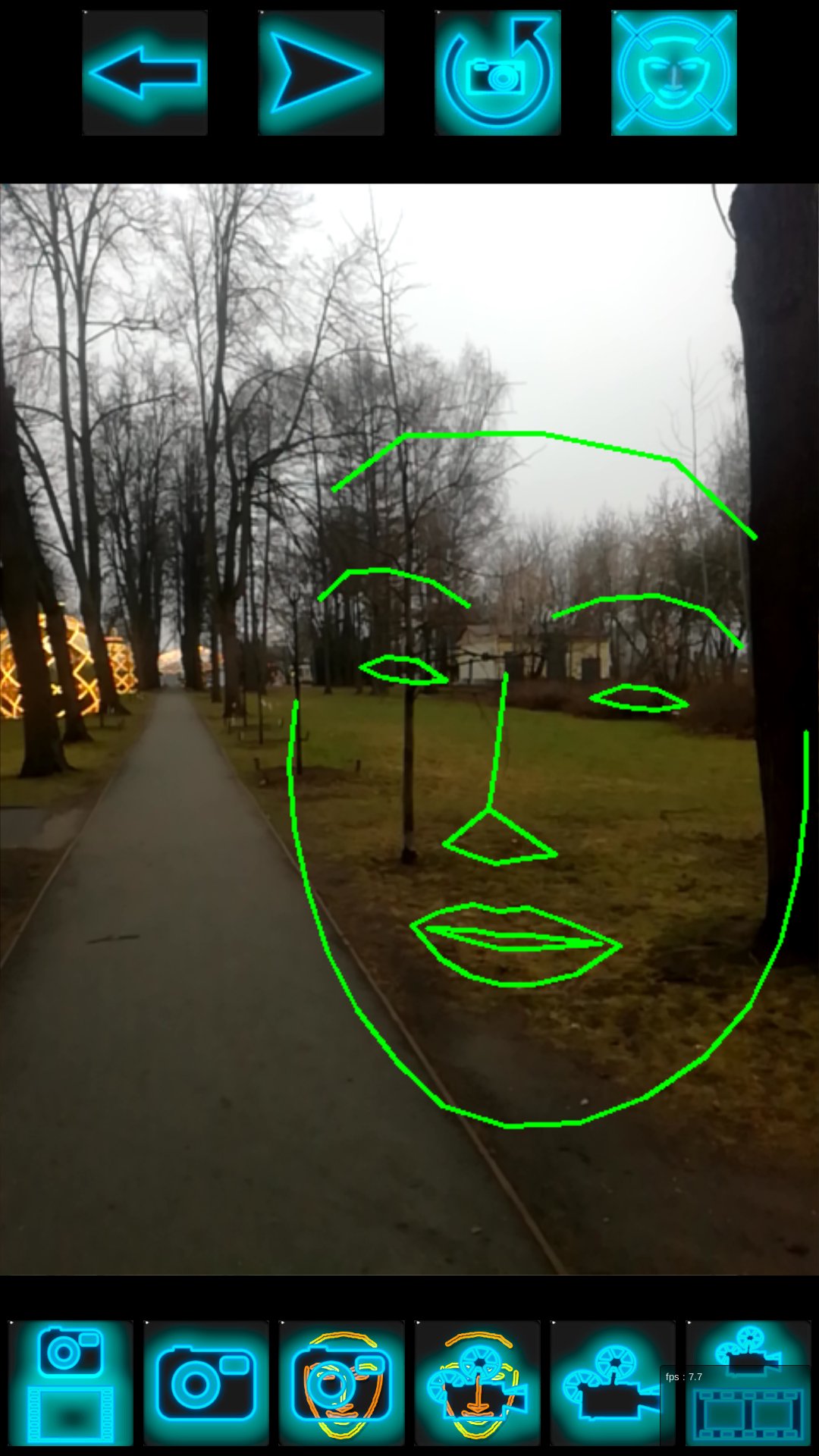
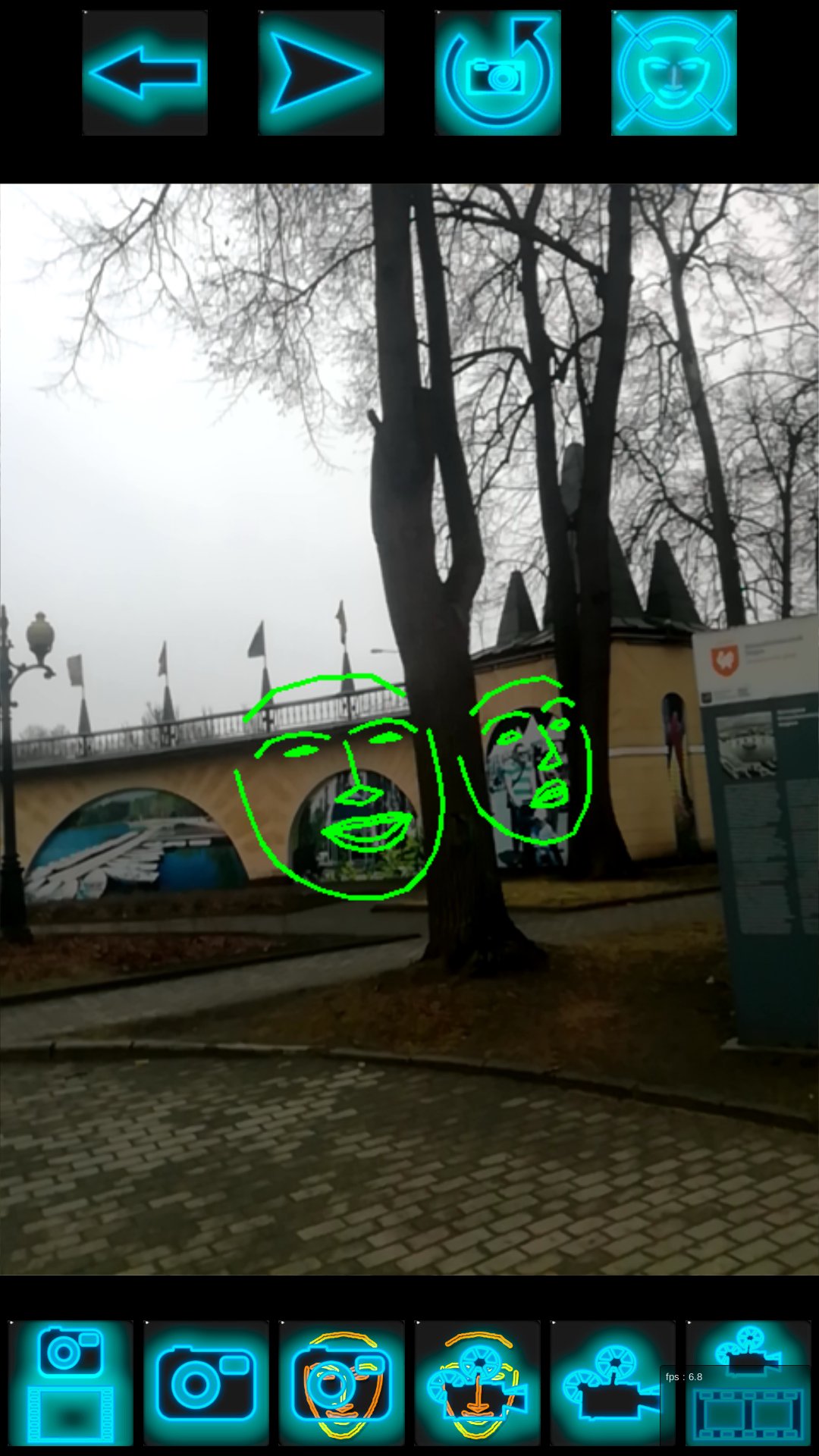
While analyzing the face image (face tracking), it has been observed that standard face tracking algorithms sometimes find it where it is not. The contours of the face appear for a moment in places of the frame where there is no image of the person's face. I thought it was an algorithm error. And in many cases it is. BUT!!! Once I tried to talk to that ghostly outline of a face. I asked him to freeze. He froze, i.e. the contour ceased to disappear. Then I asked him to open his mouth. Contour opened his mouth. Asked to nod to the left, he nodded....
Theoretically, it could be a coincidence, but it is very unlikely.
Decided to share this with You.
Made this program.
It contains only the algorithm of tracking a person's face and an additional service.
Namely:
• Face tracking during camera operation.
• Switch camera from front to selfie.
• The ability to record video, as in the standard camera program, but there is a choice to write with or without contour.
• The ability to take photos, but there is a choice with or without contour.
• View captured video or photo and search for Ghost faces in it. Videos or photos can be taken either by this app or by any other.
• Share your findings with friends. By sending them from the app with the standard "Share" service.
• Receive from friends their videos and photos and analyze them using the app.
In Pro version:
• Detector type selection:
- basic face detector;
- the second face detector from the Dlib library;
- cat detector.
• Adjustment of the sensitivity of all types of detectors;
• Setting the type of output of the face contour.
There are no connections to any server (except Unity ADS), no logins, no hidden sending of information. The application uses:
• the camera only for shooting at the tracking entity (Ghost or spirit);
• memory for recording and playing photos and videos;
For those who are interested in what technologies and algorithms the application uses, here they are:
Unity3D, openCV, cascade haara, dlib.
These technologies are used in many currently popular applications of overlay masks on the face.
Some limitation.
• The algorithm sees faces looking directly into the camera, or at an angle of no more than 20°. Ie ghosts, not looking at the camera he will not see.
• The algorithm spends a lot of CPU resource and can slow down on external (recorded) large videos and photos. But it still analyzes every frame, just in slow motion.
Be patient, ghost faces may not be find for a long time.
A successful search.
With respect,
Michael Frankel
P. S. Perhaps this is an error of the algorithm. The program does not claim to be scientific. It's more like a joke....
MY BELIEF:
!!! NO WAR!!!
Preview
Tags
CasualInformation
Developer
Mikhail Frenkel
Latest Version
3.36
Last Updated
2025-10-31
Category
Casual
Available on
Google Play
Show More
How to play Ghost face detector with GameLoop on PC
1. Download GameLoop from the official website, then run the exe file to install GameLoop
2. Open GameLoop and search for “Ghost face detector” , find Ghost face detector in the search results and click “Install”
3. Enjoy playing Ghost face detector on GameLoop
Minimum requirements
OS
Windows 8.1 64-bit or Windows 10 64-bit
GPU
GTX 1050
CPU
i3-8300
Memory
8GB RAM
Storage
1GB available space
Recommended requirements
OS
Windows 8.1 64-bit or Windows 10 64-bit
GPU
GTX 1050
CPU
i3-9320
Memory
16GB RAM
Storage
1GB available space