
Solitaire Live Challenge PC
BlackLight Studio Games
Download Solitaire Live Challenge on PC With GameLoop Emulator
Solitaire Live Challenge sa PC
Ang Solitaire Live Challenge, na nagmumula sa developer na BlackLight Studio Games, ay tumatakbo sa Android systerm sa nakaraan.
Ngayon, maaari mong laruin ang Solitaire Live Challenge sa PC gamit ang GameLoop nang maayos.
I-download ito sa GameLoop library o mga resulta ng paghahanap. Hindi na tumitingin sa baterya o nakakadismaya na mga tawag sa maling oras.
I-enjoy lang ang Solitaire Live Challenge PC sa malaking screen nang libre!
Solitaire Live Challenge Panimula
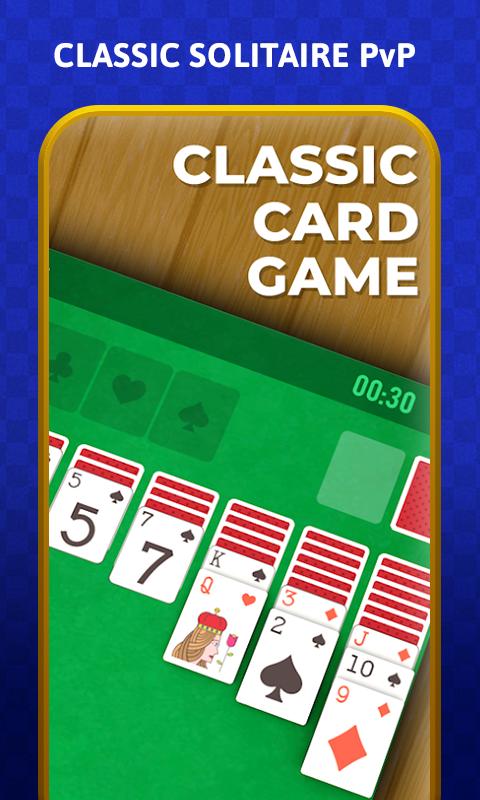
Come and Play the most popular and classic card Game – Solitaire Live Challenge also called as Klondike Solitaire. Challenge your friends or play against the World to compete on the leaderboard and be the best Solitaire Player.
Race against time to finish the deck as fast as you can. Practice offline to improve your skills and become better and faster than everyone else. Customise your Solitaire game by choosing your favourite theme for the backdrop and cards of your choice.
Rules
There are four different types of piles in Solitaire. They are:
- The Stock: The pile of facedown cards in the upper left corner.
- The Waste: The face-up pile next to the Stock in the upper left corner.
- The Foundations: The four piles in the upper right corner.
- The Tableau: The seven piles that make up the main table.
The objective
To win Solitaire, you must get all the cards onto the foundation piles. The Foundations are ordered by suit and rank, each Foundation has one suit and you must put the cards onto them in the order Ace 2 3 4 5 6 7 8 9 10 Jack Queen King.
Key Features
• Complete 1-on-1 with other players to win coins in the amazing new Multiplayer Mode.
• Practice offline to become better and faster.
• Crisp, beautiful and easy to read cards.
• Single tap to place a card.
• Drag and drop Cards.
• Undo your mistakes.
• STUCK! No worries, use Hints to show you useful moves.
• Auto Complete to finish a solved game.
• Open Chests to win extra Coins and Gems in the game
• Fun, Fast and Sensible Interface
• GO on a roll and make the highest Win Streak
• Level up and become an Expert in Solitaire
• Top the Leaderboard and be the best.
Preview

Tags
SolitaireCasualSingle playerRealisticOfflineInformation
Developer
BlackLight Studio Games
Latest Version
7.0.2
Last Updated
2020-06-04
Category
Card
Available on
Google Play
Show More
How to play Solitaire Live Challenge with GameLoop on PC
1. Download GameLoop from the official website, then run the exe file to install GameLoop
2. Open GameLoop and search for “Solitaire Live Challenge” , find Solitaire Live Challenge in the search results and click “Install”
3. Enjoy playing Solitaire Live Challenge on GameLoop
Minimum requirements
OS
Windows 8.1 64-bit or Windows 10 64-bit
GPU
GTX 1050
CPU
i3-8300
Memory
8GB RAM
Storage
1GB available space
Recommended requirements
OS
Windows 8.1 64-bit or Windows 10 64-bit
GPU
GTX 1050
CPU
i3-9320
Memory
16GB RAM
Storage
1GB available space