
OpenText Service Management PC
Micro Focus Software Inc.
Download OpenText Service Management on PC With GameLoop Emulator
OpenText Service Management sa PC
Ang OpenText Service Management, na nagmumula sa developer na Micro Focus Software Inc., ay tumatakbo sa Android systerm sa nakaraan.
Ngayon, maaari mong laruin ang OpenText Service Management sa PC gamit ang GameLoop nang maayos.
I-download ito sa GameLoop library o mga resulta ng paghahanap. Hindi na tumitingin sa baterya o nakakadismaya na mga tawag sa maling oras.
I-enjoy lang ang OpenText Service Management PC sa malaking screen nang libre!
OpenText Service Management Panimula
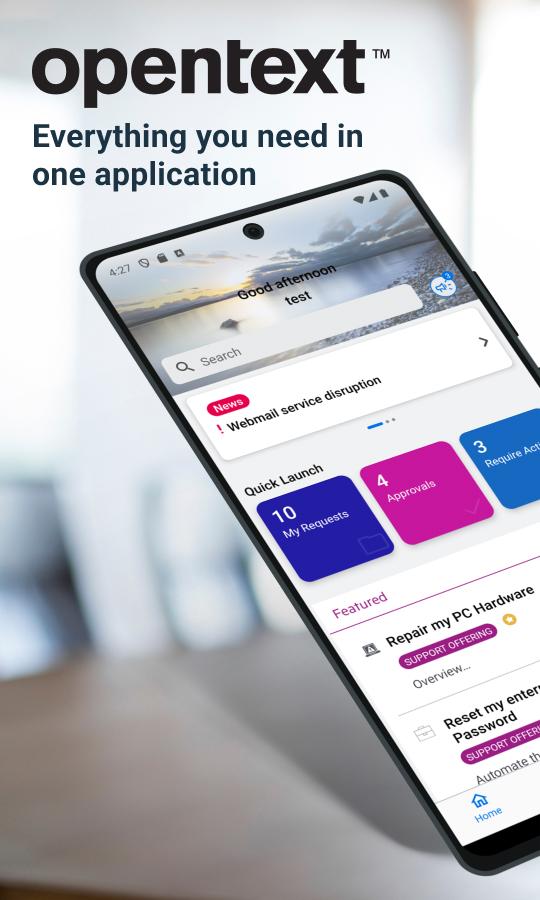
The OpenText Service Management mobile app is the mobile version of Service Management.
Via Service Portal mode, end-users can:
Search service or support offerings, knowledge articles and news
Browse the service or support offerings
Create new service or support requests
Approve or deny the request approvals or change approvals
Accept or reject resolved requests
Smart ticketing and Virtual Agent support
Switch between different tenants
Via agent mode, agent users can:
Search for specific requests/incidents, CIs, people, and knowledge articles or news
View the requests/tasks/incidents in my views
Filter request/task/incident list. For example, filter the requests in a specific priority
Update the detailed information of a request/task/incident
Post comments to a request/task/incident
Add solution or suggested solution to a request/incident
View the detailed information of Person records and contact the person by tapping the phone number, the email address or the location
For full details of our new release please go to OpenText online documentation :
https://docs.microfocus.com/doc/Mobile/SMAX/ReleaseNotes
https://docs.microfocus.com/doc/Mobile/SMA-SM/ReleaseNotes
https://docs.microfocus.com/doc/Mobile/SaaS/ReleaseNotes
IMPORTANT: This software requires connectivity to the OpenText Service Management. You may activate the mobile app by scanning a QR code from your company’s Service Management web site. You may also contact your IT administrator for an activation URL.
Preview

Tags
BusinessInformation
Developer
Micro Focus Software Inc.
Latest Version
25.3.0
Last Updated
2025-07-04
Category
Business
Available on
Google Play
Show More
How to play OpenText Service Management with GameLoop on PC
1. Download GameLoop from the official website, then run the exe file to install GameLoop
2. Open GameLoop and search for “OpenText Service Management” , find OpenText Service Management in the search results and click “Install”
3. Enjoy playing OpenText Service Management on GameLoop
Minimum requirements
OS
Windows 8.1 64-bit or Windows 10 64-bit
GPU
GTX 1050
CPU
i3-8300
Memory
8GB RAM
Storage
1GB available space
Recommended requirements
OS
Windows 8.1 64-bit or Windows 10 64-bit
GPU
GTX 1050
CPU
i3-9320
Memory
16GB RAM
Storage
1GB available space