
Olsera Office PC
PT Olsera Indonesia Pratama
Download Olsera Office on PC With GameLoop Emulator
Olsera Office sa PC
Ang Olsera Office, na nagmumula sa developer na PT Olsera Indonesia Pratama, ay tumatakbo sa Android systerm sa nakaraan.
Ngayon, maaari mong laruin ang Olsera Office sa PC gamit ang GameLoop nang maayos.
I-download ito sa GameLoop library o mga resulta ng paghahanap. Hindi na tumitingin sa baterya o nakakadismaya na mga tawag sa maling oras.
I-enjoy lang ang Olsera Office PC sa malaking screen nang libre!
Olsera Office Panimula
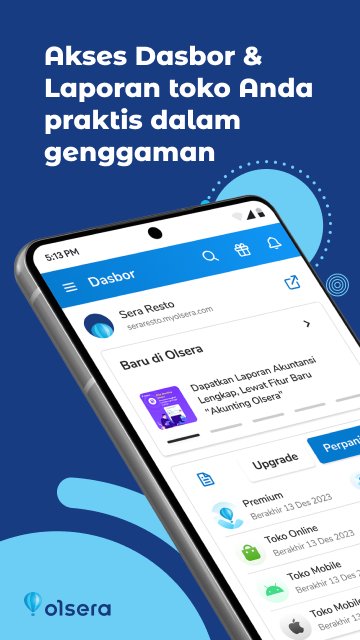
Olsera Office is a pioneer, the first app version of the back-office solution presented to complement cloud-based Point of Sale in Indonesia.
Olsera Office is an alternative for you business owners who are mobile and more comfortable using a smartphone to monitor your store sales compared to doing it through a browser to access the web version of the database.
Olsera Office also brings more convenience with the following features:
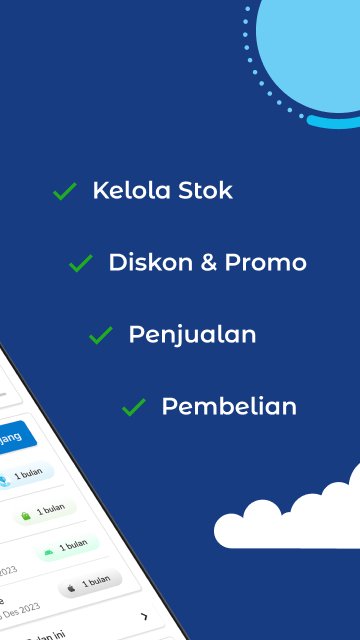
1. all the features of the web version of the "back-office", from uploading products, add-ons, managing inventory / stock of products and raw materials, promotion & commission programs, customer CRM, loyalty point programs, payment management, to complete reports. (please refer to www.olsera.com for updated feature list)
2. Native app with responsive navigation, lighter and faster.
3. notification of orders from online stores, makes it easy for you to immediately find out and process them directly on the store POS device
4. Submission of OVO, GO-PAY, Cashlez directly in the app
5. low stock notification, according to the settings
6. Notifications of the latest features and developments from the Olsera development team
7. notification "Closing Sales / Close Sales" every time the store operation is finished / change shifts (coming soon)
This application was developed for use by Olsera merchants at no additional cost.
The Olsera Developer Team hopes that the presence of Olsera Office will provide more convenience, comfort and satisfaction with the experience of using Olsera.
Note:
If you don't have an account with Olsera, please register directly on the Olsera Office app or via the official website www.olsera.com.
To download the OlseraPOS cashier application, click the following link.
https://play.google.com/store/apps/details?id=com.olserapratama.pos&hl=in
CONTACT US
Feel free to contact our team whenever you need assistance.
Online Support & CS: www.olsera.com
Email: enquiry@olsera.com
Call: 0811-1956-9188 / +62778 4883-678
WA: http://bit.ly/olseraofficial / 0821 1818 1187
Preview
Tags
BusinessInformation
Developer
PT Olsera Indonesia Pratama
Latest Version
2.2.6
Last Updated
2026-02-26
Category
Business
Available on
Google Play
Show More
How to play Olsera Office with GameLoop on PC
1. Download GameLoop from the official website, then run the exe file to install GameLoop
2. Open GameLoop and search for “Olsera Office” , find Olsera Office in the search results and click “Install”
3. Enjoy playing Olsera Office on GameLoop
Minimum requirements
OS
Windows 8.1 64-bit or Windows 10 64-bit
GPU
GTX 1050
CPU
i3-8300
Memory
8GB RAM
Storage
1GB available space
Recommended requirements
OS
Windows 8.1 64-bit or Windows 10 64-bit
GPU
GTX 1050
CPU
i3-9320
Memory
16GB RAM
Storage
1GB available space