
myAccount PC
FleXtel
Download myAccount on PC With GameLoop Emulator
myAccount sa PC
Ang myAccount, na nagmumula sa developer na FleXtel, ay tumatakbo sa Android systerm sa nakaraan.
Ngayon, maaari mong laruin ang myAccount sa PC gamit ang GameLoop nang maayos.
I-download ito sa GameLoop library o mga resulta ng paghahanap. Hindi na tumitingin sa baterya o nakakadismaya na mga tawag sa maling oras.
I-enjoy lang ang myAccount PC sa malaking screen nang libre!
myAccount Panimula
The Flextel myAccount app, available for iOS and Android, lets you control your phone calls remotely from any country in the world.
To enjoy the benefits, you will need to get a Flextel phone number from http://www.flextel.com. There are thousands of these flexible virtual numbers free to own and use - some even earn you rewards as you use them.
Using the app with a Flextel phone number means you can instantly receive calls on any mobile, international or internet phone (VoIP). What's more, in just a few taps you can instantaneously change which phone you want to use to answer calls to your Flextel number.
We have listened to your feedback, our myAccount app features include:
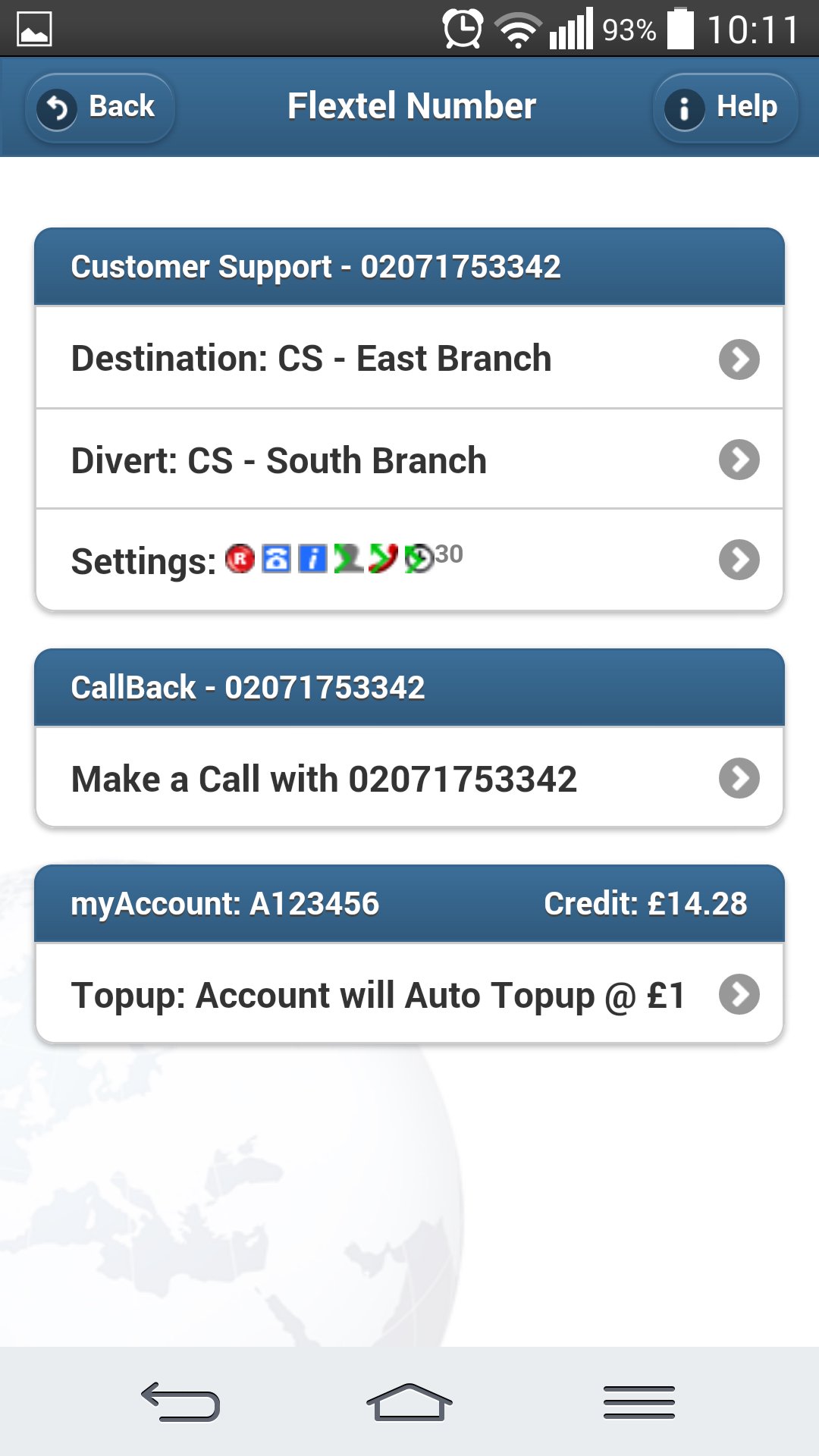
- Managing your full Flextel account.
- Topup your FlexCredit
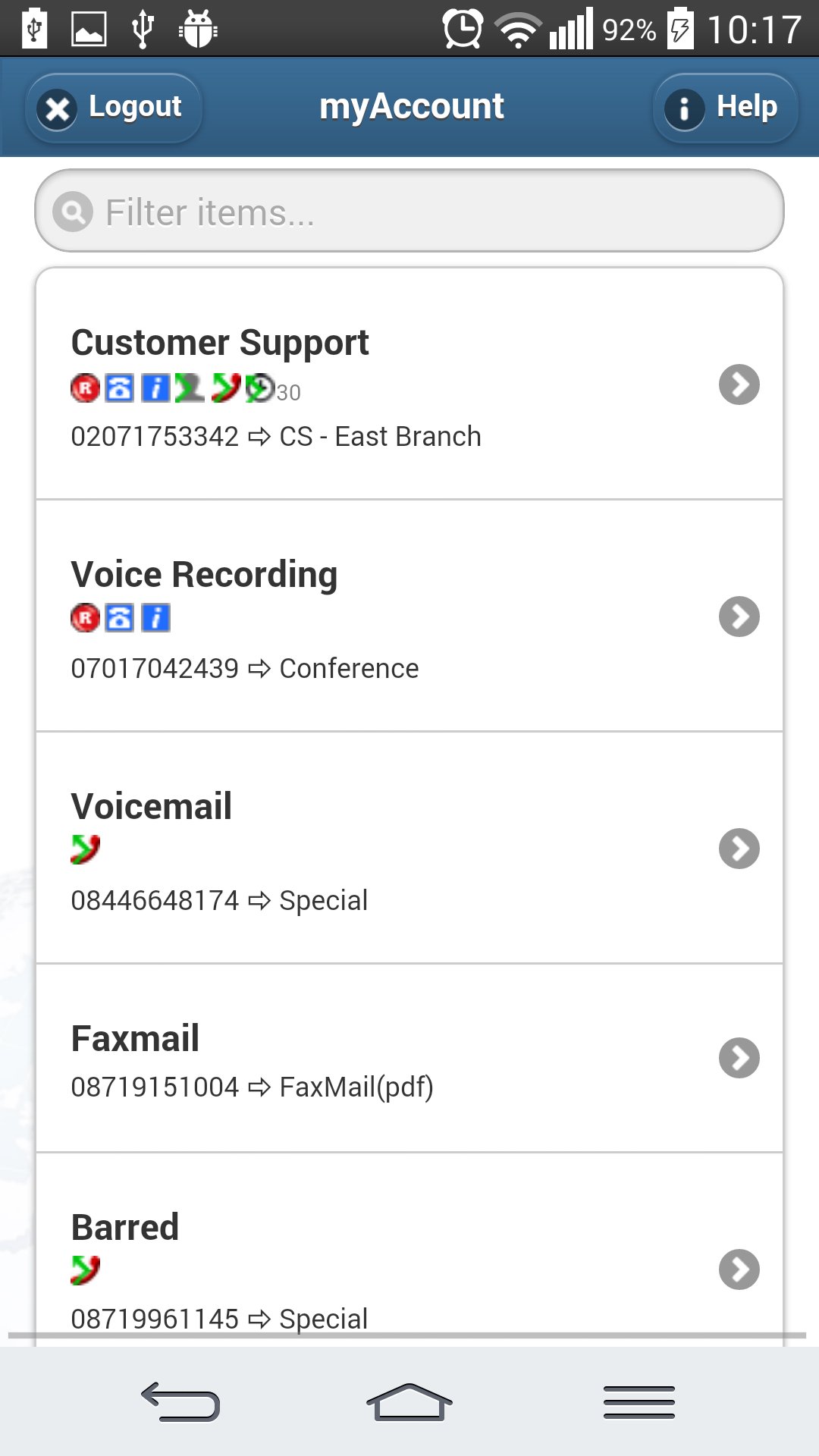
- Filter your numbers, to find certain numbers quickly in larger accounts.
- 'Quick tap' memories (similar to speed-dial) for your frequently used destination phones.
- A second 'Divert' destination in case the first is busy or unavailable.
- Voicemail: All voicemails are emailed to you as a sound file for saving or sharing.
- Call recording: All recorded phone calls are emailed to you as a sound file for saving or sharing.
- Notifications: If you choose you will be emailed a notification with the caller's phone number and when they called.
- Paperless faxing: Setting your number to 'Fax' mode means that it can receive faxes - you will then be emailed the file for saving or sharing.
- Call recognition: Dialled Number Display lets you distinguish between callers using your Flextel number and those who are calling you directly.
- Conference calling: Setting your number to 'Conference' mode means you can use it to talk to several people simultaneously in one phone call.
- Telephone menu: 'Auto-attendant' mode means you can create and customise a touch-tone menu for your callers, similar to a switchboard (e.g. “Press one for sales, press 2 for customer support...”).
- Many more features also included!
- This app is compatible with iPhone, iPod, iPad and most Android devices.
For more information about this app, Flextel numbers, please visit http://www.flextel.com.
Preview
Tags
BusinessInformation
Developer
FleXtel
Latest Version
1.9.0
Last Updated
2025-08-30
Category
Business
Available on
Google Play
Show More
How to play myAccount with GameLoop on PC
1. Download GameLoop from the official website, then run the exe file to install GameLoop
2. Open GameLoop and search for “myAccount” , find myAccount in the search results and click “Install”
3. Enjoy playing myAccount on GameLoop
Minimum requirements
OS
Windows 8.1 64-bit or Windows 10 64-bit
GPU
GTX 1050
CPU
i3-8300
Memory
8GB RAM
Storage
1GB available space
Recommended requirements
OS
Windows 8.1 64-bit or Windows 10 64-bit
GPU
GTX 1050
CPU
i3-9320
Memory
16GB RAM
Storage
1GB available space