My NRG PC
NRG Energy, Inc
Download My NRG on PC With GameLoop Emulator
My NRG sa PC
Ang My NRG, na nagmumula sa developer na NRG Energy, Inc, ay tumatakbo sa Android systerm sa nakaraan.
Ngayon, maaari mong laruin ang My NRG sa PC gamit ang GameLoop nang maayos.
I-download ito sa GameLoop library o mga resulta ng paghahanap. Hindi na tumitingin sa baterya o nakakadismaya na mga tawag sa maling oras.
I-enjoy lang ang My NRG PC sa malaking screen nang libre!
My NRG Panimula
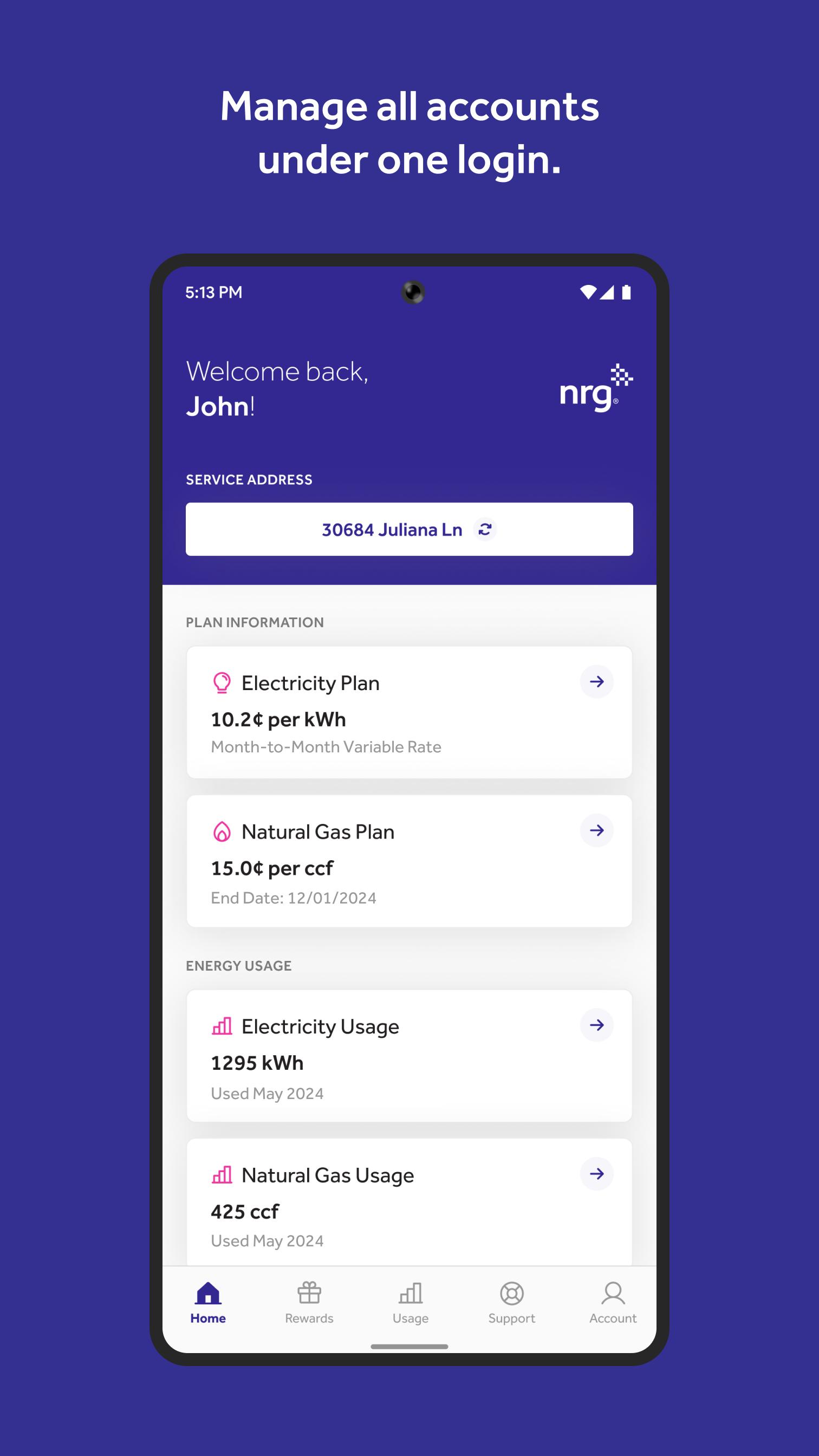
The My NRG mobile app offers comprehensive energy management for our electricity and natural gas customers in the Northeast. Easily manage your account on the move by registering or logging in with your picknrg.com credentials. Our chat support team is available Monday through Friday, from 8 am to 8 pm EST, via the app.
Features:
Unified Account Management: Access all your NRG accounts with a single login.
Plan Notifications: Get alerts to renew or change your electricity and natural gas plans.
Service Enrollment: Sign up for additional NRG services, including electricity and natural gas (availability varies by area).
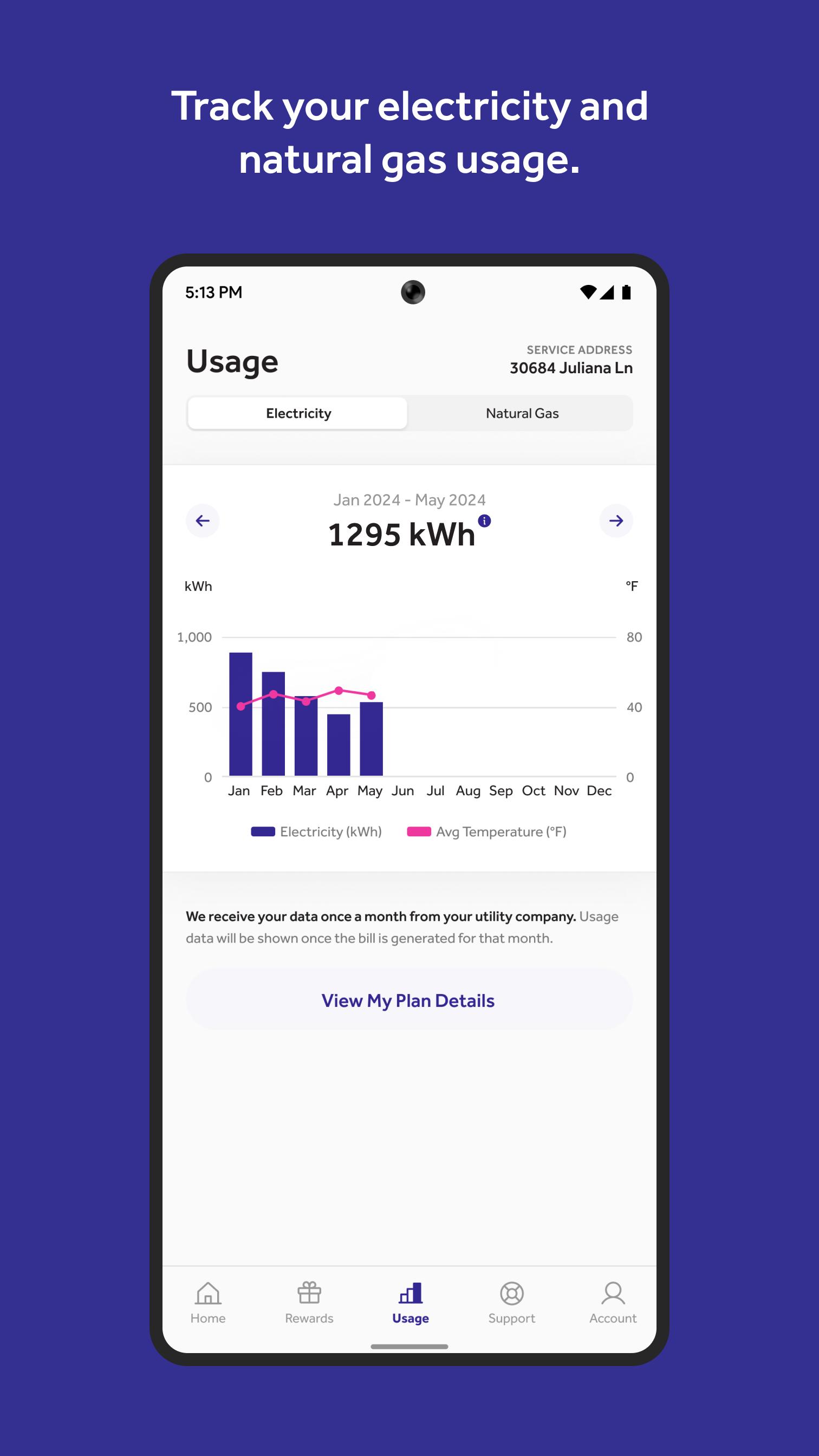
Energy Monitoring: Track your energy consumption on a monthly and annual basis.
Referral Program: Earn bonuses by referring friends and family.
Rewards Tracking: Manage your NRG Rewards, including travel points/miles (redeemable with partners), charitable donations, or cash back.
Device Integration: Link your electric vehicle (compatible with 22 EV models), Nest Thermostat*, and Enphase Solar account.
Customer Support: Access FAQs and contact us via phone, chat, or email.
Utility Contacts: Find your utility’s contact details to report power outages.
Feedback: Provide feedback to improve your app experience.
*NRG is not affiliated with Nest or its marketed products and services. Nest Thermostat is a trademark of Nest Labs, Inc., and all related rights are reserved. Should your Google Nest not appear in the My NRG app following a version update, please unlink and relink the device.
Preview
Tags
BusinessInformation
Developer
NRG Energy, Inc
Latest Version
5.3.0
Last Updated
2025-06-13
Category
Business
Available on
Google Play
Show More
How to play My NRG with GameLoop on PC
1. Download GameLoop from the official website, then run the exe file to install GameLoop
2. Open GameLoop and search for “My NRG” , find My NRG in the search results and click “Install”
3. Enjoy playing My NRG on GameLoop
Minimum requirements
OS
Windows 8.1 64-bit or Windows 10 64-bit
GPU
GTX 1050
CPU
i3-8300
Memory
8GB RAM
Storage
1GB available space
Recommended requirements
OS
Windows 8.1 64-bit or Windows 10 64-bit
GPU
GTX 1050
CPU
i3-9320
Memory
16GB RAM
Storage
1GB available space