
Limerr POS PC
Redspark Technologies Pvt Ltd
Download Limerr POS on PC With GameLoop Emulator
Limerr POS sa PC
Ang Limerr POS, na nagmumula sa developer na Redspark Technologies Pvt Ltd, ay tumatakbo sa Android systerm sa nakaraan.
Ngayon, maaari mong laruin ang Limerr POS sa PC gamit ang GameLoop nang maayos.
I-download ito sa GameLoop library o mga resulta ng paghahanap. Hindi na tumitingin sa baterya o nakakadismaya na mga tawag sa maling oras.
I-enjoy lang ang Limerr POS PC sa malaking screen nang libre!
Limerr POS Panimula
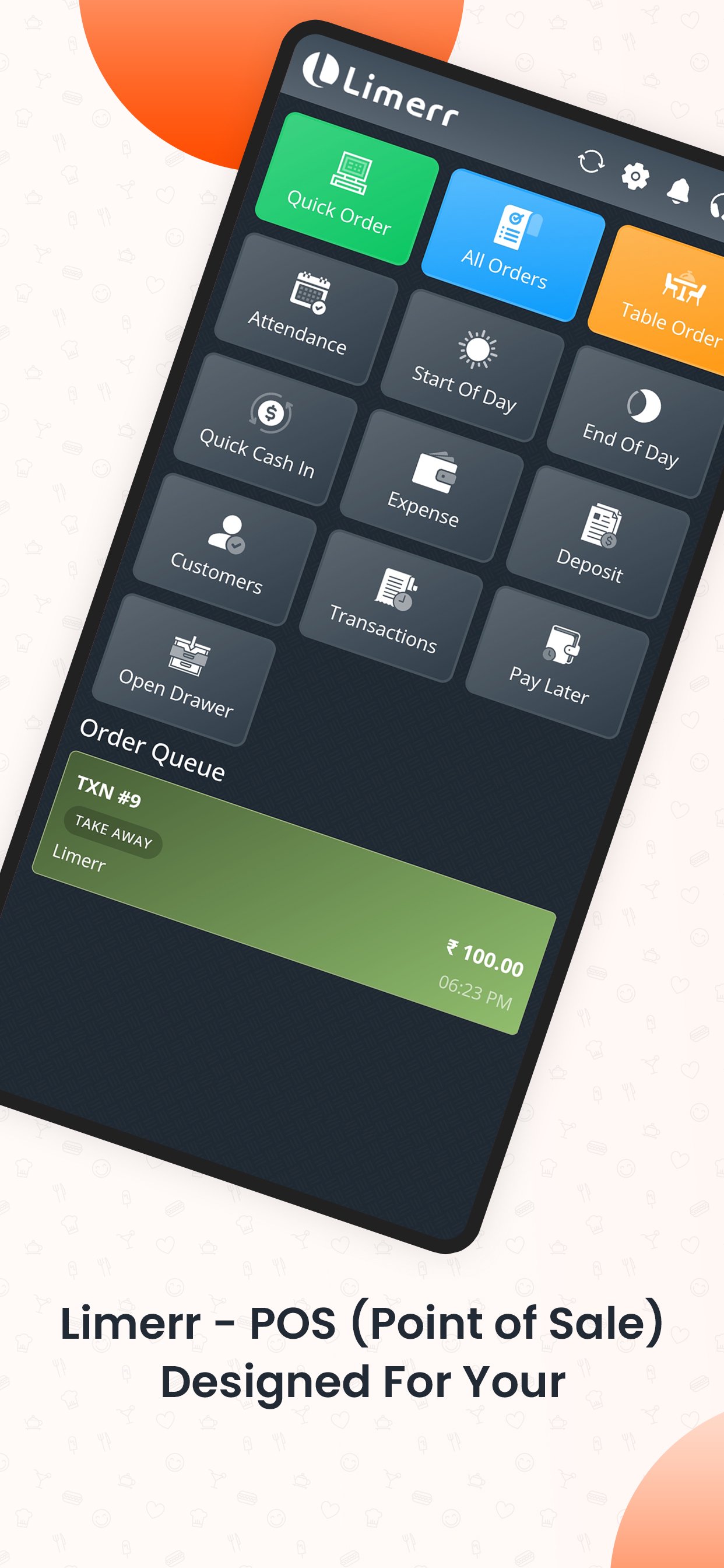
Limerr – POS(Point of Sales) designed for your convenience.
A well-built platform that delivers all required features, integration, and tools that you need to manage different aspects of F&B business.
Limerr presents a powerful, customized POS solution for all F&B business needs. Our POS is designed to operate individually and franchise-based businesses that include but are not limited to full-service restaurants, QSR, Bars and Clubs, Pizzeria, Bakery, Food Trucks, Fine Dining, Hotels & Resorts, and Coffee shops.
Limerr POS has core features like cash registers, Expense tracking, Inventory, Multiple payment options, and Multiple order type along with tracking of sales and inventory in real-time. Generate reconciliation of your outlet performance anytime and at the end of the business day.
Core Features include:
- Sell from a Computer or a tablet with Online and Offline Mode.
- Take Dine in/ Take Away/ Delivery and Pick up orders.
- Sync with third-party food delivery services.
- Sync offline transactions to the server automatically in the background.
- Receipt printing (Bluetooth and ESC/POS printers) or electronic receipts.
- Accept multiple payment methods.
- Apply discounts.
- Track cash movements.
- Connect a receipt/KOT printer separately.
- Manage multiple Order types.
- Table management with the Option to enable Queue.
- Access your sales data and transaction history in real time.
- Record all the payment types (cash, debit/credit card, e-wallets, or any other Custom payment types).
- Receive all orders from multiple locations (Online Delivery Services, Pickup, Own App) to a single screen for smooth operations.
Inventory Management:
- Track real-time inventory (for Enterprise License only).
- Enter Usage Adjustments/wastage.
- Customize your product by adding variants, modifiers, prices, and photos.
- Track real-time inventory management and get automated alerts for low-stock availability.
- Manage raw and semi-finished Ingredients by Recipe.
Sales Analytics:
- View revenue, average sales, and profit.
- Track sales trends and react promptly to changes.
- Determine best-selling items and categories.
- View complete sales history.
- Browse reports on payment types, modifiers, discounts, and taxes.
- Export sales data to the PDF.
Restaurant and Bar Features:
- Connect kitchen ticket printers or the Limerr Kitchen Display app.
- Multi-level and multi-location Kitchen display for smooth orderly distribution.
- Separated color options for a better understanding of different order types.
- Directly sync order status with real-time updates on POS.
Employee Management:
- Time in/ Time Out for attendance.
- Manage employees' roles and access to prevent fraud.
- Statistical analysis of the employee's working hours.
Online Selling:
- Create your own store website and mobile apps to start selling online.
- Process and access your online orders in Limerr POS.
- Set up ordering channels on social media like Facebook, Instagram, and WhatsApp.
Limerr has the following Addons which can be activated and connected with POS:
• QR Code-based Menu.
• QR Code-based Ordering platform (With Payment / Without Payment).
• Complete Website and Mobile app for online ordering.
• Delivery app.
• Business Intelligence app (Owner app).
• Caption/Waiter ordering app (With Real-time order notification for order status).
• Kitchen Display.
• Loyalty Program.
• Basic and Advance Stock/Inventory Management.
• Theft protection module.
• Payment Gateway Integration for Online/QR Ordering.
• Marketing Module (SMS/Email) simple broadcasting of emails and triggers.
• AI-based Marketing Automation.
• Table booking and Queue management.
• Review and feedback management.
Get in touch with the Limerr customer success team at info@limerrs.com to activate your account and subscription options.
The Limerr is made with lots of love and passion to support your businesses across the world.
Preview
Tags
BusinessInformation
Developer
Redspark Technologies Pvt Ltd
Latest Version
1.3.8
Last Updated
2026-03-23
Category
Business
Available on
Google Play
Show More
How to play Limerr POS with GameLoop on PC
1. Download GameLoop from the official website, then run the exe file to install GameLoop
2. Open GameLoop and search for “Limerr POS” , find Limerr POS in the search results and click “Install”
3. Enjoy playing Limerr POS on GameLoop
Minimum requirements
OS
Windows 8.1 64-bit or Windows 10 64-bit
GPU
GTX 1050
CPU
i3-8300
Memory
8GB RAM
Storage
1GB available space
Recommended requirements
OS
Windows 8.1 64-bit or Windows 10 64-bit
GPU
GTX 1050
CPU
i3-9320
Memory
16GB RAM
Storage
1GB available space