
KaHero POS - Point of Sale PC
KaHero
Download KaHero POS - Point of Sale on PC With GameLoop Emulator
KaHero POS - Point of Sale sa PC
Ang KaHero POS - Point of Sale, na nagmumula sa developer na KaHero, ay tumatakbo sa Android systerm sa nakaraan.
Ngayon, maaari mong laruin ang KaHero POS - Point of Sale sa PC gamit ang GameLoop nang maayos.
I-download ito sa GameLoop library o mga resulta ng paghahanap. Hindi na tumitingin sa baterya o nakakadismaya na mga tawag sa maling oras.
I-enjoy lang ang KaHero POS - Point of Sale PC sa malaking screen nang libre!
KaHero POS - Point of Sale Panimula
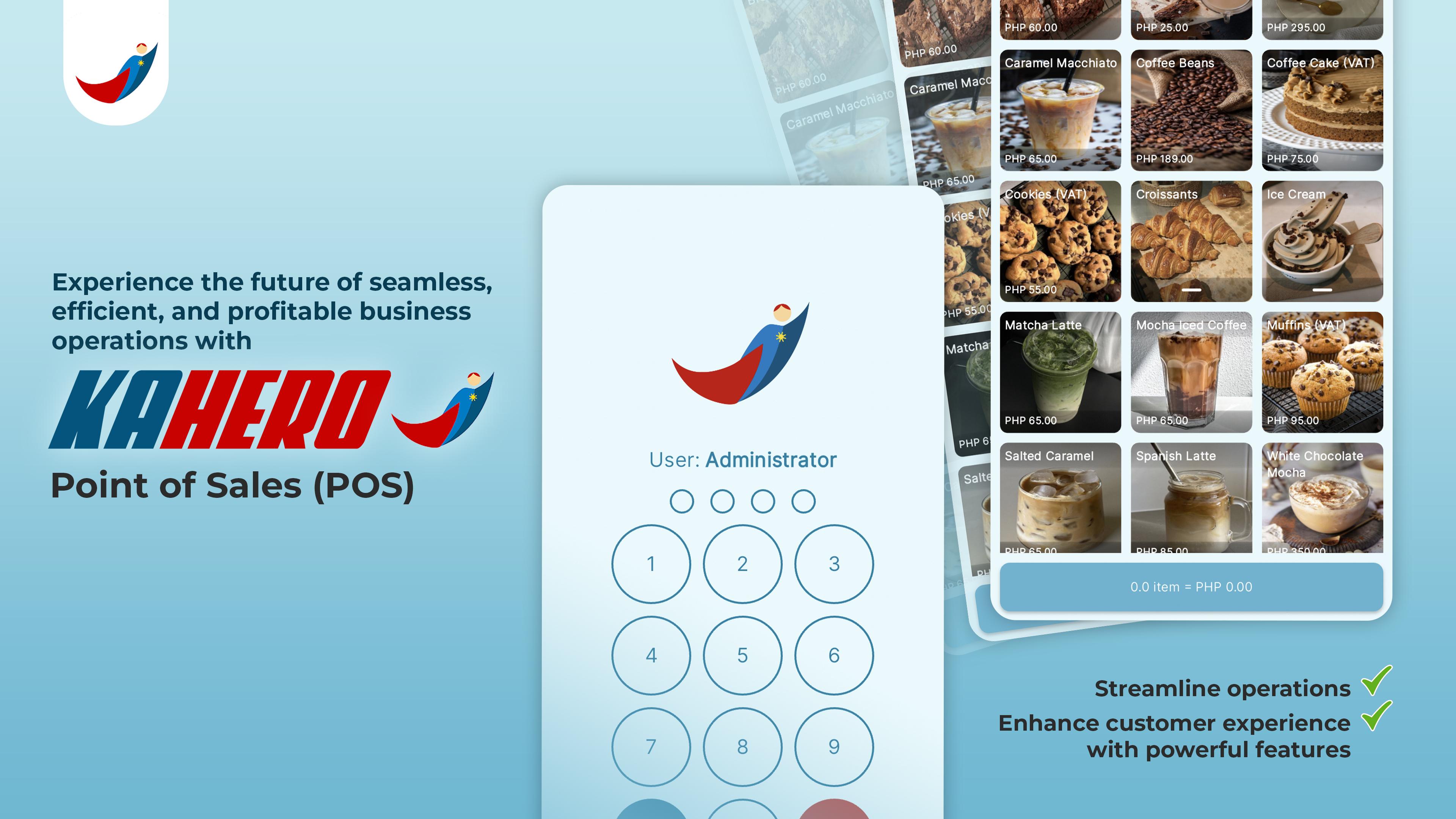
Shed the management burden of your SME off your shoulders by using one of the most reliable, seamless, and scalable sales tracker Mobile POS app.
No need to waste your time and efforts in managing the sales records and business transactions as this remote POS app will enable you to keep a record of payments through a mobile cash register in offline/online mode. You can also use this app as an inventory manager and employee shift tracker to ensure smooth business management without any errors and discrepancies. Count in this app to be a helpful resource for managing your small business and unlock your business’s full potential in a few days. Try it now!
Business Transactions Made Easier
Manage your business transactions easily by using this robust POS app. Streamline your daily operations and get help from top-notch POS technology to track transactions and manage sales.
Quick and Easy Customization
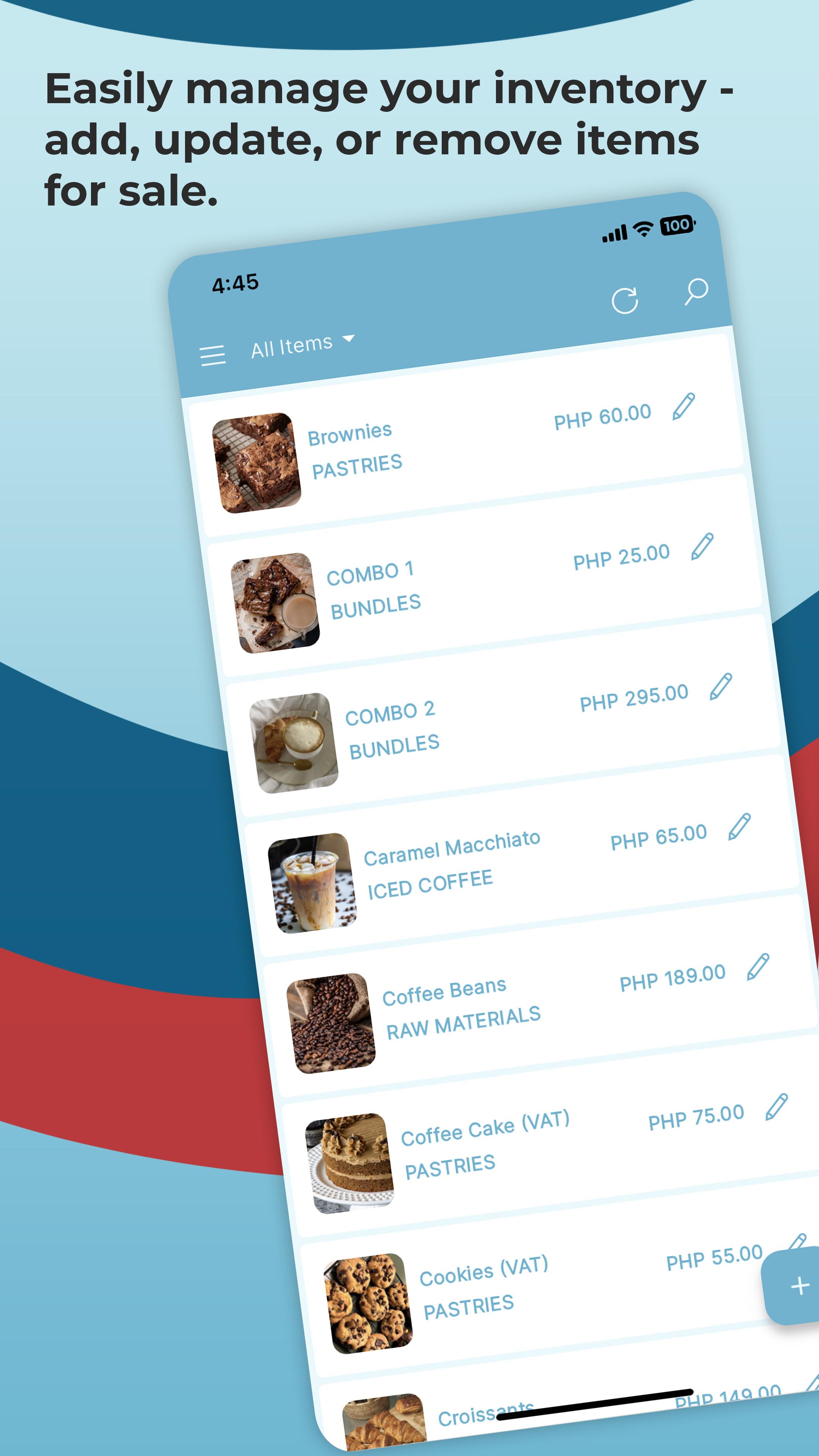
Add inventory items to your listing and segregate them into different categories depending upon the nature of your business. You can also add discount lists in the app as well as apply taxes to different products available for sale in your inventory. Use the app to make transactions, track deposits, and manage all the refunds related to your business operations in a jiffy!
Enjoy Offline Transactions
Run your business from anywhere at any time by using offline retail POS app. No need to connect with WiFi to use this app as it works equally well in offline mode.
Synchronize Quickbooks
Enable Quickbooks synchronization and enjoy automatic updating of sales records and data online.
Track Employee Shifts
Use the app to track and log the employee shifts. Track their working hours and make sure everything goes smoothly in your business.
Draft Sales Reports
The app offers a versatile suit of POS features. You can generate in-detail sales reports and send them to anyone to share analytics.
How to use Kahero – Offline POS System & Cash Register
• Download and launch the Mobile POS app
• Sign up as a small business and start adding items to retail POS
• Set price, apply a discount or evaluate tax on items
• Keep track of transactions from a mobile point of sale system
• Generate and send sales tracker reports
• Add and track employee shifts and pays with billing software
• Enable Quickbooks synchronization for retail POS record keeping
Features of Kahero – Offline POS System & Cash Register
• Simple and easy point of sale system app UI/UX
• Highly appealing and clutter-free mobile POS app layout
• Smooth controls and easy navigation for seamless transactions
• Add, edit or delete inventory items easily using retail POS
• Keep a record of transactions using billing software
• Add discount prices and tax percentage on inventory items
• Safe and secure sales tracker app that generates and sends in-depth sales reports
• Compatible with Quickbooks for automatic data synchronization
• Employee shift log and shift tracker Mobile POS app
• Offline and online sales and transaction tracking with this app
• Manage business receipts and inventory listings
• 24/7 chat support to assist you in understanding the app
• Safe and secure POS app that allows smooth business management
Are you tired of managing the sales of your small or medium-sized business setup? Would you like to automate the sales tracking by using a strong billing software? Download and use Kahero – Offline POS System & Cash Register to save the day today!
Preview
Tags
BusinessInformation
Developer
KaHero
Latest Version
3.0.46
Last Updated
2025-08-08
Category
Business
Available on
Google Play
Show More
How to play KaHero POS - Point of Sale with GameLoop on PC
1. Download GameLoop from the official website, then run the exe file to install GameLoop
2. Open GameLoop and search for “KaHero POS - Point of Sale” , find KaHero POS - Point of Sale in the search results and click “Install”
3. Enjoy playing KaHero POS - Point of Sale on GameLoop
Minimum requirements
OS
Windows 8.1 64-bit or Windows 10 64-bit
GPU
GTX 1050
CPU
i3-8300
Memory
8GB RAM
Storage
1GB available space
Recommended requirements
OS
Windows 8.1 64-bit or Windows 10 64-bit
GPU
GTX 1050
CPU
i3-9320
Memory
16GB RAM
Storage
1GB available space