
Forex Journal - Trade Tracker PC
S.D.F.F
Download Forex Journal - Trade Tracker on PC With GameLoop Emulator
Forex Journal - Trade Tracker sa PC
Ang Forex Journal - Trade Tracker , na nagmumula sa developer na S.D.F.F, ay tumatakbo sa Android systerm sa nakaraan.
Ngayon, maaari mong laruin ang Forex Journal - Trade Tracker sa PC gamit ang GameLoop nang maayos.
I-download ito sa GameLoop library o mga resulta ng paghahanap. Hindi na tumitingin sa baterya o nakakadismaya na mga tawag sa maling oras.
I-enjoy lang ang Forex Journal - Trade Tracker PC sa malaking screen nang libre!
Forex Journal - Trade Tracker Panimula
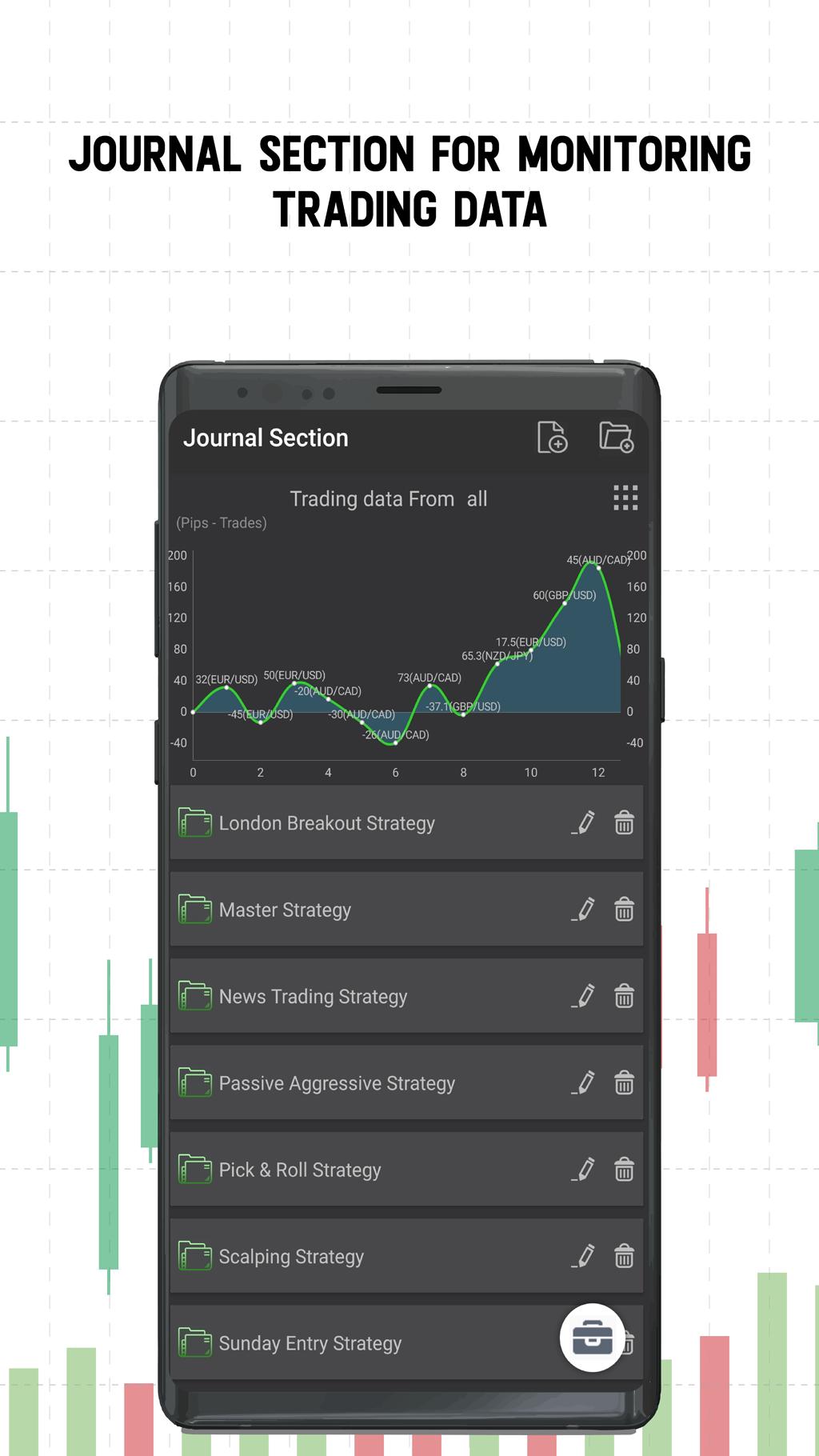
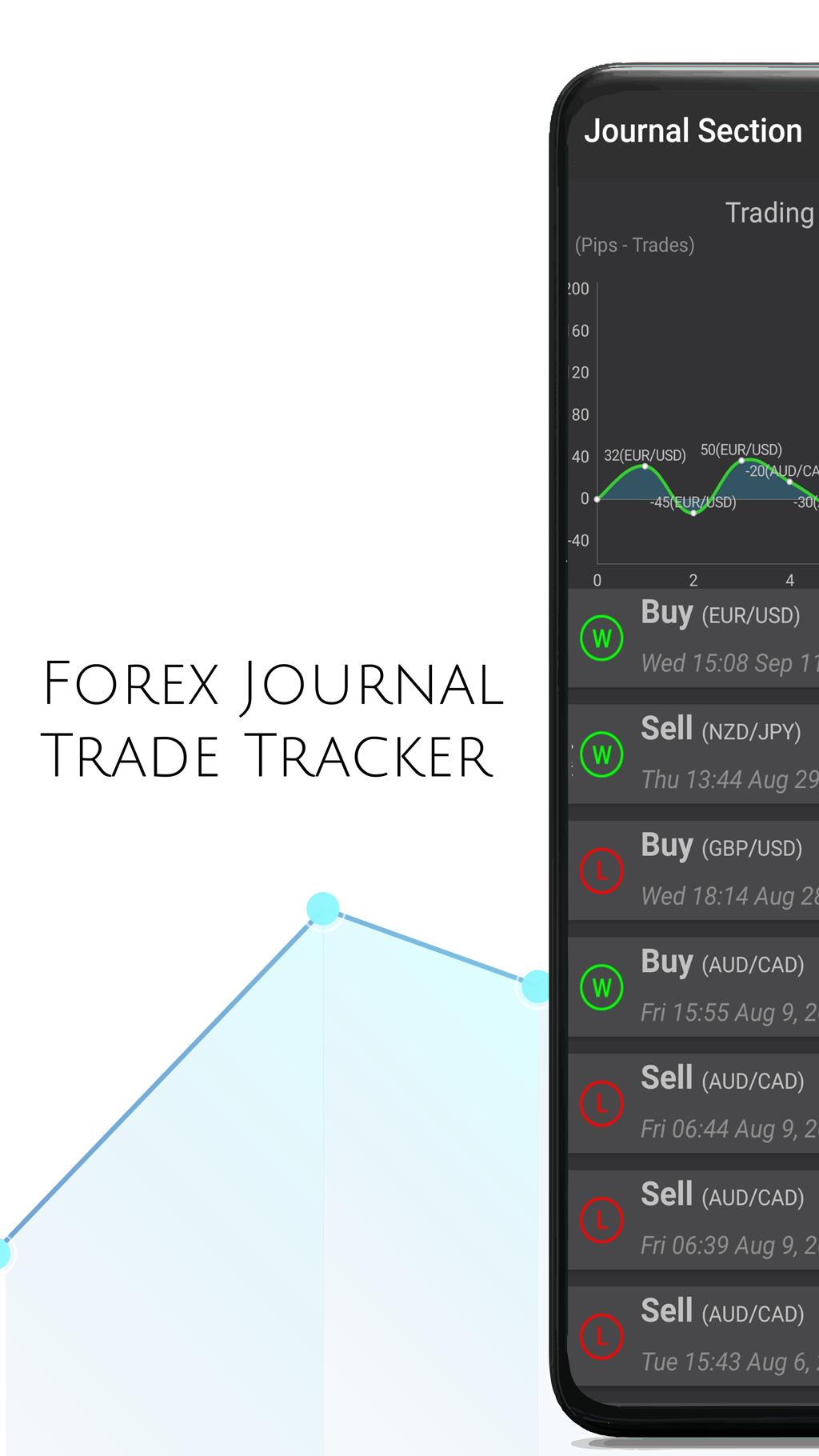
This *Ad Free* tool allows you to log your trades which are then automatically tracked and displayed in a unique chart that can assist you in identifying weak points as a trader. Track your trading data and organize it into metrics that can help you improve your performance.
*Supports 8 languages!
Your trading data will be organized into the following three categories:
■ Accuracy
-Are you hitting the mark with your trades? Or are you taking a chance every time you hit Buy/Sell?
Measured in (Performance %)
■Consistency
-Are you taking only the best trades? Are you consistently profitable with your trades?
Measured in (Win %)
■Profit to Loss ratio
Are you risking more than you are gaining from the market? Are you trading efficiently?
Measure in (Risk/Reward Ratio)
Current app tools:
•Pip calculator
•Forex time zone clock
•Data tracking with display
•Journal logging and customizable features
•Position size calculator
•Checklist function
•Offline functionality
•Multiple themes
•Market notifications
-Market notifications:
An important part of trading is knowing WHEN TO TRADE.
Market notifications allow you to be notified when there markets are open or closed in your time zone.
-Trade Images
Have you ever entered a trade and thought to yourself..."What was I thinking when I bought that?!"
Now you can upload screenshots to each of your trades so that you can see exactly what you did right and what you did wrong.
*Disclaimer: This application is not guaranteed to make any trader profitable, it simply provides a few essential tools to assist in doing so. This application is not for educational purposes and should not be used as such. This is data tracking application to allow traders to spend less time doing math and more time advancing their strategies.
▪︎Please provide feedback to us to fix any issues or bugs that may occur.
***THIS PRODUCT IS UNDER DEVELOPMENT SO ALL FEEDBACK IS TAKEN SERIOUSLY***
Preview
Tags
BusinessInformation
Developer
S.D.F.F
Latest Version
1.0.11
Last Updated
2020-04-26
Category
Business
Available on
Google Play
Show More
How to play Forex Journal - Trade Tracker with GameLoop on PC
1. Download GameLoop from the official website, then run the exe file to install GameLoop
2. Open GameLoop and search for “Forex Journal - Trade Tracker ” , find Forex Journal - Trade Tracker in the search results and click “Install”
3. Enjoy playing Forex Journal - Trade Tracker on GameLoop
Minimum requirements
OS
Windows 8.1 64-bit or Windows 10 64-bit
GPU
GTX 1050
CPU
i3-8300
Memory
8GB RAM
Storage
1GB available space
Recommended requirements
OS
Windows 8.1 64-bit or Windows 10 64-bit
GPU
GTX 1050
CPU
i3-9320
Memory
16GB RAM
Storage
1GB available space