
CamCard-Transcribe Voice Notes PC
INTSIG
Download CamCard-Transcribe Voice Notes on PC With GameLoop Emulator
CamCard-Transcribe Voice Notes sa PC
Ang CamCard-Transcribe Voice Notes, na nagmumula sa developer na INTSIG, ay tumatakbo sa Android systerm sa nakaraan.
Ngayon, maaari mong laruin ang CamCard-Transcribe Voice Notes sa PC gamit ang GameLoop nang maayos.
I-download ito sa GameLoop library o mga resulta ng paghahanap. Hindi na tumitingin sa baterya o nakakadismaya na mga tawag sa maling oras.
I-enjoy lang ang CamCard-Transcribe Voice Notes PC sa malaking screen nang libre!
CamCard-Transcribe Voice Notes Panimula
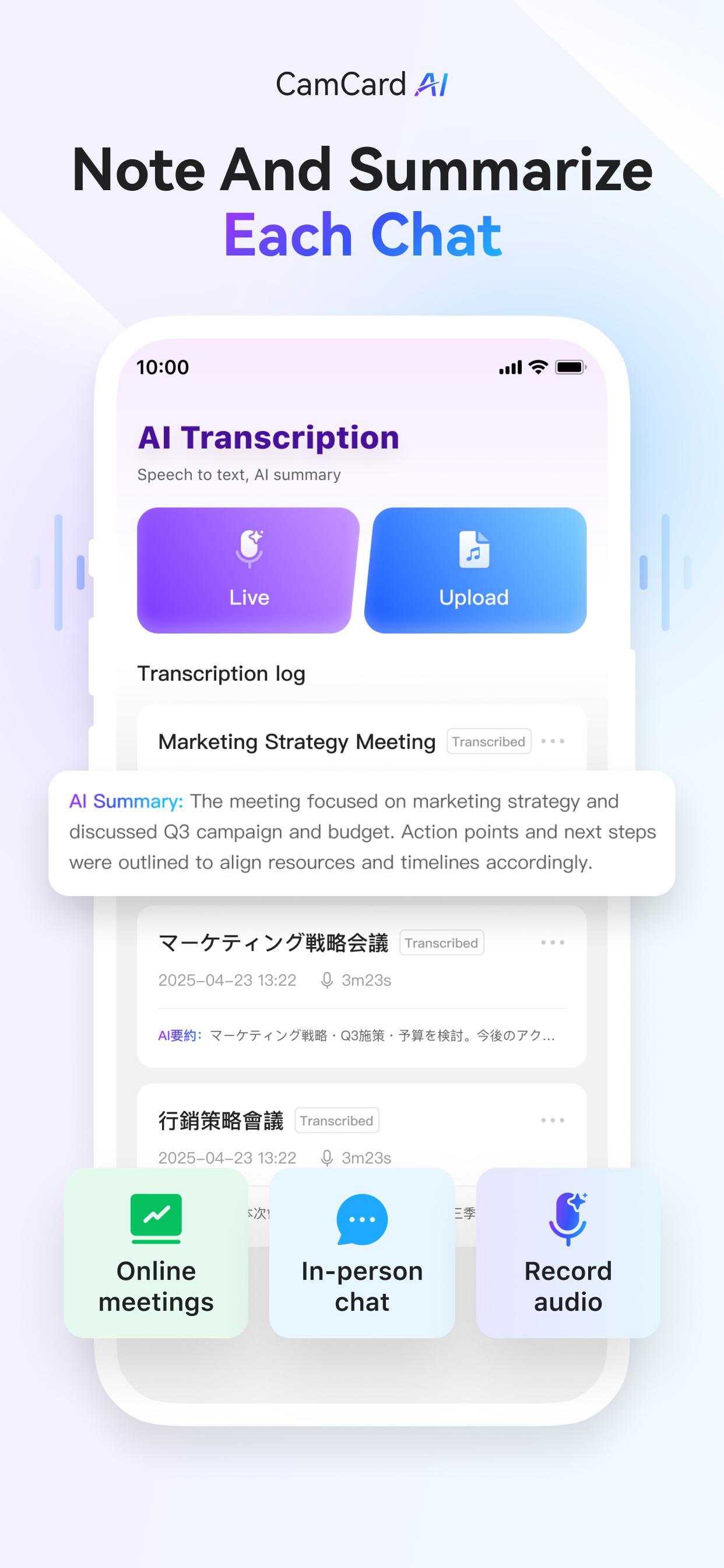
CamCard is an AI-based voice transcription tool that automatically converts spoken content into accurate text—dramatically reducing the time and effort needed to document meeting notes, interviews, and more.
Try it FREE for 120 minutes and experience lightning-fast transcription with smart AI summaries!
【Real-Time Voice-to-Text + AI Summaries】
Transcribe conversations instantly with one tap. Focus on the discussion while CamCard handles the note-taking. AI-generated summaries help you quickly capture the key points.
【File Import & Fast Transcription】
In addition to real-time transcription, you can upload audio recordings for processing. A 1-hour audio file takes just about 5 minutes to transcribe.
【Multiple Export & Sharing Options】
Export your transcripts in popular formats like TXT, DOCX, and PDF. Easily share them with your team or external partners via a shareable link.
【Who Is CamCard For?】
- Business professionals, sales teams, consultants who attend frequent meetings
- Remote workers and hybrid professionals
- Media professionals like journalists, writers, podcasters
- Multilingual speakers or students learning new languages
【99.99% Accurate AI Recognition】
No more manual checks—our AI scans and digitizes cards with near-perfect precision.
【Global Language Support】
Connect across borders with expanded recognition for global languages.
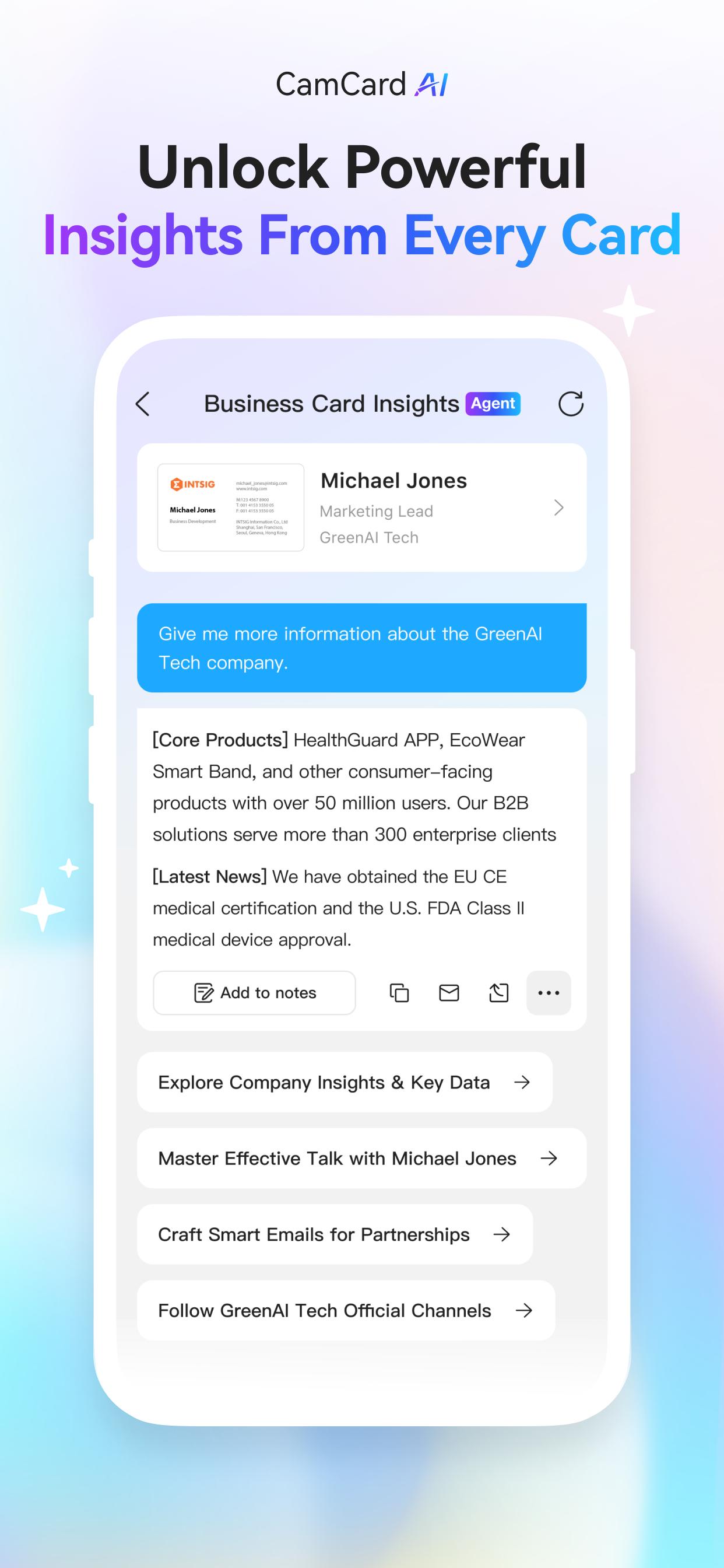
【AI Business Insights】
Turn every business card into an opportunity:
- Company overview: size, industry, market position
- Financial snapshot & partnership potential
- Conversation starters to build rapport fast
【Core Features】
- Custom Digital Business Cards
Design with logos, photos, and modern templates.
- Smart Sharing Options
Share via QR code, SMS, email, or a unique link.
- Email Signatures & Virtual Backgrounds
Create branded email footers and video call backgrounds.
- Business Card Management
Easily organize contacts with notes and tags, and sync them to your CRM.
- Secure by Design
ISO/IEC 27001 certified—your data is safe and private.
Upgrade to CamCard Premium for exclusive features:
1. Business Card Management
- Unlimited business card scanning
- Export contacts to Excel/VCF formats
- Sync with Salesforce and other major CRMs
- Secretary Scan Mode for delegated scanning
2. Digital Business Cards
- Customizable templates with logos, photos, and themes
- Upload and share PDF business cards
- Create branded email signatures and virtual backgrounds
- Share via QR code, link, SMS, or email
3. AI Assistant
- High-precision AI card recognition (99.99% accuracy)
- AI Business Card Insights: company profile, financials, conversation starters
- Voice transcription with smart summary (meetings, interviews, lectures)
- Expanded language support for global networking
Premium Subscription Pricing:
- $9.99 per month
- $49.99 per year
Payment Details:
1) Your subscription will be charged to your Google Play account upon confirmation of purchase.
2) The subscription is automatically renewed within 24 hours prior to the end of the current period unless you cancel the subscription, and your account will be charged for the renewal.
3) You can manage your subscription and turn off auto-renewal in your Google Play account settings.
For the Privacy Policy, please visit: https://s.intsig.net/r/terms/PP_CamCard_en-us.html
For the Terms of Service, please visit: https://s.intsig.net/r/terms/TS_CamCard_en-us.html
Contact us at isupport@intsig.com
Follow us on Facebook | X (Twitter) | Google+: CamCard
Preview
Tags
BusinessProductivityInformation
Developer
INTSIG
Latest Version
7.83.7.20250825
Last Updated
2025-08-24
Category
Business
Available on
Google Play
Show More
How to play CamCard-Transcribe Voice Notes with GameLoop on PC
1. Download GameLoop from the official website, then run the exe file to install GameLoop
2. Open GameLoop and search for “CamCard-Transcribe Voice Notes” , find CamCard-Transcribe Voice Notes in the search results and click “Install”
3. Enjoy playing CamCard-Transcribe Voice Notes on GameLoop
Minimum requirements
OS
Windows 8.1 64-bit or Windows 10 64-bit
GPU
GTX 1050
CPU
i3-8300
Memory
8GB RAM
Storage
1GB available space
Recommended requirements
OS
Windows 8.1 64-bit or Windows 10 64-bit
GPU
GTX 1050
CPU
i3-9320
Memory
16GB RAM
Storage
1GB available space