ADM Smart Workforce Lite PC
ADM Enterprises Pvt Ltd
Download ADM Smart Workforce Lite on PC With GameLoop Emulator
ADM Smart Workforce Lite sa PC
Ang ADM Smart Workforce Lite, na nagmumula sa developer na ADM Enterprises Pvt Ltd, ay tumatakbo sa Android systerm sa nakaraan.
Ngayon, maaari mong laruin ang ADM Smart Workforce Lite sa PC gamit ang GameLoop nang maayos.
I-download ito sa GameLoop library o mga resulta ng paghahanap. Hindi na tumitingin sa baterya o nakakadismaya na mga tawag sa maling oras.
I-enjoy lang ang ADM Smart Workforce Lite PC sa malaking screen nang libre!
ADM Smart Workforce Lite Panimula
ADM Smart workforce mobility management platform - that simplifies mobility for enterprises, while empowering end users to work at the speed of light from any smartphone, anywhere, anytime and make their lives easy and their work more productive, which improves enterprise results and strengthens customer relationship.
ADM Smart workforce can scale to any size of workforce and are built to not only work well together but also to seamlessly integrate with your existing technology investments and are extremely intuitive and allow you to manage large amounts of data efficiently and effectively.
Requires Android OS version 4.1 and up.
How it works?
Install ADM Smart workforce app on your Android Phone. From then on, your manager can check your day working, location awareness ,real time notification, instant reports and information at real time basis.
The moment you installed the workforce mobility app , you would able to capture digital information such as Bar-code identification, Signature, Capturing images ,retail orders, marking distribution channel on map to view Geo-Presence.
Each device with ADM Smart workforce app installed has the option to automatically update its location at set regular intervals.
ADM Smart workforce uses mobile internet to communicate with the server. Admin can send message to the users, these notifications are free, specific to our ADM Smart workforce application, and work anywhere in the world as long as the device has internet access.
Features:
ADM Smart workforce mobility unique platform is dedicated to enhancing the value of enterprises business through intelligent integration of established technologies, information and services to deliver secure, proven, scalable, reliable, comprehensive and user friendly solutions that enables enterprises to :
Stay connected to their workforce through two way messaging, forms and work orders.
Access real time location and data on one dashboard with full metrics & reports to match.
Increase workforce productivity & efficiency.
Better & faster decision making.
Improve customer service, satisfaction & retention.
Increase competitive edge.
Drive continuous improvement.
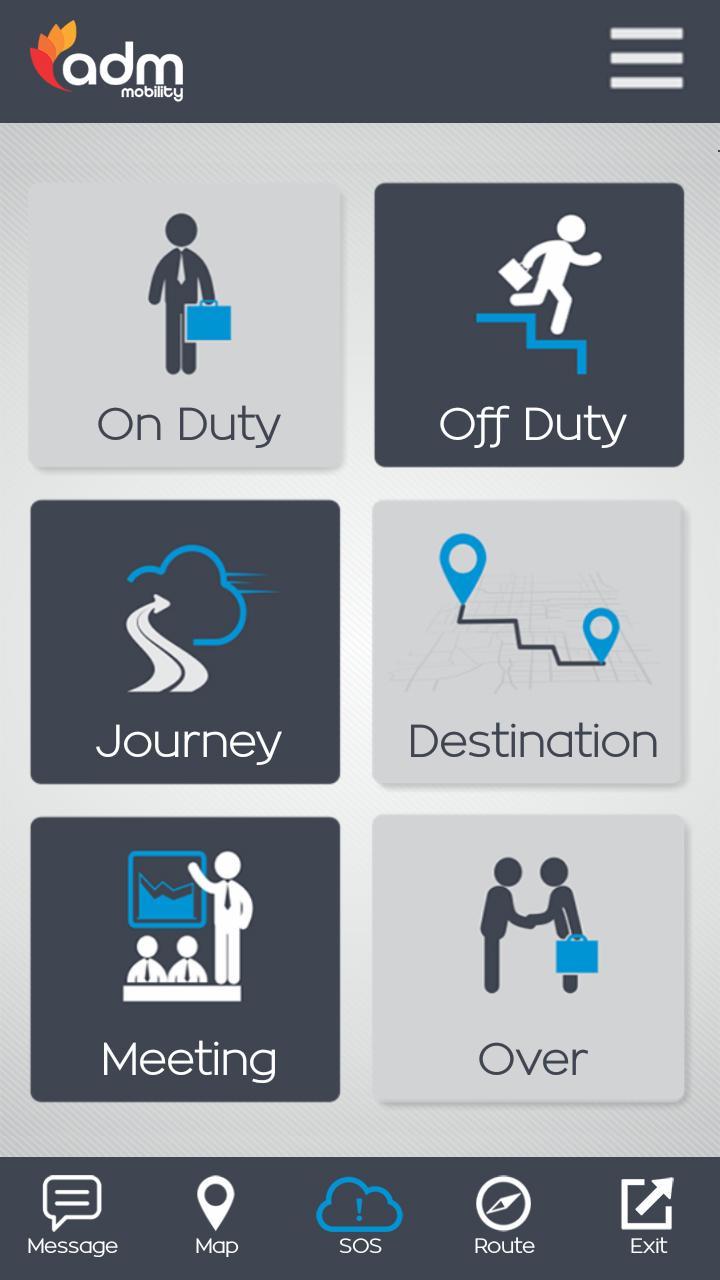
Record journey or official trip.
Even after rebooted, ADM Smart workforce app will automatically resume data and updating its position.
Provide best possible balance between accuracy and dependability.
Uses the pictures from contacts or you can set a custom photo for your workforce.
The ability to see the historical location data for everyone you are tracking on the map.
Watch the Replay of journey or trip.
What is new in ADM Smart workforce App ?
Automatically Attendance Sheet Preparation.
Customized Forms.
Customized Response of Buttons.
Work Assignments.
Route mapping along with alert on deviation.
Plot your channel on MAP to view geographical presence.
Target vs Achievement.
Record Journey Trip & Meeting.
Logs history of your day events.
Instant Reporting.
Note:
Device Admin Permission
This app uses Device Admin Permission which will restrict user to accidentally clear application data, uninstall and force stop the application.
If user want to change this permission after installation they can do it by revoking the device admin permission for this app from security -> Device Administrator -> Deactivate the permission for this app.
Preview
Tags
BusinessInformation
Developer
ADM Enterprises Pvt Ltd
Latest Version
1.17
Last Updated
2022-04-25
Category
Business
Available on
Google Play
Show More
How to play ADM Smart Workforce Lite with GameLoop on PC
1. Download GameLoop from the official website, then run the exe file to install GameLoop
2. Open GameLoop and search for “ADM Smart Workforce Lite” , find ADM Smart Workforce Lite in the search results and click “Install”
3. Enjoy playing ADM Smart Workforce Lite on GameLoop
Minimum requirements
OS
Windows 8.1 64-bit or Windows 10 64-bit
GPU
GTX 1050
CPU
i3-8300
Memory
8GB RAM
Storage
1GB available space
Recommended requirements
OS
Windows 8.1 64-bit or Windows 10 64-bit
GPU
GTX 1050
CPU
i3-9320
Memory
16GB RAM
Storage
1GB available space