
Realme Buds Q Guide PC
onlinecamdev
Download Realme Buds Q Guide on PC With GameLoop Emulator
Realme Buds Q Guide sa PC
Ang Realme Buds Q Guide, na nagmumula sa developer na onlinecamdev, ay tumatakbo sa Android systerm sa nakaraan.
Ngayon, maaari mong laruin ang Realme Buds Q Guide sa PC gamit ang GameLoop nang maayos.
I-download ito sa GameLoop library o mga resulta ng paghahanap. Hindi na tumitingin sa baterya o nakakadismaya na mga tawag sa maling oras.
I-enjoy lang ang Realme Buds Q Guide PC sa malaking screen nang libre!
Realme Buds Q Guide Panimula
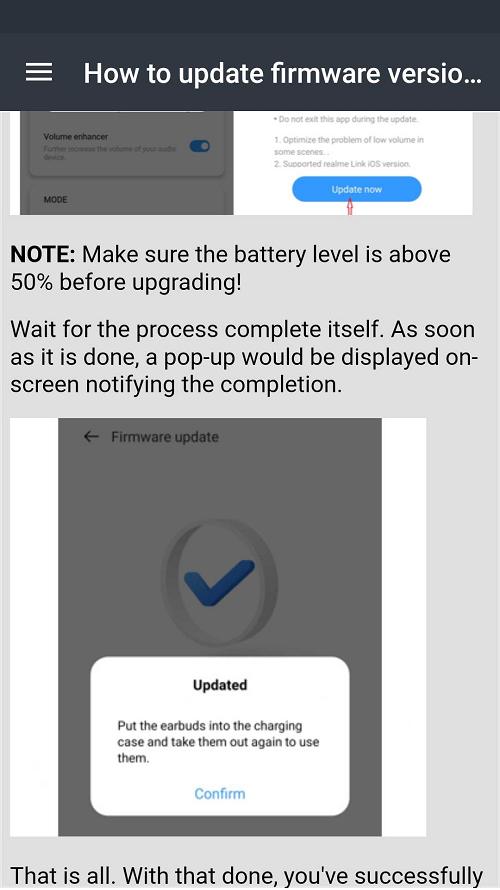
You can find out what you wonder about Realme Buds Q from our mobile application. General features of the device, how it is installed and charged, Oppo realme buds q software update, earplugs wearing and touch controls etc.
The powerful chip of Realme Buds Q supports dual-channel real-time transmission technology, while greatly reducing latency with game mode.
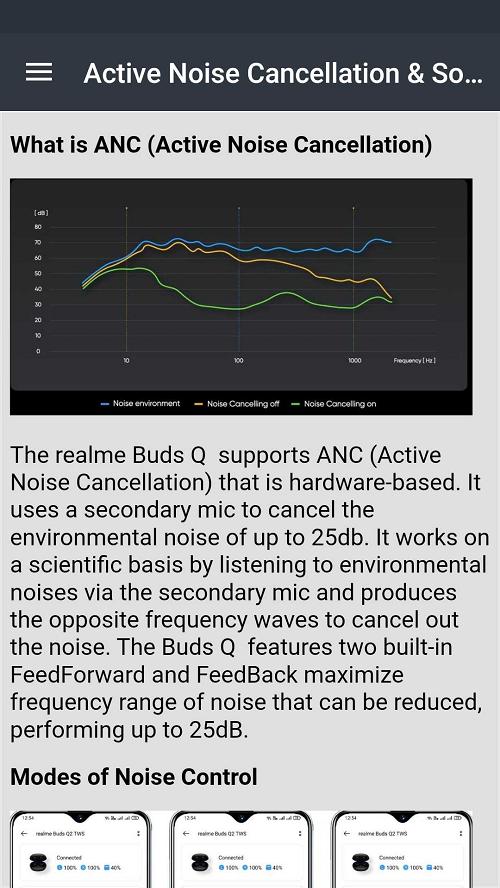
Realme buds q2 has active noise canceling and transparency modes. Bass quality is high and you can adjust its level via realme buds q2 app. Audio delay is minimized for online games. Pairing with Realme buds q2 bluetooth app is automatic very quickly.
The fully charged device takes one day to charge while active. When you use the Realme air buds 2 earbuds in one way, the charge lasts longer. Realme q2 air buds neo is fully charged in two hours as fast charging.
This app is a guide that should be at hand for anyone with oppo realme buds q. It does not belong to an official brand.
Preview
Tags
Books-&Information
Developer
onlinecamdev
Latest Version
3.44.0.6
Last Updated
2024-12-05
Category
Books-reference
Available on
Google Play
Show More
How to play Realme Buds Q Guide with GameLoop on PC
1. Download GameLoop from the official website, then run the exe file to install GameLoop
2. Open GameLoop and search for “Realme Buds Q Guide” , find Realme Buds Q Guide in the search results and click “Install”
3. Enjoy playing Realme Buds Q Guide on GameLoop
Minimum requirements
OS
Windows 8.1 64-bit or Windows 10 64-bit
GPU
GTX 1050
CPU
i3-8300
Memory
8GB RAM
Storage
1GB available space
Recommended requirements
OS
Windows 8.1 64-bit or Windows 10 64-bit
GPU
GTX 1050
CPU
i3-9320
Memory
16GB RAM
Storage
1GB available space