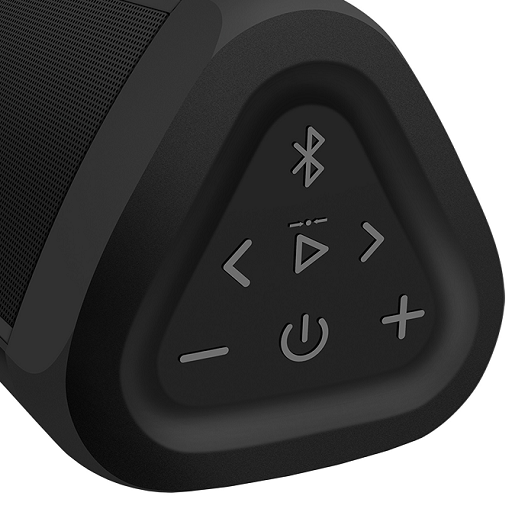
OontZ Angle 3 Speaker Guide PC
onlinecamdev
Download OontZ Angle 3 Speaker Guide on PC With GameLoop Emulator
OontZ Angle 3 Speaker Guide sa PC
Ang OontZ Angle 3 Speaker Guide, na nagmumula sa developer na onlinecamdev, ay tumatakbo sa Android systerm sa nakaraan.
Ngayon, maaari mong laruin ang OontZ Angle 3 Speaker Guide sa PC gamit ang GameLoop nang maayos.
I-download ito sa GameLoop library o mga resulta ng paghahanap. Hindi na tumitingin sa baterya o nakakadismaya na mga tawag sa maling oras.
I-enjoy lang ang OontZ Angle 3 Speaker Guide PC sa malaking screen nang libre!
OontZ Angle 3 Speaker Guide Panimula
Do you own OontZ Angle 3? In the content of this app, the following topics that may always be useful to you are explained;
* About OontZ Angle 3 Speaker
* About charging the battery and it's features
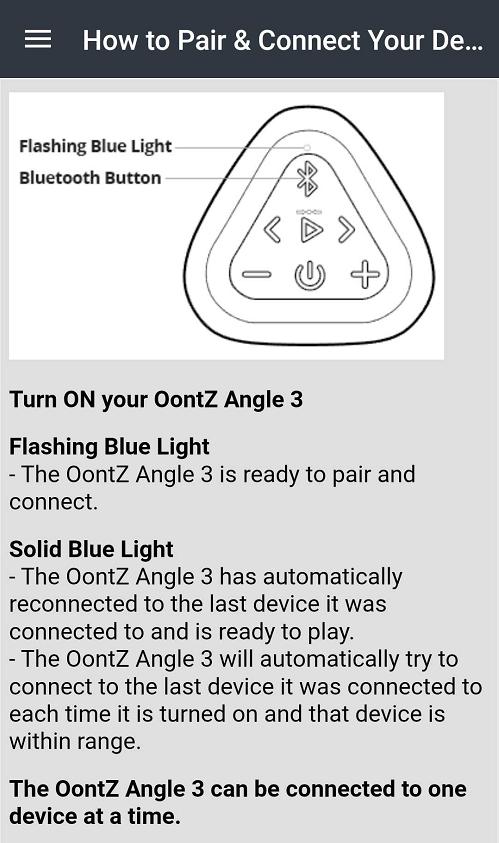
* How to pair & connect your device
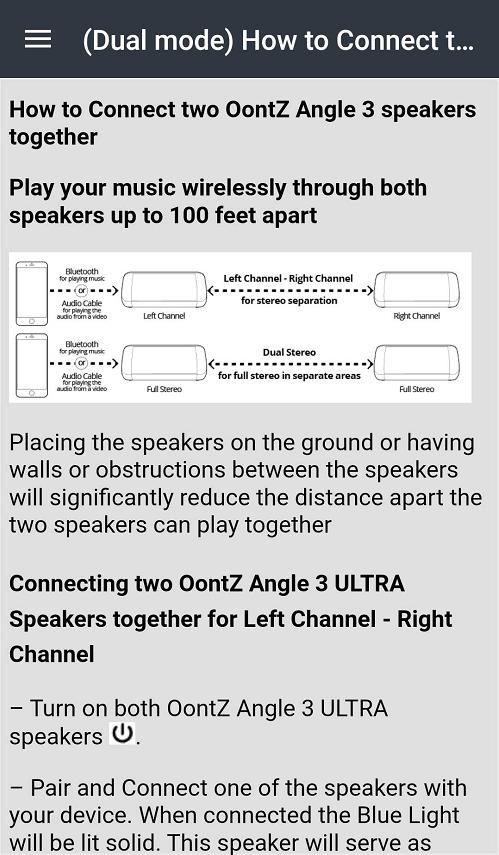
* How to connect two OontZ Angle 3 ultra speakers together
* OontZ Wireless Dual Stereo - Important Notes
* About playing from non-bluetooth audio source devices using the 3.5mm audio cable
* (Surround Mode) How to Connect 2 or 4 OontZ Angle 3 shower pro speakers
* How to reset your device
You can reach louder sounds with the sound booster and bass effect. You can adjust the sound and bass settings as you wish via the Oontz angel 3 ultra app. You can use it without any deterioration in sound quality.
You can connect your loudspeakers, which you can use outdoors with a louder volume, to many devices with the same mirror via the Oontz angel 3 pro app. It has high speed bluetooth connection.
It is water resistant. You can connect your alexa with Oontz angel 3 shower app. You can take advantage of alexa skills after pairing. You can adjust the sound management of the speakers, which you can use while walking, by the pool or in all other activities, according to your location via the Oontz angel 3 app for Android. You can manage settings such as volume and bass level, equalizer according to your location.
This app is a guide that should be at hand for anyone with OontZ Angle 3 Bluetooth Speaker. It does not belong to an official brand.
Preview
Tags
Books-&Information
Developer
onlinecamdev
Latest Version
3.39.3
Last Updated
2023-08-08
Category
Books-reference
Available on
Google Play
Show More
How to play OontZ Angle 3 Speaker Guide with GameLoop on PC
1. Download GameLoop from the official website, then run the exe file to install GameLoop
2. Open GameLoop and search for “OontZ Angle 3 Speaker Guide” , find OontZ Angle 3 Speaker Guide in the search results and click “Install”
3. Enjoy playing OontZ Angle 3 Speaker Guide on GameLoop
Minimum requirements
OS
Windows 8.1 64-bit or Windows 10 64-bit
GPU
GTX 1050
CPU
i3-8300
Memory
8GB RAM
Storage
1GB available space
Recommended requirements
OS
Windows 8.1 64-bit or Windows 10 64-bit
GPU
GTX 1050
CPU
i3-9320
Memory
16GB RAM
Storage
1GB available space