
ETC Yellow Pages PC
InformationPages.com, Inc.
Download ETC Yellow Pages on PC With GameLoop Emulator
ETC Yellow Pages sa PC
Ang ETC Yellow Pages, na nagmumula sa developer na InformationPages.com, Inc., ay tumatakbo sa Android systerm sa nakaraan.
Ngayon, maaari mong laruin ang ETC Yellow Pages sa PC gamit ang GameLoop nang maayos.
I-download ito sa GameLoop library o mga resulta ng paghahanap. Hindi na tumitingin sa baterya o nakakadismaya na mga tawag sa maling oras.
I-enjoy lang ang ETC Yellow Pages PC sa malaking screen nang libre!
ETC Yellow Pages Panimula
Have your ETC Phone Directory at your fingertips anytime, anywhere!
You can find any local business or residential listing by toggling between a standard list-view and map-view, get directions, click-to-call a business, browse business' websites, and find enhanced information on business profile pages. In addition, GPS guided map navigation allows users to navigate listings by simply manipulating the map. Listing results are automatically updated as you scroll or change the zoom level on the map without requiring you to resubmit a search.
The ETC application for iPhone®, iPod® Touch, iPad® and Android™ devices helps you find businesses and people quickly and easily.
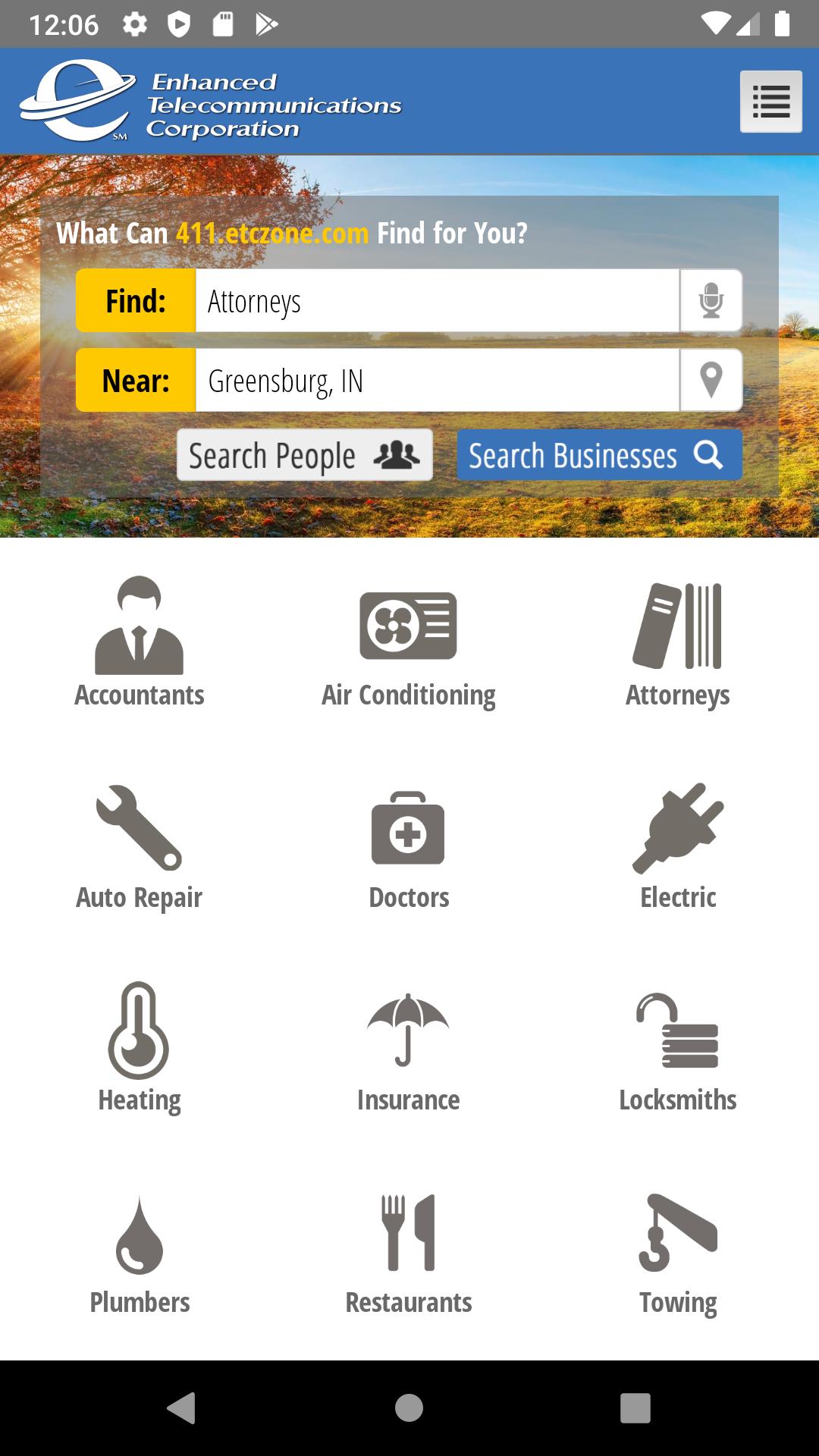
• One integrated application that allows you to search for any business or person.
• Uses GPS (where available) to find listings close to you, and view them on the map.
• Instant directions and Turn-by-Turn Navigation now available for users with GPS enabled devices and Apple Maps (iOS6) or Google Maps.
• Quick Find Shortcut Screen to search most popular categories!
• You can view detailed information on a business; this may include: addresses, phone numbers, email addresses, website URL’s, hours of operation, services, products, specialties, videos, photo montages and display ads (where available).
• Once you've chosen the listing, you can instantly save it to your contacts or share the information by Facebook, Twitter, email or SMS.
• Built in QR Code Reader with flashlight! Scan any QR or barcode code, day or night!
Dynamic Content
ETC allows you real-time access to listings, ads and categories within any of our directories. Information is updated daily, so you know the listings supplied to your mobile device are always up to date!
This app contains all the listing information from both the Business Directory and Residential Directory sections of our printed phone directories across all of the regions we cover. All mobile content is driven from the same data that's published in our online business and residential directories on our website. It truly is your best local search!
Click-To-Call
Within the ETC App, all our directories are presented in a list-view format. This provides a simple text-based interface and “Click-to-Call” functionality that allows mobile phone users an easy way to place calls directly from advertisers’ listings. Mobile broadband customers using Internet web browsers will enjoy the added benefits of an improved graphical interface along with easily accessible ads, coupons, maps and driving directions.
Speech Recognition
ETC offers speech recognition to make finding a listing fast and easy. Entering a simple search term like “Plumbing Contractors” using the standard iPhone® touch interface can take well over 15 keystrokes. With speech recognition, you can simply push a button and speak your search query – thus greatly reducing the number of steps required to find a local business.
QR Code Reader/Scanner
ETC now scans both QR codes and barcodes! With a single click using your smartphone or tablet camera you will be redirected to profile pages, webpage links, books review, multimedia and calendar online information. QR Codes generated by ETC will load automatically within the app, optimizing your results!
Preview

Tags
Books-&Information
Developer
InformationPages.com, Inc.
Latest Version
5.0.3
Last Updated
2021-06-16
Category
Books-reference
Available on
Google Play
Show More
How to play ETC Yellow Pages with GameLoop on PC
1. Download GameLoop from the official website, then run the exe file to install GameLoop
2. Open GameLoop and search for “ETC Yellow Pages” , find ETC Yellow Pages in the search results and click “Install”
3. Enjoy playing ETC Yellow Pages on GameLoop
Minimum requirements
OS
Windows 8.1 64-bit or Windows 10 64-bit
GPU
GTX 1050
CPU
i3-8300
Memory
8GB RAM
Storage
1GB available space
Recommended requirements
OS
Windows 8.1 64-bit or Windows 10 64-bit
GPU
GTX 1050
CPU
i3-9320
Memory
16GB RAM
Storage
1GB available space