
Ludo Offline: Dice Board Game PC
MWB Games
Download Ludo Offline: Dice Board Game on PC With GameLoop Emulator
Ludo Offline: Dice Board Game sa PC
Ang Ludo Offline: Dice Board Game, na nagmumula sa developer na MWB Games, ay tumatakbo sa Android systerm sa nakaraan.
Ngayon, maaari mong laruin ang Ludo Offline: Dice Board Game sa PC gamit ang GameLoop nang maayos.
I-download ito sa GameLoop library o mga resulta ng paghahanap. Hindi na tumitingin sa baterya o nakakadismaya na mga tawag sa maling oras.
I-enjoy lang ang Ludo Offline: Dice Board Game PC sa malaking screen nang libre!
Ludo Offline: Dice Board Game Panimula
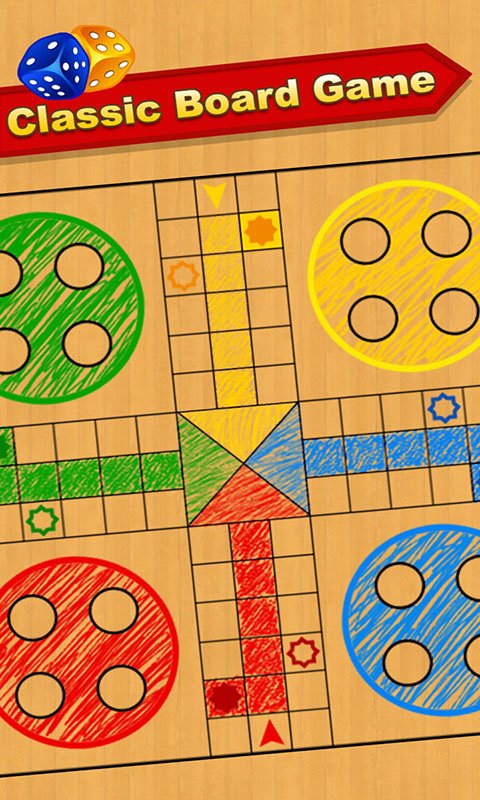
Ludo Offline is the classic dice board game you grew up with, now on your phone and with no internet needed. Play Ludo with family and friends on one device, or challenge the computer anytime, anywhere.
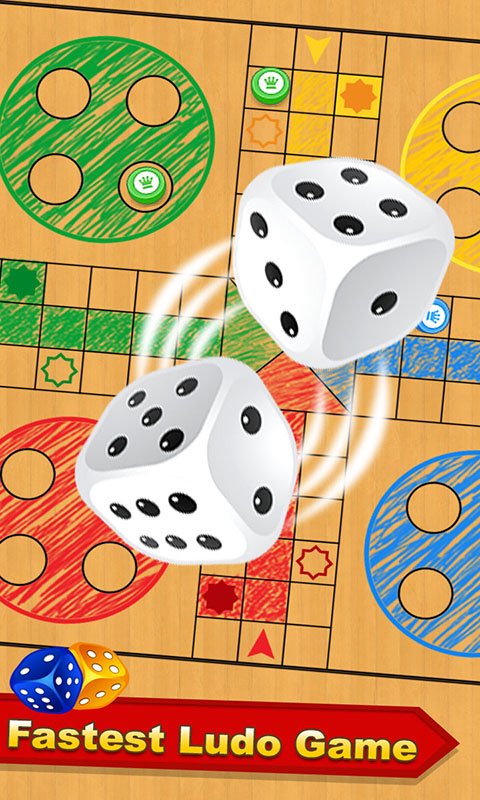
Roll the dice, move your pawns around the board and be the first to bring all four home. It is the same simple Ludo game everyone knows, with a bright wooden jungle look, smooth animations and fun sounds.
LUDO GAME FEATURES
• Play offline: no WiFi or internet connection needed
• 2, 3 or 4 players on one phone: pass and play with friends and family
• Play vs computer when you are on your own
• Classic Ludo rules: roll a six to start, capture rivals' pawns and send them back home
• Safe star squares, four colourful pawns and an easy-to-read board
• Smooth dice rolls and satisfying capture sounds
4 BONUS PUZZLE GAMES
When you want a break from the Ludo board, play one of four puzzle games in the same app:
• Wood Block Puzzle: drag wooden blocks onto a 9x9 board, fill rows and columns to clear them and chain combos for a high score
• Slide Block: slide the wooden blocks to free the red block. 12 hand-made levels with stars to earn, plus undo and hints
• 2048: swipe to merge matching numbers and reach the 2048 block. Undo your last moves when you slip
• Shoot & Merge: shoot number blocks into the columns, merge matching numbers and stop the stack from reaching you
WHY PLAY LUDO OFFLINE?
• A great offline game for trips, flights, waiting rooms and family time
• One small app, five games: Ludo plus 4 brain puzzles
• Easy to learn, fun to master
• Your best scores and level stars are saved on your device
• Sound on/off in settings
Gather your friends, pick your colour and roll the dice. Enjoy classic Ludo offline!
Preview
Tags
Abstract strategyLudoInformation
Developer
MWB Games
Latest Version
1.6
Last Updated
2026-10-15
Category
Board
Available on
Google Play
Show More
How to play Ludo Offline: Dice Board Game with GameLoop on PC
1. Download GameLoop from the official website, then run the exe file to install GameLoop
2. Open GameLoop and search for “Ludo Offline: Dice Board Game” , find Ludo Offline: Dice Board Game in the search results and click “Install”
3. Enjoy playing Ludo Offline: Dice Board Game on GameLoop
Minimum requirements
OS
Windows 8.1 64-bit or Windows 10 64-bit
GPU
GTX 1050
CPU
i3-8300
Memory
8GB RAM
Storage
1GB available space
Recommended requirements
OS
Windows 8.1 64-bit or Windows 10 64-bit
GPU
GTX 1050
CPU
i3-9320
Memory
16GB RAM
Storage
1GB available space