
iBOX Assist PC
iBOX Rus
Download iBOX Assist on PC With GameLoop Emulator
iBOX Assist sa PC
Ang iBOX Assist, na nagmumula sa developer na iBOX Rus, ay tumatakbo sa Android systerm sa nakaraan.
Ngayon, maaari mong laruin ang iBOX Assist sa PC gamit ang GameLoop nang maayos.
I-download ito sa GameLoop library o mga resulta ng paghahanap. Hindi na tumitingin sa baterya o nakakadismaya na mga tawag sa maling oras.
I-enjoy lang ang iBOX Assist PC sa malaking screen nang libre!
iBOX Assist Panimula
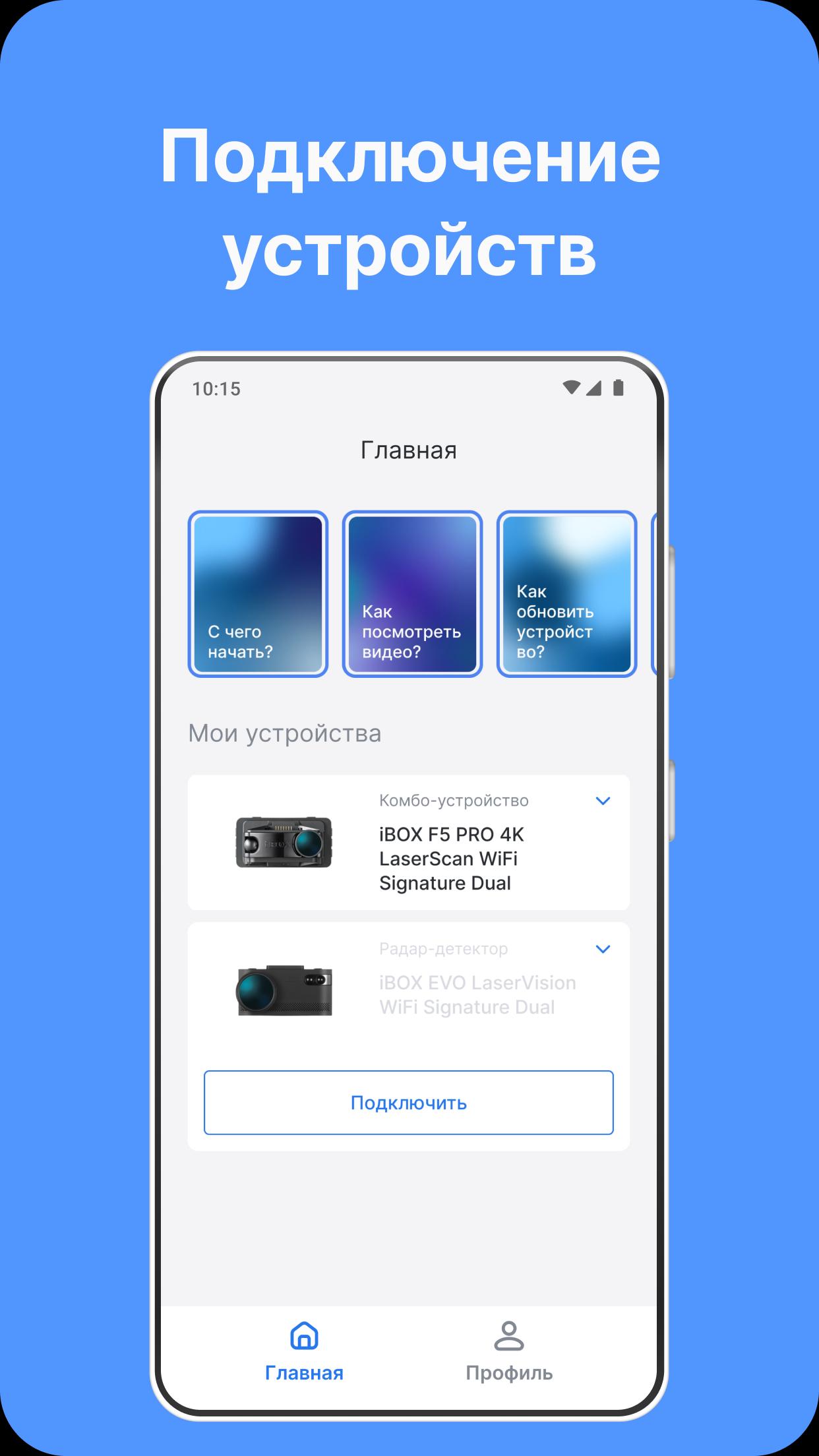
Application for iBOX car gadgets.
Control a combo device, DVR and radar detector using your smartphone.
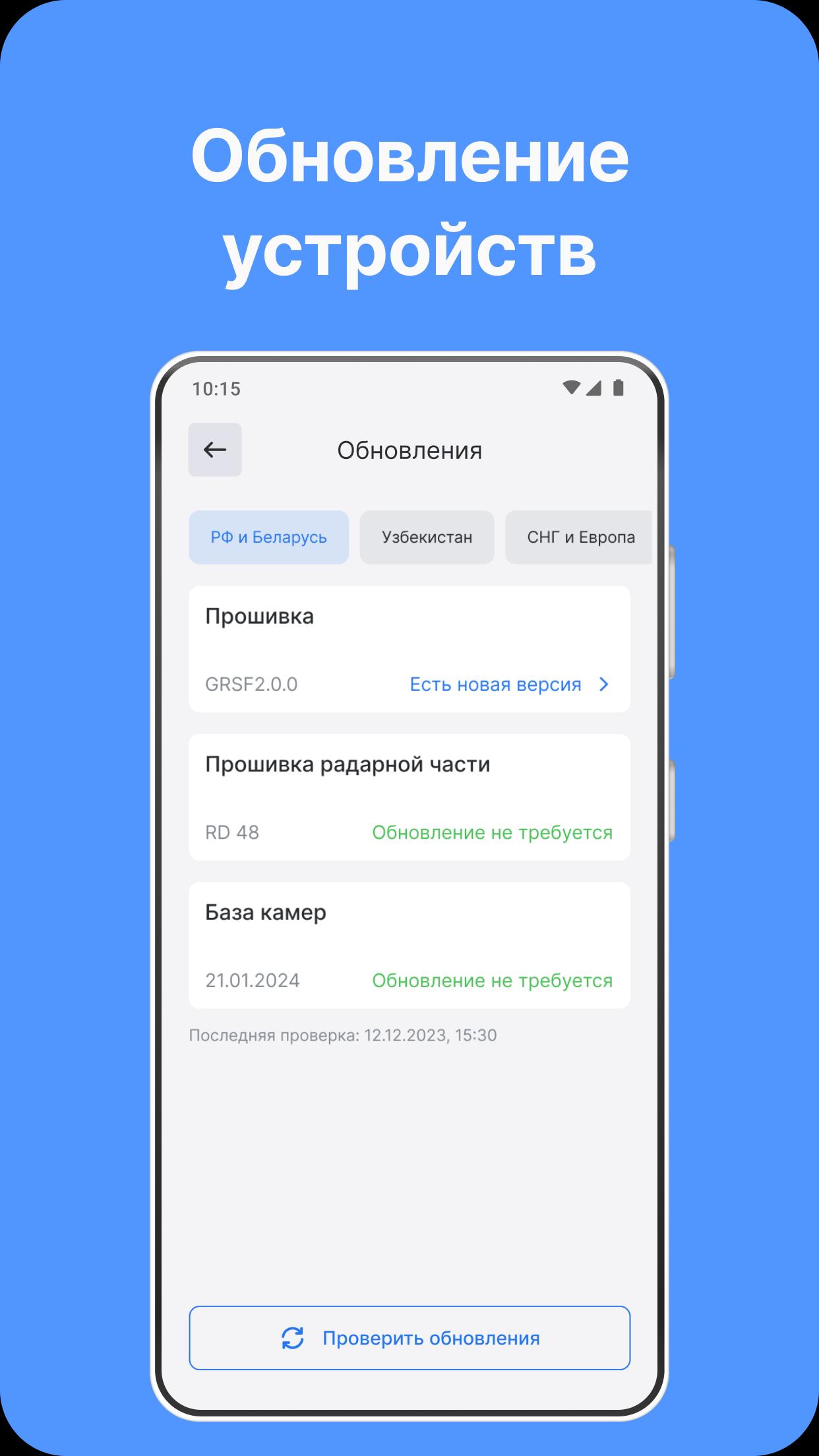
With iBOX Assist you can:
- update the device firmware;
- update the radar part;
- update the camera database;
- download update files without connecting to the device;
- configure the device;
- view the video archive;
- save the video to your smartphone;
- register the digital warranty;
- contact technical support.
The current version of the application supports working with devices:
- iBOX EVO
- iBOX EVO 4K
- iBOX F5 LaserScan
- iBOX F5 PRO 4K
- iBOX F5 + WiFi
- iBOX iCON LaserVision
- iBOX iCON Dual
- iBOX iCON
- iBOX iCON 2
- iBOX Range
- iBOX Range 2
- iBOX Rover
- iBOX Rover 2
- iBOX Nova LaserVision
- iBOX Nova
- iBOX ONE
- iBOX RoadScan
- iBOX RoadScan SE
- iBOX RoadScan 4K GPS
- iBOX RoadScan 4K
- iBOX RoadScan PRO 4K
- iBOX Alpha WiFi New (Type-C)
- iBOX Phantom
- iBOX Alta WiFi
- iBOX Epic
- iBOX Epic 4K
- iBOX Sonar
- iBOX Sonar Uz
- iBOX Sonar Pro Uz
We are constantly working on the application. Follow the updates and news on the official channels.
If you have any questions or something does not work, do not rush to leave a review - it is better to contact us through the Support Service, and we will help you!
Preview
Tags
Auto-&Information
Developer
iBOX Rus
Latest Version
2.6.0
Last Updated
2025-08-18
Category
Auto-vehicles
Available on
Google Play
Show More
How to play iBOX Assist with GameLoop on PC
1. Download GameLoop from the official website, then run the exe file to install GameLoop
2. Open GameLoop and search for “iBOX Assist” , find iBOX Assist in the search results and click “Install”
3. Enjoy playing iBOX Assist on GameLoop
Minimum requirements
OS
Windows 8.1 64-bit or Windows 10 64-bit
GPU
GTX 1050
CPU
i3-8300
Memory
8GB RAM
Storage
1GB available space
Recommended requirements
OS
Windows 8.1 64-bit or Windows 10 64-bit
GPU
GTX 1050
CPU
i3-9320
Memory
16GB RAM
Storage
1GB available space