
d'Action 360 S PC
CARMATE MFG.CO.,LTD.
Download d'Action 360 S on PC With GameLoop Emulator
d'Action 360 S sa PC
Ang d'Action 360 S, na nagmumula sa developer na CARMATE MFG.CO.,LTD., ay tumatakbo sa Android systerm sa nakaraan.
Ngayon, maaari mong laruin ang d'Action 360 S sa PC gamit ang GameLoop nang maayos.
I-download ito sa GameLoop library o mga resulta ng paghahanap. Hindi na tumitingin sa baterya o nakakadismaya na mga tawag sa maling oras.
I-enjoy lang ang d'Action 360 S PC sa malaking screen nang libre!
d'Action 360 S Panimula
The d’Action 360 S application is used for dash camera “d’Action 360 S” (DC5000A) produced by CAR MATE.
By connecting d’Action 360 S to your smartphone, you can use the following functions.
*The d’Action 360 S app is not compatible with d’Action 360 (DC3000A) Hemi 360°camera.
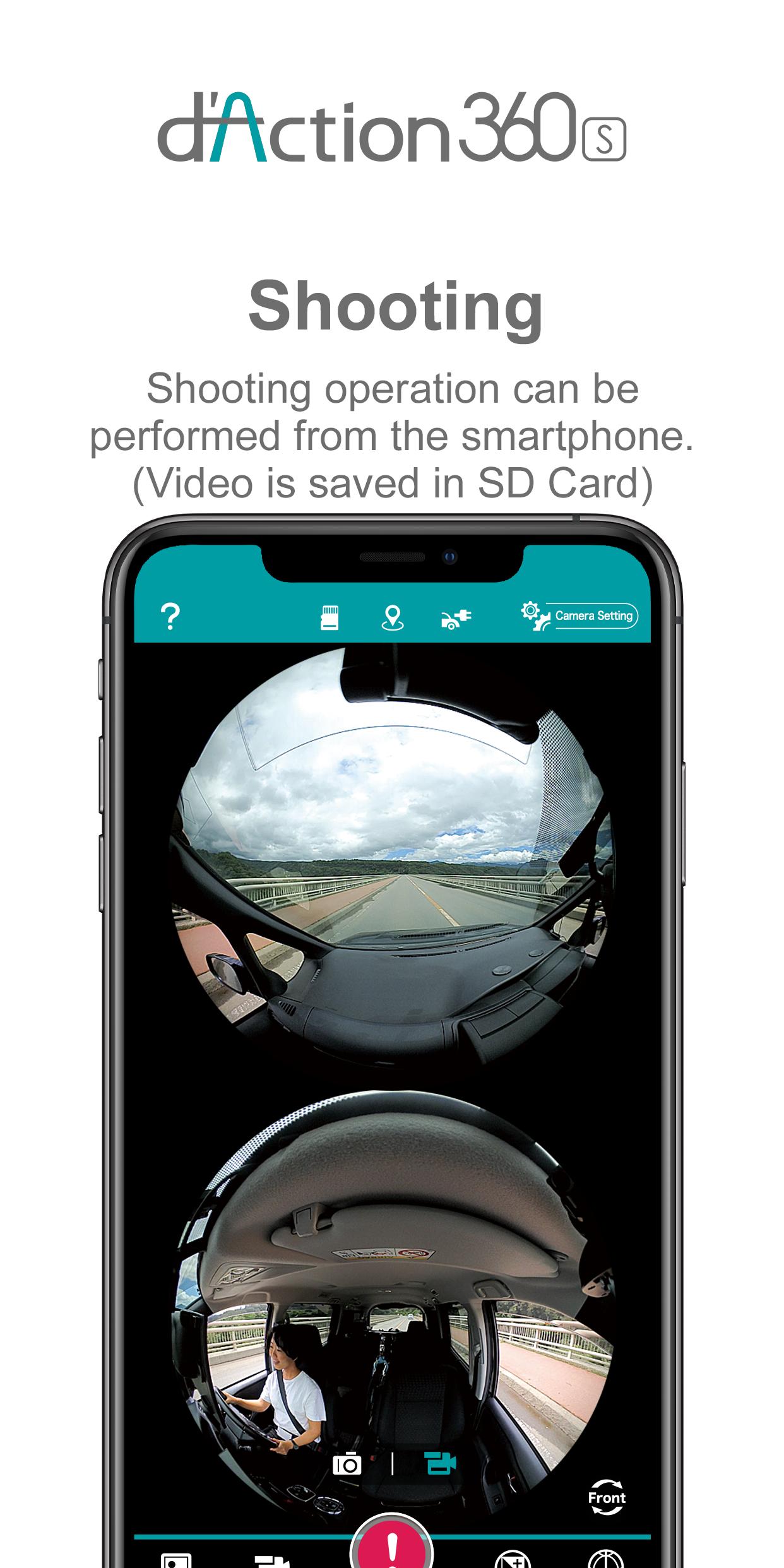
■Real-time Viewer
You can check real-time video footage by your smartphone.
■Record
By using app, you can wirelessly operate the camera to record videos and images.
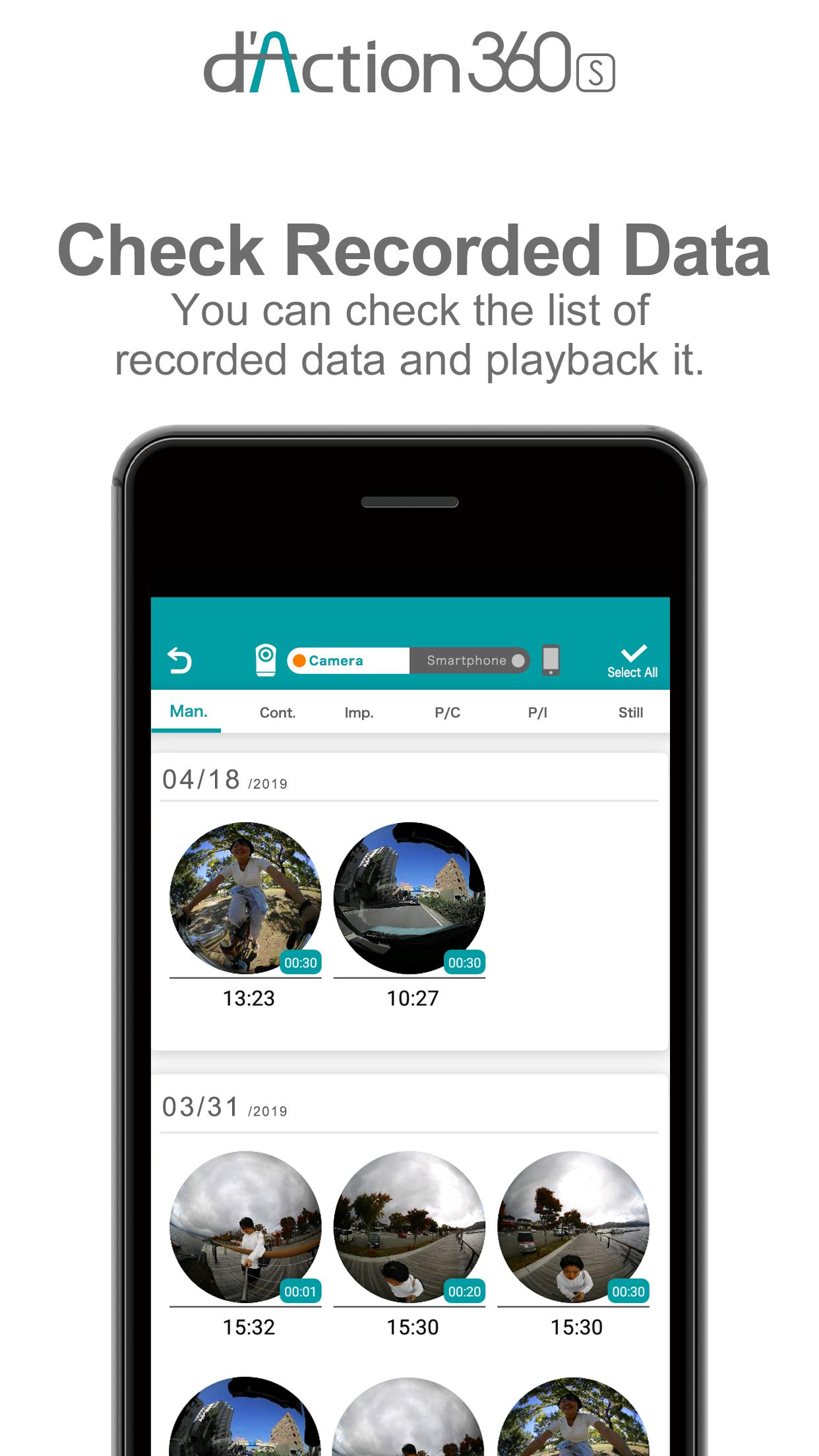
■Check Recorded Data
Your smartphone will show a list of recorded videos and images.
■Streaming playback
You can playback recorded data by streaming playback function without downloading data.
■Download
You can download recorded data to your smartphone.
■Playback
Downloaded media can be played in original resolution.
■Share
You can also convert downloaded media into “360-degree panoramic views”, which will allow you to post panoramic images to SNS.
■Change Camera Settings
You can change the camera settings by your smartphone.
■Check Memory and Battery remaining
You can check the approx. recordable time and number of recordable images.
Battery remaining can be checked if you use Battery option (sold separately).
Cautions
*For a list of compatible OS and devices for this app, check the following URL.
https://razo-usa.com/faq/
Preview
Tags
Auto-&Information
Developer
CARMATE MFG.CO.,LTD.
Latest Version
1.5.8
Last Updated
2025-03-17
Category
Auto-vehicles
Available on
Google Play
Show More
How to play d'Action 360 S with GameLoop on PC
1. Download GameLoop from the official website, then run the exe file to install GameLoop
2. Open GameLoop and search for “d'Action 360 S” , find d'Action 360 S in the search results and click “Install”
3. Enjoy playing d'Action 360 S on GameLoop
Minimum requirements
OS
Windows 8.1 64-bit or Windows 10 64-bit
GPU
GTX 1050
CPU
i3-8300
Memory
8GB RAM
Storage
1GB available space
Recommended requirements
OS
Windows 8.1 64-bit or Windows 10 64-bit
GPU
GTX 1050
CPU
i3-9320
Memory
16GB RAM
Storage
1GB available space