
Grameenphone Vehicle Tracking PC
Grameenphone Limited
Download Grameenphone Vehicle Tracking on PC With GameLoop Emulator
Grameenphone Vehicle Tracking sa PC
Ang Grameenphone Vehicle Tracking, na nagmumula sa developer na Grameenphone Limited, ay tumatakbo sa Android systerm sa nakaraan.
Ngayon, maaari mong laruin ang Grameenphone Vehicle Tracking sa PC gamit ang GameLoop nang maayos.
I-download ito sa GameLoop library o mga resulta ng paghahanap. Hindi na tumitingin sa baterya o nakakadismaya na mga tawag sa maling oras.
I-enjoy lang ang Grameenphone Vehicle Tracking PC sa malaking screen nang libre!
Grameenphone Vehicle Tracking Panimula
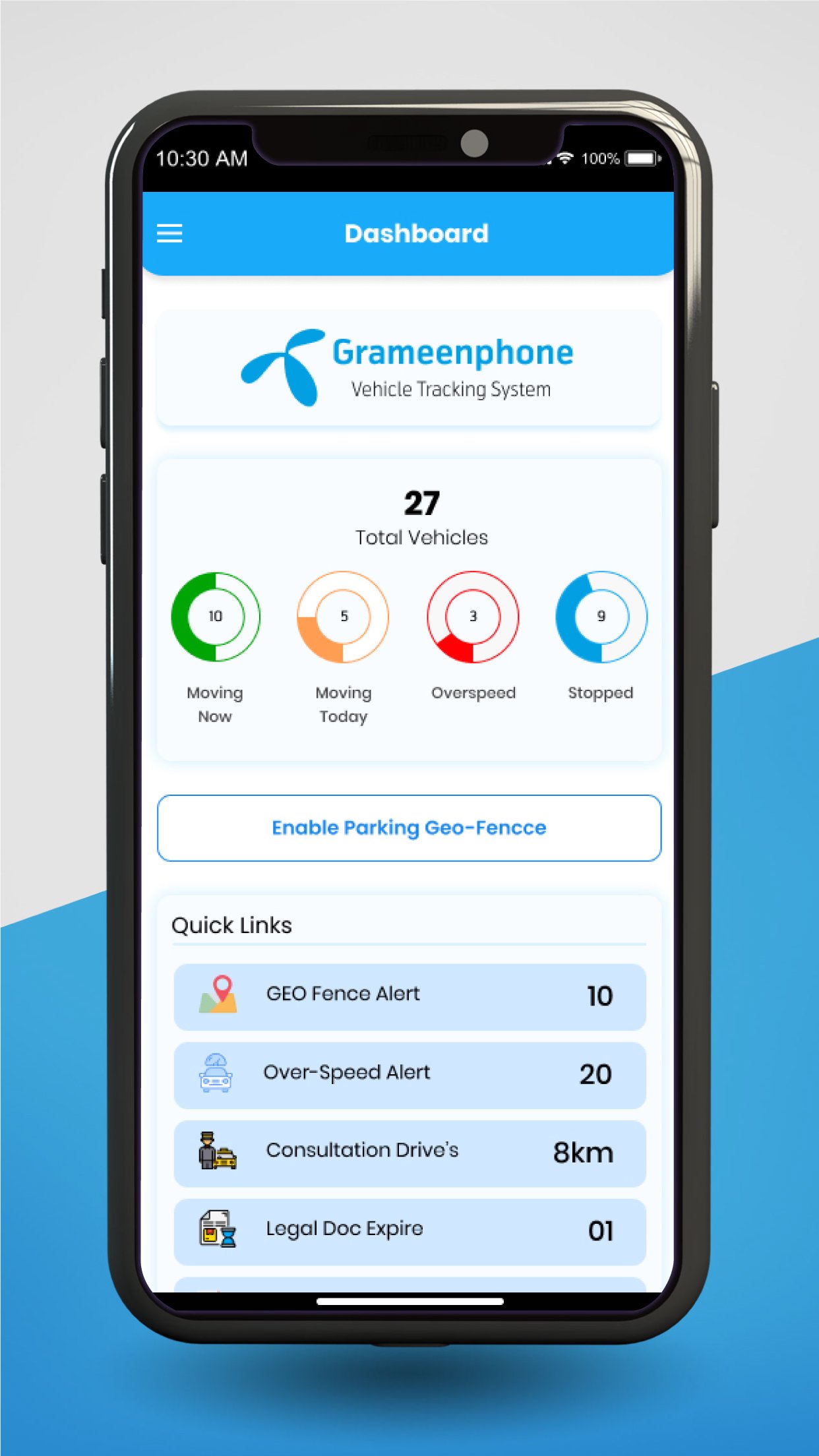
Grameenphone Smart VTS Tracker is a modern and advanced VTS service that allows users to monitor their vehicles remotely from anywhere. It offers real-time tracking, emergency engine blocking, and various SMS/email notifications. GP Smart VTS platform is now more user-friendly and accessible via both web and mobile devices.
Features:
24 Hour Real-time Tracking all over the country
Engine Blocking (through SMS), Geo-fence Breaking Alert & Over Speed Alert (Web features)
Engine On/ Off Notification with Current Status through SMS
Secured web-based platform with complete backup server
Nearby vehicle & details Trip Report in web
Mileage & Fuel Consumption Report in web
Necessary reports can be downloaded in excel and pdf in web
Multiple Users’ simultaneous access
4 SMS Alerts/ Notifications
24/7 Support with professional call center.
Free document renewal notification in web
We have full coverage with detailed info in map.
We provide tracking accuracy through north-west/south-east, etc. options.
Reports Storage of last 3 Months in web
Ease in Customization & Integration
Door step installation/ support
Installation & Support available at 8 divisional headquarters and more 64 major districts
(terms apply)
We have maximum Reports for day to day/Month analysis in web
We hope you enjoy the GPS tracking app and share it with your friends and family!
Reach us at our dedicated 24/7 VTS hotlines: +8801729207979, +8801729217979, +8801729227979, +8801729237979, +8801729247979 (Charge Applicable)
For more information visit www.grameenphone.com/personal/digital-services/mobile-services/vehicle-tracking or Call 121 (GP)
Preview

Tags
Auto-&Information
Developer
Grameenphone Limited
Latest Version
1.1.31
Last Updated
2025-12-15
Category
Auto-vehicles
Available on
Google Play
Show More
How to play Grameenphone Vehicle Tracking with GameLoop on PC
1. Download GameLoop from the official website, then run the exe file to install GameLoop
2. Open GameLoop and search for “Grameenphone Vehicle Tracking” , find Grameenphone Vehicle Tracking in the search results and click “Install”
3. Enjoy playing Grameenphone Vehicle Tracking on GameLoop
Minimum requirements
OS
Windows 8.1 64-bit or Windows 10 64-bit
GPU
GTX 1050
CPU
i3-8300
Memory
8GB RAM
Storage
1GB available space
Recommended requirements
OS
Windows 8.1 64-bit or Windows 10 64-bit
GPU
GTX 1050
CPU
i3-9320
Memory
16GB RAM
Storage
1GB available space