
ClipCut - Video Editor & Maker PC
Devabits Inc
Download ClipCut - Video Editor & Maker on PC With GameLoop Emulator
ClipCut - Video Editor & Maker sa PC
Ang ClipCut - Video Editor & Maker, na nagmumula sa developer na Devabits Inc, ay tumatakbo sa Android systerm sa nakaraan.
Ngayon, maaari mong laruin ang ClipCut - Video Editor & Maker sa PC gamit ang GameLoop nang maayos.
I-download ito sa GameLoop library o mga resulta ng paghahanap. Hindi na tumitingin sa baterya o nakakadismaya na mga tawag sa maling oras.
I-enjoy lang ang ClipCut - Video Editor & Maker PC sa malaking screen nang libre!
ClipCut - Video Editor & Maker Panimula
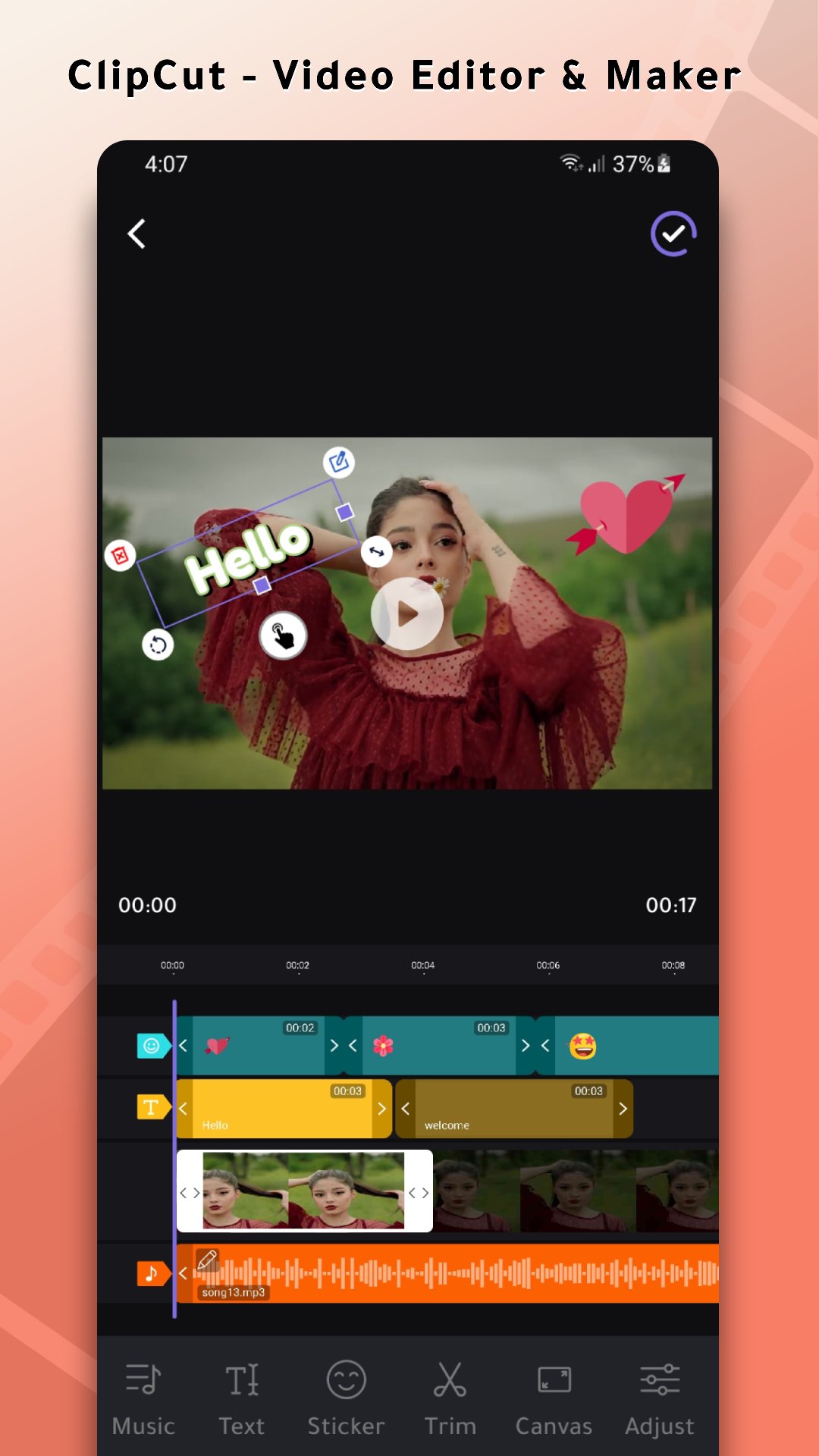
ClipCut is the best video editor app, video player and video maker app for all your video production needs without watermark. Using Clip Cut, you will be able to create videos and animated effects easily.
Video editor with photo and music and text includes advanced features such as hd video cutter, crop and trim video editor app, as well as adding images and adding music to video free. It is also worth noting that by using ClipCut video editor and maker, you can test on video with font and style through the tool to add text to video write to video and create amazing videos quickly.
ClipCut is the perfect choice for video maker with song and
video editor free, music to video maker, slideshow maker. Video editor for youtube channel has advanced video editing tools including music to video converter app, video speed controller, slow motion video player, as well as reverse video. You can also remove background and automatic captions through ai video maker app.
Features available in ClipCut video editor & maker:
1 - HD video cutter: Video trimmer and editor contains a tool smart video crop for trim video free, splitting video and merging multiple videos, as well as synchronizing audio with video by crop and trim video editor app and creating a single high-quality video.
2 - Video speeder: You can use Clip Cut video editor and control the speed video player like speedup video 10x or rewind it as slow motion video player or play it in reverse using the video speed editor app with one click and with ease.
3 - Moving text on video: Customize video clips, add text to video write on video and translate videos using tool for ai video generator text to video and the various text on video with font and style, and text templates found in the ClipCut text to video maker ai.
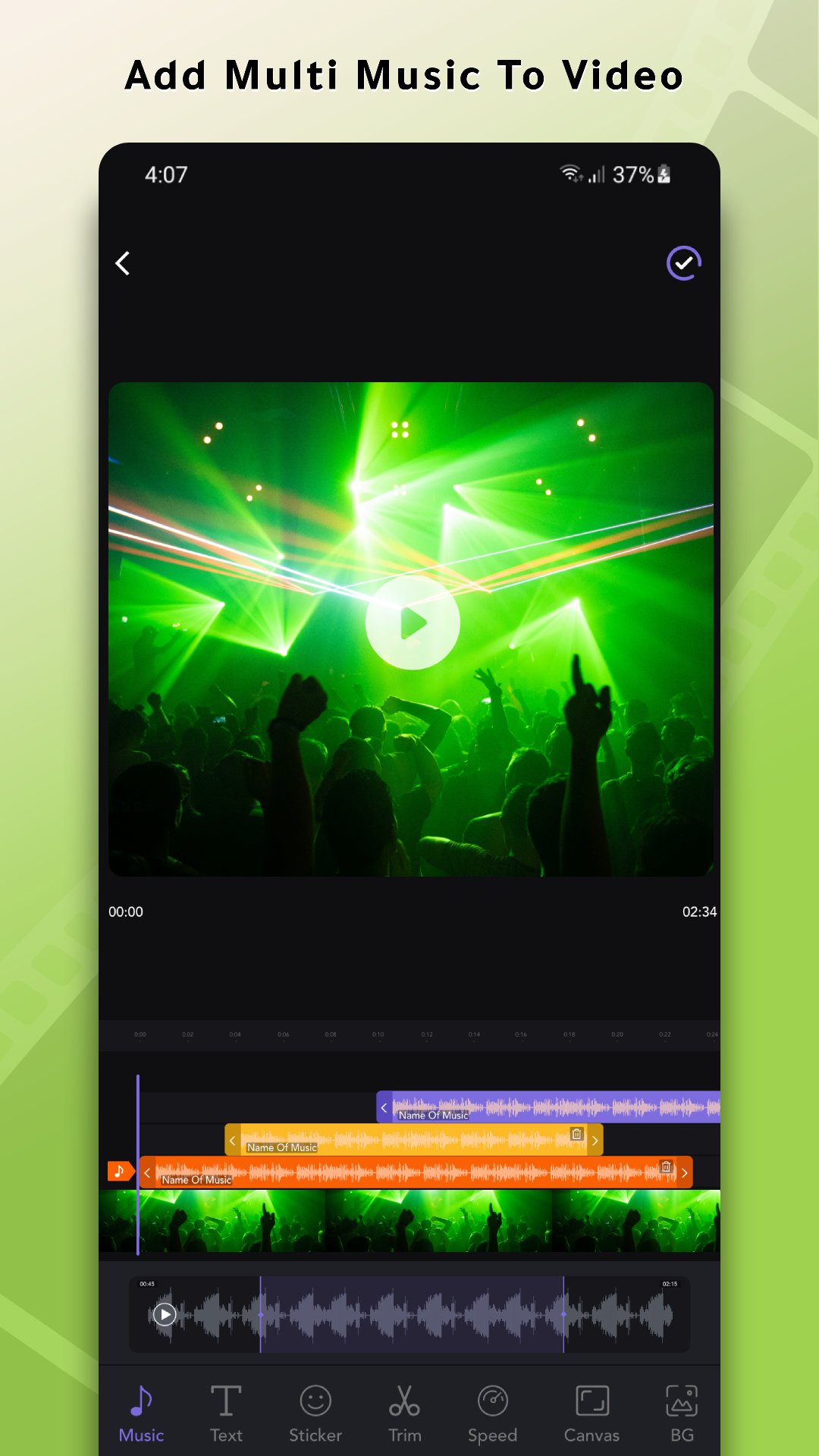
4 - Music and sound effects: Add music to video free, adjust the music volume, and cut it from the beginning to the end through music to video converter app and video editor with music.
5 - Video filters and effects: Add video filters and effects to the video, as well as adjust brightness, contrast and saturation. It is also worth noting that you can use custom video filters and effects to create attractive, high-quality videos.
6 - Video to audio: Using ClipCut video to mp3 video converter app free, you can extract music from your favorite videos and save it to your phone. It is the easiest to use m4a to mp3 converter app and video converter.
7 - Video to gif with sound: Cut your favorite part of your video and turn it into a GIF easily with video to gif converter.
Clip Cut is a free and all-in-one video editing app. Video editor pro has everything you need to create stunning, high-quality videos. video editor with photo and music and text offers all the tools you need for video editing and add Add an aesthetic touch to your videos.
Video maker app for designing videos with songs and images that will allow you to combine several clips into one clip, edit video clips and export them in HD quality. Add music, text, emojis, effects and filters to your videos.
Preview
Tags
Art-&Video-PlayersInformation
Developer
Devabits Inc
Latest Version
3.0.6
Last Updated
2024-08-27
Category
Art-design
Available on
Google Play
Show More
How to play ClipCut - Video Editor & Maker with GameLoop on PC
1. Download GameLoop from the official website, then run the exe file to install GameLoop
2. Open GameLoop and search for “ClipCut - Video Editor & Maker” , find ClipCut - Video Editor & Maker in the search results and click “Install”
3. Enjoy playing ClipCut - Video Editor & Maker on GameLoop
Minimum requirements
OS
Windows 8.1 64-bit or Windows 10 64-bit
GPU
GTX 1050
CPU
i3-8300
Memory
8GB RAM
Storage
1GB available space
Recommended requirements
OS
Windows 8.1 64-bit or Windows 10 64-bit
GPU
GTX 1050
CPU
i3-9320
Memory
16GB RAM
Storage
1GB available space