Logo Maker Free PC
QBA Solutions
Download Logo Maker Free on PC With GameLoop Emulator
Logo Maker Free sa PC
Ang Logo Maker Free, na nagmumula sa developer na QBA Solutions, ay tumatakbo sa Android systerm sa nakaraan.
Ngayon, maaari mong laruin ang Logo Maker Free sa PC gamit ang GameLoop nang maayos.
I-download ito sa GameLoop library o mga resulta ng paghahanap. Hindi na tumitingin sa baterya o nakakadismaya na mga tawag sa maling oras.
I-enjoy lang ang Logo Maker Free PC sa malaking screen nang libre!
Logo Maker Free Panimula
Logo Maker Free is Logo Maker 2018 and latest logo maker for your company
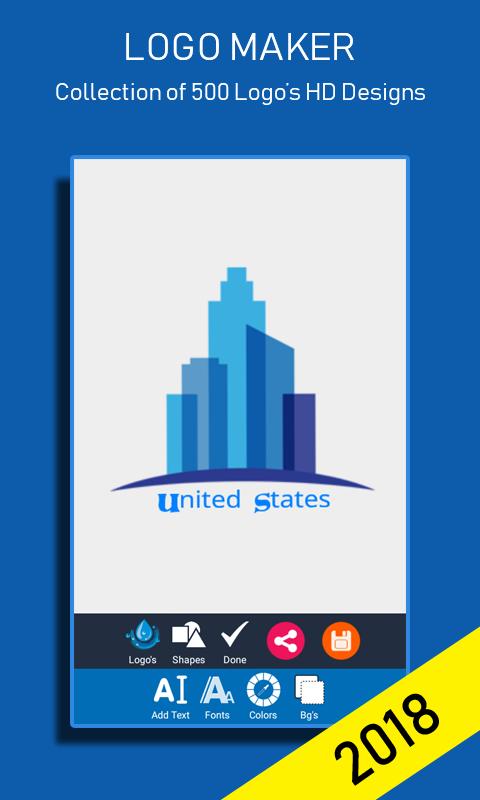
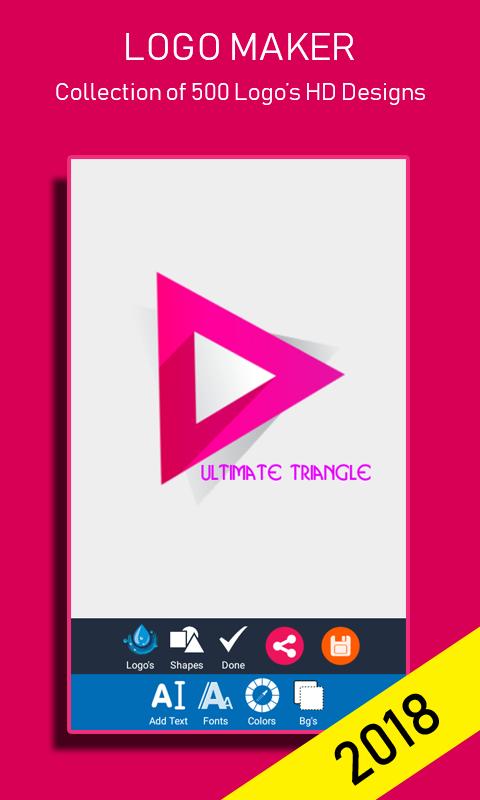
Logo Maker app is a professional logo design suite that lets you create powerful branding for your business in a matter of Minutes!
3d Logo maker contains features of Visiting card maker and business card maker. you can load your designs through gallery
Logo Maker 3D app & Logo Creator app is designed with ease of use in mind and hence can be used by both professional designers and people without prior design experience to create custom, creative and beautiful looking logos in a matter of minutes.
strengths inherited fromlogomaker/generator,3d logo maker,visiting card/businesscardmaker,font studio - text photo editor,my name pics name artandgreeting and invitation card maker we are honored to introducethisart app for making cover photo and D.p or profile photo,
Cover photo and dp maker is unique and latest app by which youcanmake or edit your profile photo and your cover photo,thisappcontains many background of different categories on which youcanadd text,you can use it as stylish name maker can write textonyour own photos or backgrounds and then can make ityour or any social networkprofilephoto and cover photo,you can also write quotes onyourphotos,wishes on your photos,or any message on your photos,Youcanmake or write your Name/Nickname/Any names of yourfamilymembers/Friends/Girlfriend OR Baby in many uniquewritingstyles.
You can write name on different lovely frames with unique andcoolwriting styles.
You can edit,resize/modify can change text color and canchangefonts.
you can use bold italic semibold or underline fonts asyouwant,Choose any style you want to make your textstylish.itcontains many beautiful backgrounds and wallpapers.youcan changetext background of your text by background changeroption.
its very easy to use with this you can add stylish backgroundandstylish text.and can share you beautiful name on any socialmedianetworks like etc.or youcan set it as profile photo or your coverphoto.
its a great app for expressing your love with someone like youcanwrite name of your love,valentine you can write a wishquotemessages advise or poetry etc.i should be a wish gift forsomeoneon his/her birthday, anniversary,valentinesday,friendshipday,chocolate day, teddy bear day or any celebrationevent come toyour life.you can add beautiful smilies and emoji onyourphotos.
its very useful time saving for users and provides goodlookingquality images along with text.it allows you to createincredibletext effects easily and quickly just in one click.
After writing the text you can zoom pinch or drag the text.
you can undo text by clicking on undo button.
By clicking on backgrounds button there will be a gallery withgridview contains all of backgrounds you can select yours.
You can change color of text and can control transparency of textbygoing to text color schemes.
Custom fonts are provided (.ttf and .otf files).
Custom gallery is provided you can open it by clicking on mytextbutton at start screen so there is no need to go to yourfilemanager sd card/internal or external memory/space you can findyoursaved text arts there.best status,cover photo and dp collectionforyour social accounts like ,and others.setyourDp(display picture)and status according to your emotionandmood.completely free app with latest collection of best D.P.statusphotos,and cover photos,its best app in all dp maker apps andcoverphoto maker designer apps.
create your digital/display profile with dp and cover maker thefreephoto frame + photo editor.
try this brand new thing with more qualities.
Preview
Information
Developer
QBA Solutions
Latest Version
1.8
Last Updated
2018-05-13
Category
Art-design
Available on
Google Play
Show More
How to play Logo Maker Free with GameLoop on PC
1. Download GameLoop from the official website, then run the exe file to install GameLoop
2. Open GameLoop and search for “Logo Maker Free” , find Logo Maker Free in the search results and click “Install”
3. Enjoy playing Logo Maker Free on GameLoop
Minimum requirements
OS
Windows 8.1 64-bit or Windows 10 64-bit
GPU
GTX 1050
CPU
i3-8300
Memory
8GB RAM
Storage
1GB available space
Recommended requirements
OS
Windows 8.1 64-bit or Windows 10 64-bit
GPU
GTX 1050
CPU
i3-9320
Memory
16GB RAM
Storage
1GB available space