
Acrylic Paint (Guide) PC
Art & Craft Studio
Download Acrylic Paint (Guide) on PC With GameLoop Emulator
Acrylic Paint (Guide) sa PC
Ang Acrylic Paint (Guide), na nagmumula sa developer na Art & Craft Studio, ay tumatakbo sa Android systerm sa nakaraan.
Ngayon, maaari mong laruin ang Acrylic Paint (Guide) sa PC gamit ang GameLoop nang maayos.
I-download ito sa GameLoop library o mga resulta ng paghahanap. Hindi na tumitingin sa baterya o nakakadismaya na mga tawag sa maling oras.
I-enjoy lang ang Acrylic Paint (Guide) PC sa malaking screen nang libre!
Acrylic Paint (Guide) Panimula
"
★★★ Enjoy Free Tips & Tricks ★★★
Get Acrylic Painting Techniques All Beginners Should Try!
You’ve got your acrylic paint, your work surface, and you’re really inspired to paint. But how exactly do you do get started?
Here’s a guide to acrylic painting techniques for beginners that will help you begin your artistic journey.
Once you’ve assembled all of the necessary tools for acrylic painting, you’re ready for the fun part: putting paint to paper or canvas.
Here, we’ll explore some easy key techniques for applying paint, mixing color, and building paintings so that you can paint like a pro in no time.
Painting with acrylics can be rewarding, easy and fun. It's one of my favorite types of paint, because it is so versatile. Acrylics can be used in many different ways to create many different styles of art.
On this Application We will share with you the techniques that We used to create each type of artwork. Whether you want to learn to paint abstract art or photorealism, this site will show you how to do it.
Acrylic paint is a great medium for beginning painters because it is water-soluble, dries quickly, and is versatile and forgiving.
If you are not happy with an area you've painted, you can let it dry and paint right over it in a matter of minutes. Because acrylic is a plastic polymer you can paint on any surface as long as it doesn't contain wax or oil.
Unlike oils, acrylics can be be used without any toxic solvents and can be cleaned up easily with just soap and water.
Here are some must-know tips to jumpstart your acrylic painting.
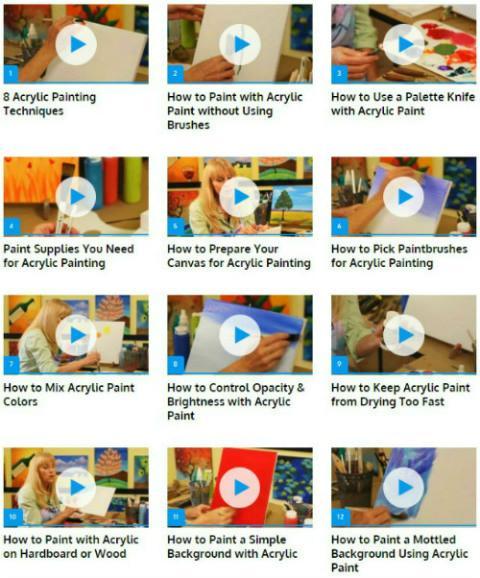
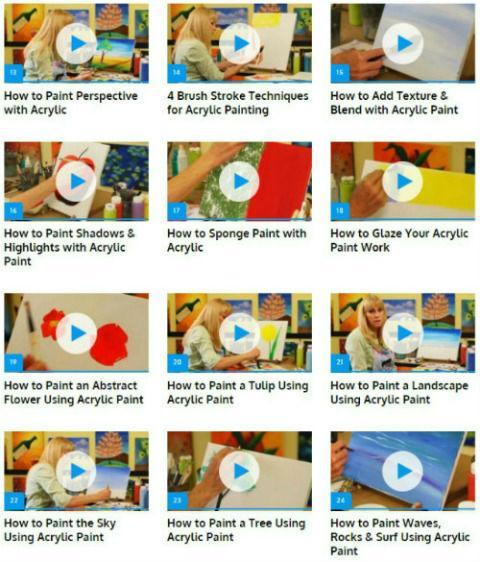
Let acrylic painting expert show you how to paint foliage, landscapes, seascapes, and much more in these Application videos.
✰✰✰ If You Like It! Support Us By Rating Us 5 ★★★★★ ✰✰✰
★★★★ We will try our best to make it better, any comments or suggestions will be nice, please let me know via feedback in our app ★★★★
"
Preview
Tags
Art-&Information
Developer
Art & Craft Studio
Latest Version
1.1
Last Updated
2023-04-12
Category
Art-design
Available on
Google Play
Show More
How to play Acrylic Paint (Guide) with GameLoop on PC
1. Download GameLoop from the official website, then run the exe file to install GameLoop
2. Open GameLoop and search for “Acrylic Paint (Guide)” , find Acrylic Paint (Guide) in the search results and click “Install”
3. Enjoy playing Acrylic Paint (Guide) on GameLoop
Minimum requirements
OS
Windows 8.1 64-bit or Windows 10 64-bit
GPU
GTX 1050
CPU
i3-8300
Memory
8GB RAM
Storage
1GB available space
Recommended requirements
OS
Windows 8.1 64-bit or Windows 10 64-bit
GPU
GTX 1050
CPU
i3-9320
Memory
16GB RAM
Storage
1GB available space