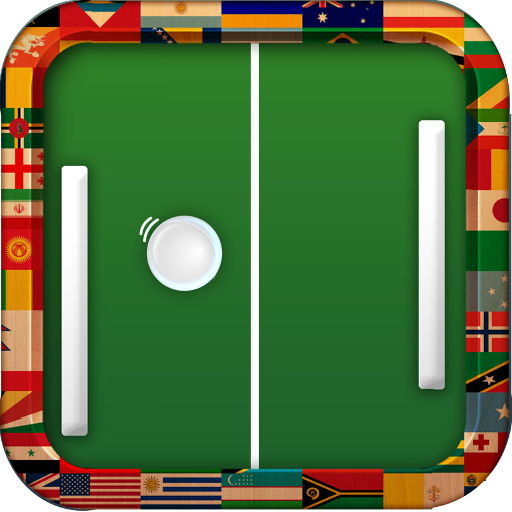
Pingy Pong (Ping Pong Classic) PC
Mobifolio
Download Pingy Pong (Ping Pong Classic) on PC With GameLoop Emulator
Pingy Pong (Ping Pong Classic) sa PC
Ang Pingy Pong (Ping Pong Classic), na nagmumula sa developer na Mobifolio, ay tumatakbo sa Android systerm sa nakaraan.
Ngayon, maaari mong laruin ang Pingy Pong (Ping Pong Classic) sa PC gamit ang GameLoop nang maayos.
I-download ito sa GameLoop library o mga resulta ng paghahanap. Hindi na tumitingin sa baterya o nakakadismaya na mga tawag sa maling oras.
I-enjoy lang ang Pingy Pong (Ping Pong Classic) PC sa malaking screen nang libre!
Pingy Pong (Ping Pong Classic) Panimula
Pingy Pong Free is the only ping pong game you will ever require. The game maintains the original excitement of the classic arcade pong and adds modern elements to make it suitable for all skill levels.
The game features multiple modes like:
1) Regular Ping Pong - Unadulterated arcade fun to cater to the retro ping pong fan in you.
2) Squash - With both the paddles on the same side, the game plays like a squash match. Alertness is key here.
3) Survival - How many shots can you survive. The computer is programmed to never lose, or is it?? They say there is a 1 in 1,783,420 chance that you can beat the computer.
4) World Domination - Can you dominate the world of Ping Pong? Beat all 9 countries and tell the world about it.
5) Two Player - Play against a friend and see who rules the ping pong world
The game features 3 levels of difficulty. Easy is for beginners, Medium is where you should be and Insane is where you should never be!
You also get to see you progress in the Game Statistics page.
Pingy Pong is the perfect time killer while waiting at the bus stop or at a coffee shop.
Pingy Pong or ping pong or table tennis or atari pong or whatever else you may want to call is It is also known to help kids develop hand eye coordination and reflexes. So let them at it.
I have already started working on the next version which will include playing the game over NFC with a friend.
Have fun playing the game. And do write to us at appsrackinc@gmail.com for any feedback.
Preview


Tags
ArcadeInformation
Developer
Mobifolio
Latest Version
1.4
Last Updated
2014-03-25
Category
Arcade
Available on
Google Play
Show More
How to play Pingy Pong (Ping Pong Classic) with GameLoop on PC
1. Download GameLoop from the official website, then run the exe file to install GameLoop
2. Open GameLoop and search for “Pingy Pong (Ping Pong Classic)” , find Pingy Pong (Ping Pong Classic) in the search results and click “Install”
3. Enjoy playing Pingy Pong (Ping Pong Classic) on GameLoop
Minimum requirements
OS
Windows 8.1 64-bit or Windows 10 64-bit
GPU
GTX 1050
CPU
i3-8300
Memory
8GB RAM
Storage
1GB available space
Recommended requirements
OS
Windows 8.1 64-bit or Windows 10 64-bit
GPU
GTX 1050
CPU
i3-9320
Memory
16GB RAM
Storage
1GB available space