Pacific Navy Fighter C.E. (AS) PC
DotSight Software
Download Pacific Navy Fighter C.E. (AS) on PC With GameLoop Emulator
Pacific Navy Fighter C.E. (AS) sa PC
Ang Pacific Navy Fighter C.E. (AS), na nagmumula sa developer na DotSight Software, ay tumatakbo sa Android systerm sa nakaraan.
Ngayon, maaari mong laruin ang Pacific Navy Fighter C.E. (AS) sa PC gamit ang GameLoop nang maayos.
I-download ito sa GameLoop library o mga resulta ng paghahanap. Hindi na tumitingin sa baterya o nakakadismaya na mga tawag sa maling oras.
I-enjoy lang ang Pacific Navy Fighter C.E. (AS) PC sa malaking screen nang libre!
Pacific Navy Fighter C.E. (AS) Panimula
Pacific Navy Fighter - Commander Edition
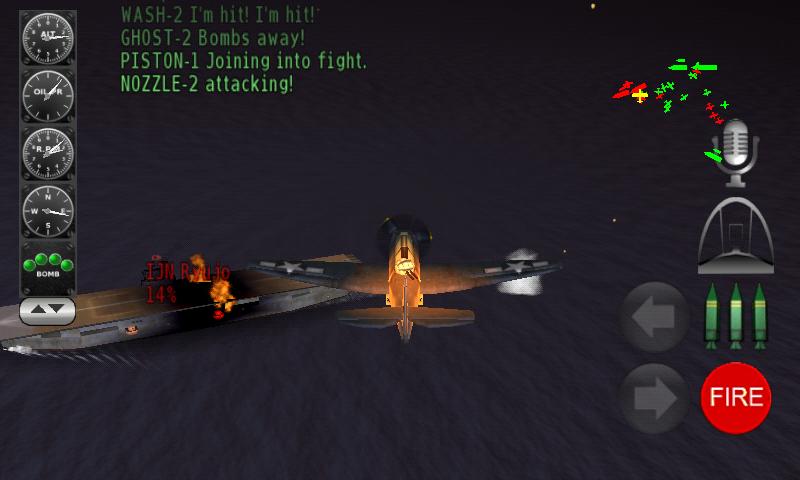
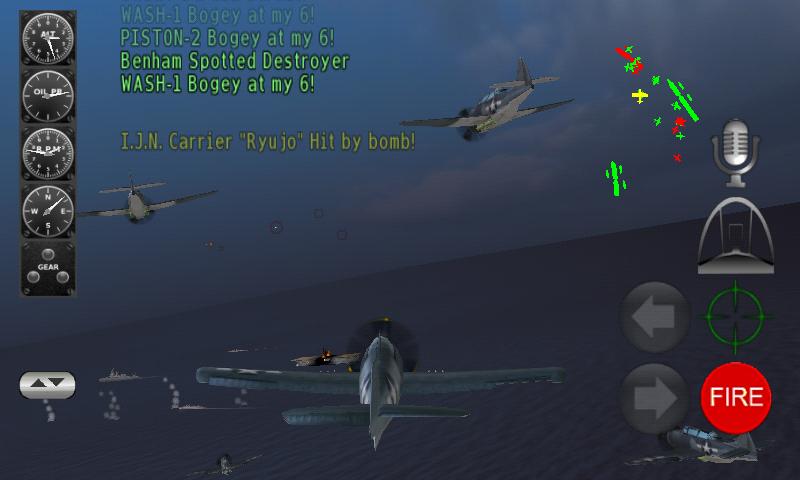
Fight three of the major sea battles of WW2 pacific. Fly the Avenger, Corsair and Hellcat (or Zero, Kate and Judy for I.J.N.) while commanding recon, patrol and strike flights to their destination from multiple carriers. Action packed you'll be jumping from cockpit to cockpit to save the day. Fly in formation as a bomber or protective fighter escort, fly recon to spot enemy fleets so you can order strike flights at them specifying aircraft and weapon types for bombers and escorts.
The fight is on in generated single missions and in three historic major battles:
- Battle of Santa Cruz
- Battle of Eastern Solomons
- Battle of Midway
Make strategic decisions about flights depending on weapons and planes left on the carriers, consider flight times and weigh your options over defensive and offensive action. 3 seconds later you are looking around from the cockpit again: enough with the radio, lets jump another set of enemies!
Consider the weather and visibility, and don't expect daytime to last forever as night, dusk and dawn will challenge your orientation, navigation and situation awareness skills.
Just when you think your done you'll be faced with landing on a carrier mid-storm in bad visibility. Having survived the whole ordeal, did you do well enough to earn a medal?
Preview
Tags
ArcadeInformation
Developer
DotSight Software
Latest Version
1.5.2
Last Updated
2025-01-23
Category
Arcade
Available on
Google Play
Show More
How to play Pacific Navy Fighter C.E. (AS) with GameLoop on PC
1. Download GameLoop from the official website, then run the exe file to install GameLoop
2. Open GameLoop and search for “Pacific Navy Fighter C.E. (AS)” , find Pacific Navy Fighter C.E. (AS) in the search results and click “Install”
3. Enjoy playing Pacific Navy Fighter C.E. (AS) on GameLoop
Minimum requirements
OS
Windows 8.1 64-bit or Windows 10 64-bit
GPU
GTX 1050
CPU
i3-8300
Memory
8GB RAM
Storage
1GB available space
Recommended requirements
OS
Windows 8.1 64-bit or Windows 10 64-bit
GPU
GTX 1050
CPU
i3-9320
Memory
16GB RAM
Storage
1GB available space