Angry Ball 2D PC
AKC Games
Download Angry Ball 2D on PC With GameLoop Emulator
Angry Ball 2D sa PC
Ang Angry Ball 2D, na nagmumula sa developer na AKC Games, ay tumatakbo sa Android systerm sa nakaraan.
Ngayon, maaari mong laruin ang Angry Ball 2D sa PC gamit ang GameLoop nang maayos.
I-download ito sa GameLoop library o mga resulta ng paghahanap. Hindi na tumitingin sa baterya o nakakadismaya na mga tawag sa maling oras.
I-enjoy lang ang Angry Ball 2D PC sa malaking screen nang libre!
Angry Ball 2D Panimula
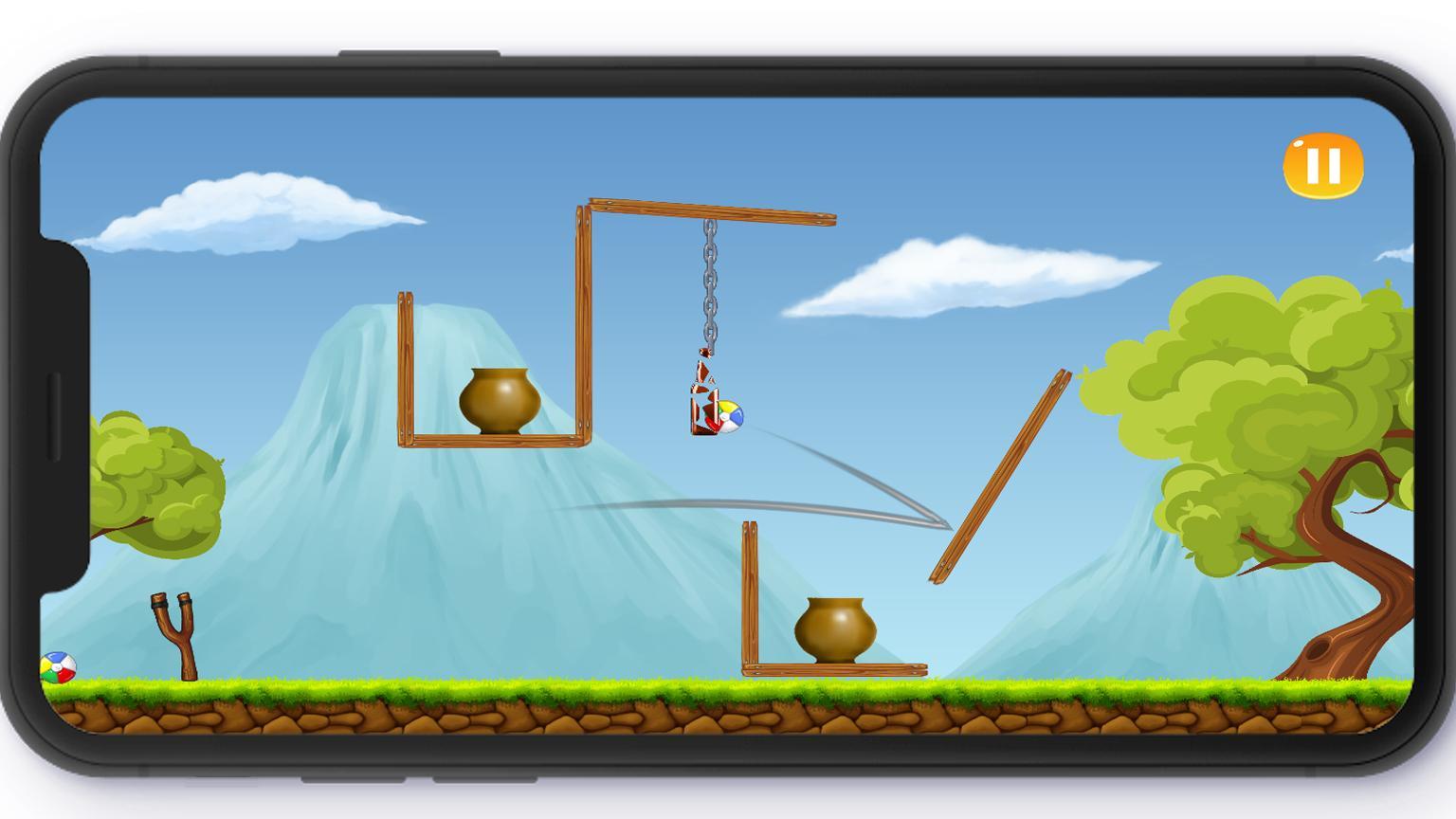
This is a shooter game, where you need to knock down Many Bottles and Pots placed at different Movable positions by Colorful balls and using a slingshot.
This is Best shooter game 2020 for you, if you like ball shooting game, Bottle Hit Game, catapult game, slingshot game.
In this slingshot shooter game, You need to use your brain for complete any level. This is a level based shooter game. There are over 50 unique,challenging and interesting levels. As you move to higher levels you will find more difficultly in completing. Our Catapult game offers different challenging levels for you to test your aiming skills.
To help in aiming there is an aim trajectory line which will pop out when you pull slingshot belt.
This bottle game is a realistic shooting game with nice Chain and break animation and crystal glass breaking sound effects.
Become a bottle shooter by knocking down and breaking the bottles, by playing this knock down bottle game, which is one of the best knockdown games and shooting games free.
This is Best slingshot game for every age of group. This offline shooting game for you, if you want a challenging game with fun game.
Test your shooting skills by knocking down bottles and pots using slingshot and balls.
This catapult game Free to Play. You can also play this new shooter game offline.
Try this shooting game 2020 at once.
Features:
Very nice sound effects.
Realistic hit animations.
physics based objects.
Smooth Controls.
Enough description!
Now download and enjoy this interesting offline Bottle Shooting Game.
Preview

Tags
ArcadeInformation
Developer
AKC Games
Latest Version
1.4
Last Updated
2021-12-28
Category
Arcade
Available on
Google Play
Show More
How to play Angry Ball 2D with GameLoop on PC
1. Download GameLoop from the official website, then run the exe file to install GameLoop
2. Open GameLoop and search for “Angry Ball 2D” , find Angry Ball 2D in the search results and click “Install”
3. Enjoy playing Angry Ball 2D on GameLoop
Minimum requirements
OS
Windows 8.1 64-bit or Windows 10 64-bit
GPU
GTX 1050
CPU
i3-8300
Memory
8GB RAM
Storage
1GB available space
Recommended requirements
OS
Windows 8.1 64-bit or Windows 10 64-bit
GPU
GTX 1050
CPU
i3-9320
Memory
16GB RAM
Storage
1GB available space