PUBG MOBILE FLASH PC
Level Infinite
Download PUBG MOBILE FLASH on PC With GameLoop Emulator
PUBG MOBILE FLASH sa PC
Ang PUBG MOBILE FLASH, na nagmumula sa developer na Level Infinite, ay tumatakbo sa Android systerm sa nakaraan.
Ngayon, maaari mong laruin ang PUBG MOBILE FLASH sa PC gamit ang GameLoop nang maayos.
I-download ito sa GameLoop library o mga resulta ng paghahanap. Hindi na tumitingin sa baterya o nakakadismaya na mga tawag sa maling oras.
I-enjoy lang ang PUBG MOBILE FLASH PC sa malaking screen nang libre!
PUBG MOBILE FLASH Panimula
PUBG MOBILE FLASH is designed for players who want a lighter way to play PUBG MOBILE on an Android phone. It offers an alternative for people who would rather start with a smaller installation and decide later whether they need more content. The PUBG MOBILE FLASH APK is part of the same game ecosystem, so players can remain connected to the wider PUBG MOBILE community. Experiences can vary between devices, however, and a smaller app does not guarantee better performance for every player.
What PUBG MOBILE FLASH offers
Classic battle royale from the start
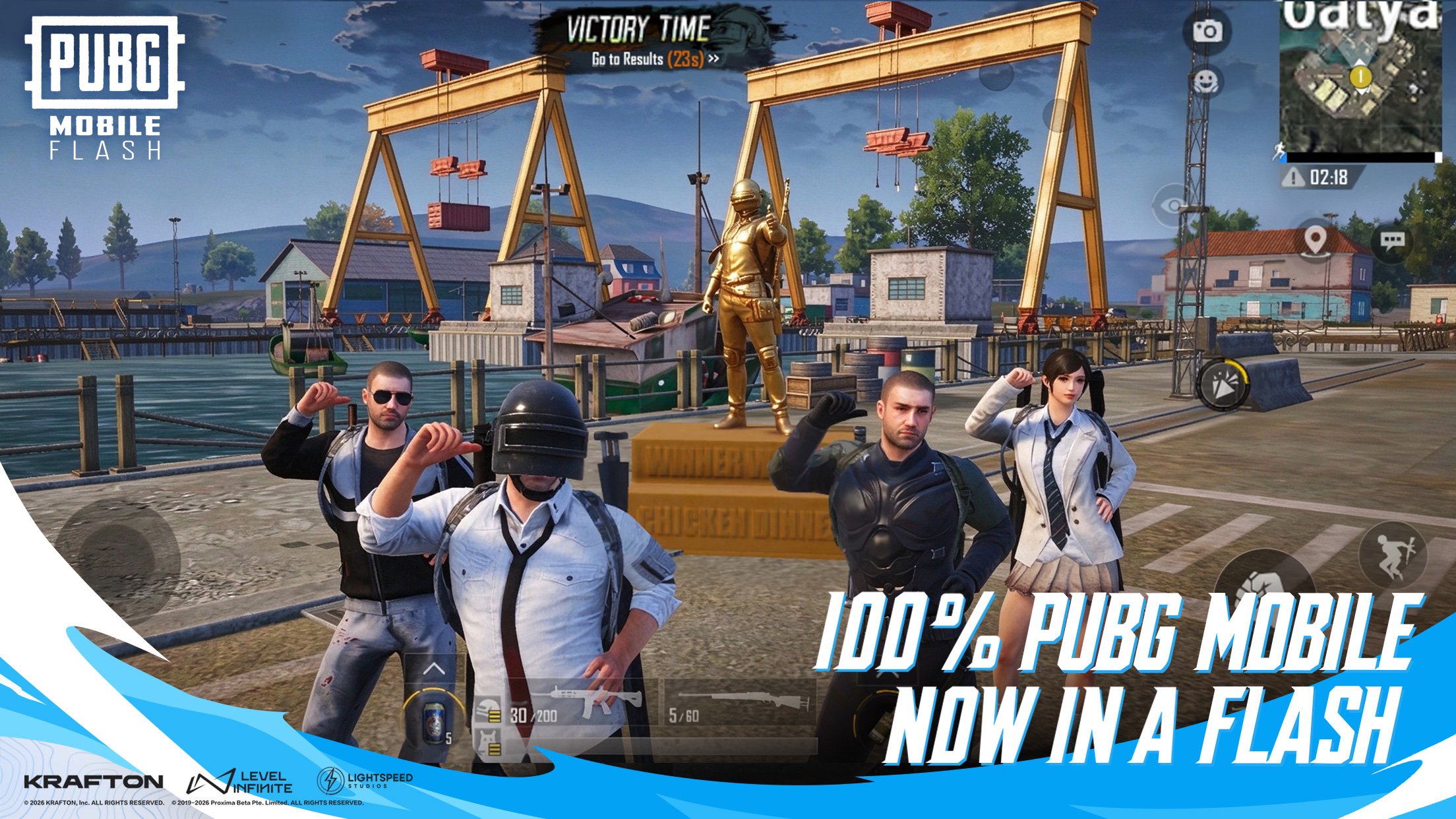
PUBG MOBILE FLASH includes Erangel and the core Classic mode in the initial installation. You can begin your first match without downloading those resources separately. This gives you a way to play the familiar battle royale mode before deciding whether you want to add other content. Additional maps and modes are available as optional downloads.
Choose additional content
You can decide when to download extra maps, modes, events and other resources. The game asks for confirmation before these downloads begin, so you can review your choice first. This approach lets you start with the included content and add resources when you want them, rather than downloading everything at the outset.
Stay connected to PUBG MOBILE
PUBG MOBILE FLASH shares accounts, friends and in-game assets with PUBG MOBILE. You can also join matches with players using either app. If you already play PUBG MOBILE, this means choosing FLASH does not require you to leave your existing friends or shared assets behind. New and existing players are part of the same connected game world.
Simplified presentation
PUBG MOBILE FLASH uses a minimalist lobby and simplified visuals to reduce its initial footprint. Full lobby assets and higher-quality resources are available separately if you prefer to add them. Original outfit appearances are also available as separate resources. You can therefore choose which presentation resources to download after installing the game.
Designed for a range of phones
PUBG MOBILE FLASH includes graphics and loading optimizations intended to make the game more accessible on entry-level and mid-range phones. The smaller initial download is also designed to leave more space for other content than the full PUBG MOBILE app. Actual loading and gameplay experiences can differ depending on the device.
How to play PUBG MOBILE FLASH
You can download PUBG MOBILE FLASH and begin with the content included in the initial installation. If you already have a PUBG MOBILE account, you can use it to access your shared friends and assets.
Download and install the game on your Android phone, then open it.
Use your PUBG MOBILE account if you want to access your existing account, friends and in-game assets.
Choose the included Classic mode and start a match on Erangel. Neither requires an additional resource download.
Play with others in the shared PUBG MOBILE community, including friends who use the other app.
When you want additional content, choose the resources you need and confirm the download.
Get started with PUBG MOBILE FLASH
PUBG MOBILE FLASH provides Classic battle royale with a smaller initial installation and optional content. Check the PUBG MOBILE FLASH latest version on APKPure to get started on Android.
For official information and support:
Website: pubgmobile.com
Support email: service@pubgmobile.com
Preview
Information
Developer
Level Infinite
Latest Version
4.7.0
Last Updated
Yesterday
Category
Action
Show More
How to play PUBG MOBILE FLASH with GameLoop on PC
1. Download GameLoop from the official website, then run the exe file to install GameLoop
2. Open GameLoop and search for “PUBG MOBILE FLASH” , find PUBG MOBILE FLASH in the search results and click “Install”
3. Enjoy playing PUBG MOBILE FLASH on GameLoop
Minimum requirements
OS
Windows 8.1 64-bit or Windows 10 64-bit
GPU
GTX 1050
CPU
i3-8300
Memory
8GB RAM
Storage
1GB available space
Recommended requirements
OS
Windows 8.1 64-bit or Windows 10 64-bit
GPU
GTX 1050
CPU
i3-9320
Memory
16GB RAM
Storage
1GB available space