
WiMAX Key Checker para PC
joeykrim
Descarga WiMAX Key Checker en PC con GameLoop Emulator
WiMAX Key Checker en PC
WiMAX Key Checker, proveniente del desarrollador joeykrim, se ejecuta en el sistema Android en el pasado.
Ahora, puedes jugar WiMAX Key Checker en PC con GameLoop sin problemas.
Descárgalo en la biblioteca de GameLoop o en los resultados de búsqueda. No más mirar la batería o llamadas frustrantes en el momento equivocado nunca más.
Simplemente disfrute de WiMAX Key Checker PC en la pantalla grande de forma gratuita!
WiMAX Key Checker Introducción
** WARNING: ONLY for the Sprint HTC Evo or Sprint HTC Shift with root access. WiMAX (4G) key check will NOT work on ANY other device or under ANY other conditions. **
** DISCLAIMER: The average user will not encounter these issues and will not need this application. **
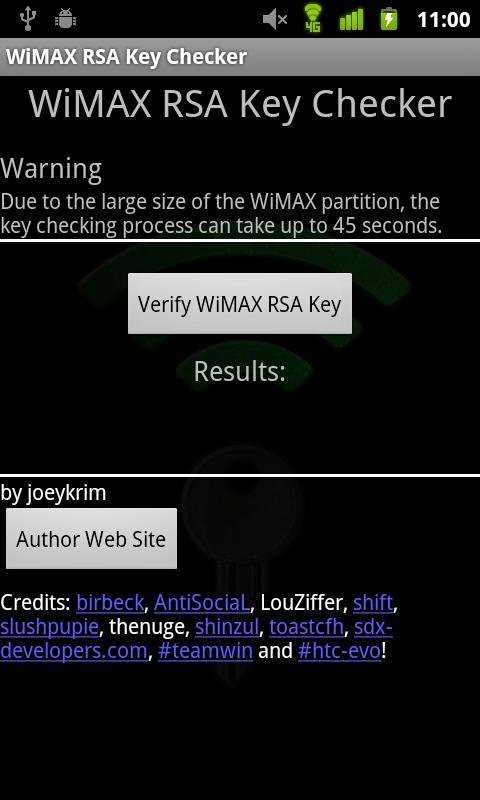
Purpose: Troubleshoot WiMAX (4G) connection issues on the Sprint HTC EVO or Sprint HTC Shift due to potentially missing RSA Encryption Keys. Assist Sprint HTC EVO or Sprint HTC Shift enthusiasts by providing a simple method of WiMAX (4G) RSA Key presence verification.
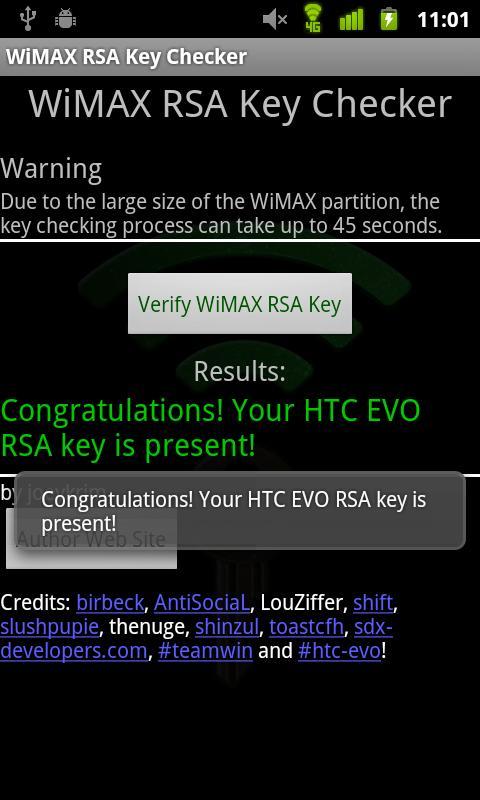
This application allows the user to easily find out whether or not their WiMAX RSA Key is present. The WiMAX RSA key is required in order for WiMAX to properly operate.
A very important step in troubleshooting WiMAX connection issues includes determining whether or not WiMAX RSA key is present.
Unfortunately, sometimes during the process of customizing and modifying the Sprint HTC EVO or Sprint HTC Shift the WiMAX RSA key is erased. If the key is lost, WiMAX will not work.
Please provide feedback based on the limited set of features currently present. This is my first application and I've done my best to make sure it provides the basic functionality. In future versions I hope to improve many aspects.
Please bear with me as I work to improve it! Feel free to email me with suggestions, comments and feedback!
Open source project: http://www.github.com/joeykrim/WimaxKeys
Avance
Etiquetas
HerramientasInformación
Desarrollador
joeykrim
La última versión
3.0
Última actualización
2012-03-04
Categoría
Herramientas
Disponible en
Google Play
Mostrar más
Cómo jugar WiMAX Key Checker con GameLoop en PC
1. Descargue GameLoop desde el sitio web oficial, luego ejecute el archivo exe para instalar GameLoop.
2. Abra GameLoop y busque "WiMAX Key Checker", busque WiMAX Key Checker en los resultados de búsqueda y haga clic en "Instalar".
3. Disfruta jugando WiMAX Key Checker en GameLoop.
Minimum requirements
OS
Windows 8.1 64-bit or Windows 10 64-bit
GPU
GTX 1050
CPU
i3-8300
Memory
8GB RAM
Storage
1GB available space
Recommended requirements
OS
Windows 8.1 64-bit or Windows 10 64-bit
GPU
GTX 1050
CPU
i3-9320
Memory
16GB RAM
Storage
1GB available space