TouchPal Keyboard for Lava para PC
TouchPal
Descarga TouchPal Keyboard for Lava en PC con GameLoop Emulator
TouchPal Keyboard for Lava en PC
TouchPal Keyboard for Lava, proveniente del desarrollador TouchPal, se ejecuta en el sistema Android en el pasado.
Ahora, puedes jugar TouchPal Keyboard for Lava en PC con GameLoop sin problemas.
Descárgalo en la biblioteca de GameLoop o en los resultados de búsqueda. No más mirar la batería o llamadas frustrantes en el momento equivocado nunca más.
Simplemente disfrute de TouchPal Keyboard for Lava PC en la pantalla grande de forma gratuita!
TouchPal Keyboard for Lava Introducción
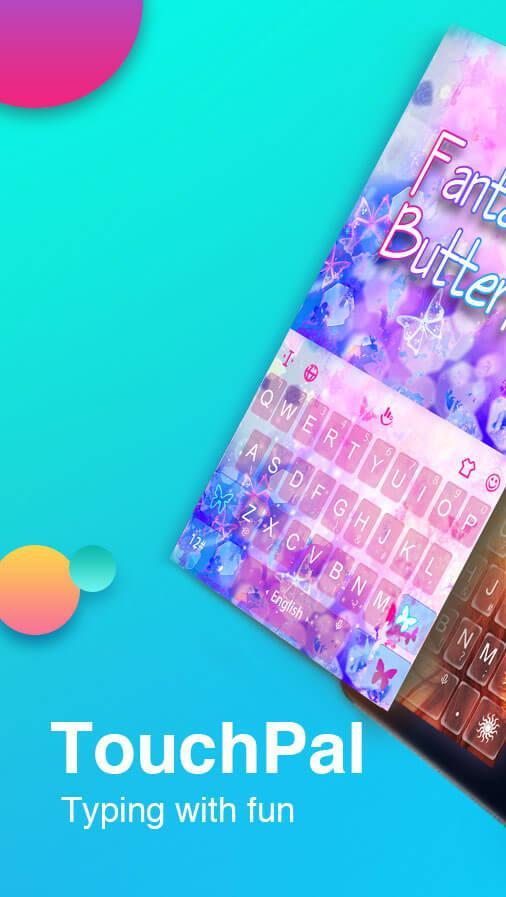
TouchPal Keyboard is a FREE Emojis Keyboard for Android device. It helps your fast and easy typing with curve and prediction. Also, you can fast input 1000+ emoji🐣 , GIFs, emoticons, stickers and text faces 😘 conveniently on Facebook Messenger, Twitter, WhatsApp, Snapchat, WeChat, Google Talk, Line, text messaging/SMS, etc.
🏆 Why choose TouchPal Emoji Keyboard app? 🏆
- GSMA Global Mobile Awards winner of 2009.
- Google Play Best Apps of 2015.
- Google Top Developer
- 500 million users worldwide using TouchPal Keyboard with emojis for android.
💡 Highlights of TouchPal custom Keyboard for android 💡
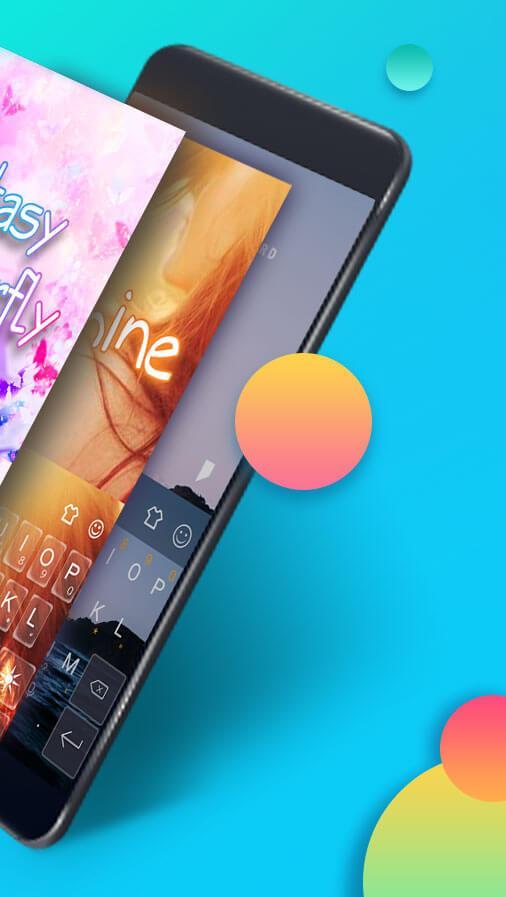
- 1000+ free Colorful Themes/keyboard wallpaper
- Thousands of Emoji😉, stickers, Dictionaries📚, GIFs, Emoticons, and languages
- Customizable keyboard color🎨, wallpaper and layout.
- Set personal photo📷 as keyboard themes.
- Text face ( ͡° ͜ʖ ͡°), (ʘ‿ʘ) .
🔥 Useful gadgets, improve productivity 🔥
- TouchPal Curve, best swype keyboard - sliding to input smoothly.
- Copy, cut, paste, arrow key.
- Clipboard for multiple fast copy and paste.
- Auto-pair for symbols like () "". Long press on the symbol to try it.
- Boost battery🔋 charging speed
- Best T9 keyboard among typing apps
Best interesting Prediction of words and emoji
- Contextual Prediction, Most powerful error correction, auto-correct mistyping, spelling errors
- Show emoticons, emoji, emojis as candidate.
- Enhance next word/emoji prediction by cloud prediction computing.
💥 New black technology of BOOMTEXT/GIF 💥
- Turn text into funny and cute animations/GIF
- Share BoomText in Facebook Messenger, Whatsapp, Snapchat, gmail, hangout, Email, Youtube, Vine, etc.
⭐ Enable TouchPal Emoji Keyboard App for android ⭐
- Open TouchPal Emoji app.
- Press Enable TouchPal, check the TouchPal box on the Languages & Settings page to enable .
- Press Switch to TouchPal, check the TouchPal box to switch your current keyboard to TouchPal.
Support multiple emoji, emoji/theme plugins
Golden, blue, skull, purple, pink, red, dark, tiger, vampire, wolf, neon blue, neon light, cute kitty, iOS7, iOS10, water, droid, graffiti, sky, galaxy, swift, custom.
📱 Compatible with most Android phones📱
iris702, iris820, iris870, iris870s, Samsung Galaxy Note7, Note 6, Samsung Galaxy S7 and S7 Edge,Samsung Galaxy J7,Samsung Galaxy S8 & S8 Edge;
Sony Xperia Z5, Sony Xperia Z4;
Huawei P10 & P10 Plus, Huawei P9, Huawei P8, Huawei Mate 9, Huawei Mate 8, Huawei Honor 8;
HTC 10, HTC One A9, HTC Desire 10 Pro;
OPPO Find 9;
Xiaomi Mix, Xiaomi 6, Xiaomi 5;
Nokia 8
🗺️ Multilingual Typing 🗺️
TouchPal Emoji Keyboard supports over 150 languages, including but not limited to
English, العربية, Hrvatski, Čeština, Nederlands, Français, Deutsch, Ελληνικά, עִברִית, हिंदी, Bahasa Indonesia, Italiano, Malay, Pilipino, Polskie, Português, Română, Русский, Español, ไทย, Türk, Euskara, বাঙালি, ಕನ್ನಡ, ភាសាខ្មែរ, ພາສາລາວ, മലയാളം, मराठी, Монгол, नेपाली, தமிழ், తెలుగు, Zulu.
Permission Explanation
- Read Contacts: Import contact names into dictionary.
- Read SMS: Learn your typing pattern from sent messages.
- Make phone call: Quick dial to a contact - All in one click.
Support Android Wear
- TouchPal for Wear version can run even without phone connected.
- Support swiping typing on the wrist.
- Emojis, prediction, auto-correction... most of the amazing features are included in Wear version.
***If you like this keyboard theme, feel free to give us ★★★★★.
***More ideas & feedback? Contact: android@touchpal.com
Follow us:
Twitter: https://twitter.com/touchpal
Facebook: https://www.facebook.com/TouchPal.Keyboard
Google+: https://plus.google.com/u/0/communities/105746648636072214666
Follow our mascot on Facebook: https://www.facebook.com/Bibi.Yoyo.TouchPal/
Avance
Información
Desarrollador
TouchPal
La última versión
6.2.6.7_20190524182658
Última actualización
2019-05-27
Categoría
Herramientas
Disponible en
Google Play
Mostrar más
Cómo jugar TouchPal Keyboard for Lava con GameLoop en PC
1. Descargue GameLoop desde el sitio web oficial, luego ejecute el archivo exe para instalar GameLoop.
2. Abra GameLoop y busque "TouchPal Keyboard for Lava", busque TouchPal Keyboard for Lava en los resultados de búsqueda y haga clic en "Instalar".
3. Disfruta jugando TouchPal Keyboard for Lava en GameLoop.
Minimum requirements
OS
Windows 8.1 64-bit or Windows 10 64-bit
GPU
GTX 1050
CPU
i3-8300
Memory
8GB RAM
Storage
1GB available space
Recommended requirements
OS
Windows 8.1 64-bit or Windows 10 64-bit
GPU
GTX 1050
CPU
i3-9320
Memory
16GB RAM
Storage
1GB available space