
Carbon Monoxide detector para PC
prank-lover ltd
Descarga Carbon Monoxide detector en PC con GameLoop Emulator
Carbon Monoxide detector en PC
Carbon Monoxide detector, proveniente del desarrollador prank-lover ltd, se ejecuta en el sistema Android en el pasado.
Ahora, puedes jugar Carbon Monoxide detector en PC con GameLoop sin problemas.
Descárgalo en la biblioteca de GameLoop o en los resultados de búsqueda. No más mirar la batería o llamadas frustrantes en el momento equivocado nunca más.
Simplemente disfrute de Carbon Monoxide detector PC en la pantalla grande de forma gratuita!
Carbon Monoxide detector Introducción
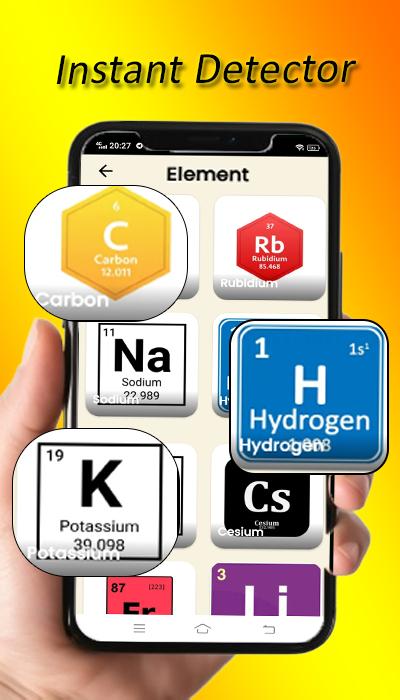
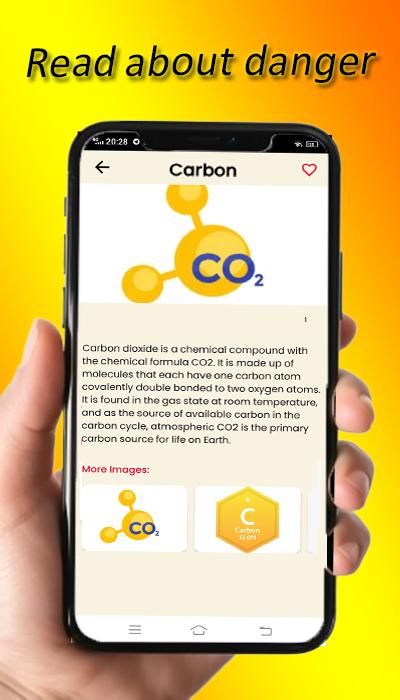
Unlock the mysteries of the microscopic universe with AtomAnalysis Pro, the definitive mobile app for comprehensive scientific exploration and analysis of atomic structures. Immerse yourself in the fascinating realm of atoms as you delve into a rich repository of data, advanced analytical tools, and cutting-edge visualizations.
carbon monoxide detector, often known as a CO detector, is a tool used to identify the presence of carbon monoxide (CO) in order to prevent CO poisoning. Underwriters Laboratories redefined a carbon monoxide alarm as a single-station CO detector with an audio device. This is applicable to all UL 2034-compliant CO safety alarms; nevertheless, UL refers to passive indicators and system components that satisfy UL 2070 as carbon detectors. The majority of CO detectors make use of a sensor, which has a fixed lifespan and cannot function forever.
This program is a simulator for a carbon monoxide tracker and gas leak detector that will assist you in keeping an eye on your MQ2 gas sensor by Bt. This straightforward program tracks and evaluates the amounts of CO2 using a gas sensor.of smoke or gas around you on the screen.
There is a scanner in the application. The CO2 sensor's analog output pin is attached to the analog pin; it is incredibly helpful and easy to use even without Bluetooth. Simply select your preferred scanning method (filter or radar scanner) and get moving while using this gadget tracker software.
Key features :
Extensive Atomic Database:
Dive into a vast database that offers comprehensive details on all known elements. With information drawn from reliable scientific databases, AtomAnalysis Pro offers a wide range of information on everything from basic characteristics to complex atomic structures.
Real-time Comparative Analysis: Compare atomic parameters, electron configurations, and bonding properties in real-time. Use cutting-edge algorithms to reveal relationships, patterns, and trends amongst various elements to promote a thorough comprehension of atomic behavior.
Interactive 3D Atom Models: With interactive 3D models that display electron orbitals, atomic shells, and molecular geometries, you can immerse yourself in the world of atoms. You can magnify, rotate, and break apart atoms with never-before-seen detail to improve your visual comprehension.
In clean air, the CO detector app sensor typically generates a reading between 400 and 300. The sensor in the surrounding yard generates readings more than 700 when it detects the presence of a smoke or combustible gas detector. Turning off the radar allows you to view the instantaneous scanner result. The application can be used to measure the density of smoke in the air without an internet connection.
Disclaimer
please note that this application is a simulator, it does not guarantee you 100% effectiveness, it is only designed for simulation and education purposes? Thank you for downloading this carbon detector app.
Avance
Etiquetas
HerramientasInformación
Desarrollador
prank-lover ltd
La última versión
6.0
Última actualización
2024-06-30
Categoría
Herramientas
Disponible en
Google Play
Mostrar más
Cómo jugar Carbon Monoxide detector con GameLoop en PC
1. Descargue GameLoop desde el sitio web oficial, luego ejecute el archivo exe para instalar GameLoop.
2. Abra GameLoop y busque "Carbon Monoxide detector", busque Carbon Monoxide detector en los resultados de búsqueda y haga clic en "Instalar".
3. Disfruta jugando Carbon Monoxide detector en GameLoop.
Minimum requirements
OS
Windows 8.1 64-bit or Windows 10 64-bit
GPU
GTX 1050
CPU
i3-8300
Memory
8GB RAM
Storage
1GB available space
Recommended requirements
OS
Windows 8.1 64-bit or Windows 10 64-bit
GPU
GTX 1050
CPU
i3-9320
Memory
16GB RAM
Storage
1GB available space