RYNAN TIJ 1000s Printer para PC
RYNAN Printing
Descarga RYNAN TIJ 1000s Printer en PC con GameLoop Emulator
RYNAN TIJ 1000s Printer en PC
RYNAN TIJ 1000s Printer, proveniente del desarrollador RYNAN Printing, se ejecuta en el sistema Android en el pasado.
Ahora, puedes jugar RYNAN TIJ 1000s Printer en PC con GameLoop sin problemas.
Descárgalo en la biblioteca de GameLoop o en los resultados de búsqueda. No más mirar la batería o llamadas frustrantes en el momento equivocado nunca más.
Simplemente disfrute de RYNAN TIJ 1000s Printer PC en la pantalla grande de forma gratuita!
RYNAN TIJ 1000s Printer Introducción
This is software that allows controlling printer machines via Bluetooth.
The mobile app supported control of the printer RYNAN TIJ 1000s.
FEATURE IN APP V3.0.0
✪ Control printer B1040, B1040H, B1040HE, B1040CN, B1060.
✪ Create message.
✪ Create and update logo.
✪ Setting printer.
CONTROL PRINTER
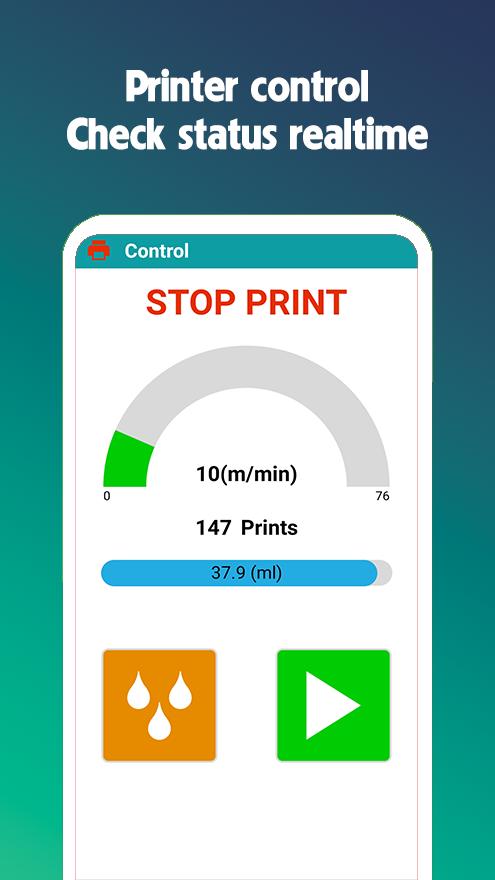
✪ Print control: start printing, stop printing, purge.
✪ Check printer status real-time: number of printed pages, amount of ink in the cartridge, cartridge status, print speed, printing units.
DESIGN MESSAGES
✪ Load messages from printer. (not support B1040H).
✪ Start print messages loaded from printer. (not support B1040H).
✪ Edit messages loaded from printer. (not support B1040H).
✪ Create messages with objects (hours, date, shift, counter, barcode, logo) and send to printer.
SETTING
✪ Setting all parameter such as: Speed, Resolution, Delay time...
LOGO
✪ Create barcode logos with over 80 types of 1D and 2D barcodes.
✪ Create logos with text.
✪ Create logos using photos and images from your gallery.
DEVICES
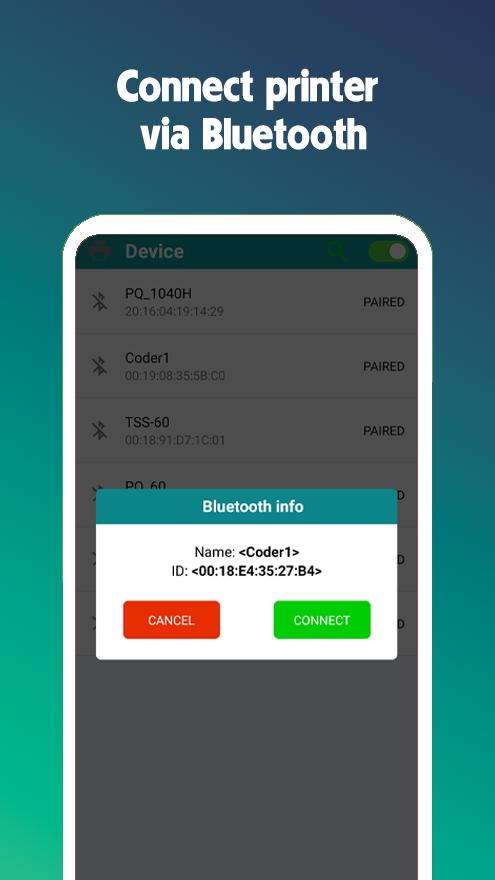
✪ Search for printers.
✪ Connect/disconnect the printer.
APP INFORMATION
✪ Displays application and printer information.
✪ See the quick user guide.
✪ Change the system interface language.
✪ Send feedback and request support.
Avance
Etiquetas
HerramientasInformación
Desarrollador
RYNAN Printing
La última versión
3.0.1
Última actualización
2025-10-16
Categoría
Herramientas
Disponible en
Google Play
Mostrar más
Cómo jugar RYNAN TIJ 1000s Printer con GameLoop en PC
1. Descargue GameLoop desde el sitio web oficial, luego ejecute el archivo exe para instalar GameLoop.
2. Abra GameLoop y busque "RYNAN TIJ 1000s Printer", busque RYNAN TIJ 1000s Printer en los resultados de búsqueda y haga clic en "Instalar".
3. Disfruta jugando RYNAN TIJ 1000s Printer en GameLoop.
Minimum requirements
OS
Windows 8.1 64-bit or Windows 10 64-bit
GPU
GTX 1050
CPU
i3-8300
Memory
8GB RAM
Storage
1GB available space
Recommended requirements
OS
Windows 8.1 64-bit or Windows 10 64-bit
GPU
GTX 1050
CPU
i3-9320
Memory
16GB RAM
Storage
1GB available space