Qnotes HD para PC
QNAP
Descarga Qnotes HD en PC con GameLoop Emulator
Qnotes HD en PC
Qnotes HD, proveniente del desarrollador QNAP, se ejecuta en el sistema Android en el pasado.
Ahora, puedes jugar Qnotes HD en PC con GameLoop sin problemas.
Descárgalo en la biblioteca de GameLoop o en los resultados de búsqueda. No más mirar la batería o llamadas frustrantes en el momento equivocado nunca más.
Simplemente disfrute de Qnotes HD PC en la pantalla grande de forma gratuita!
Qnotes HD Introducción
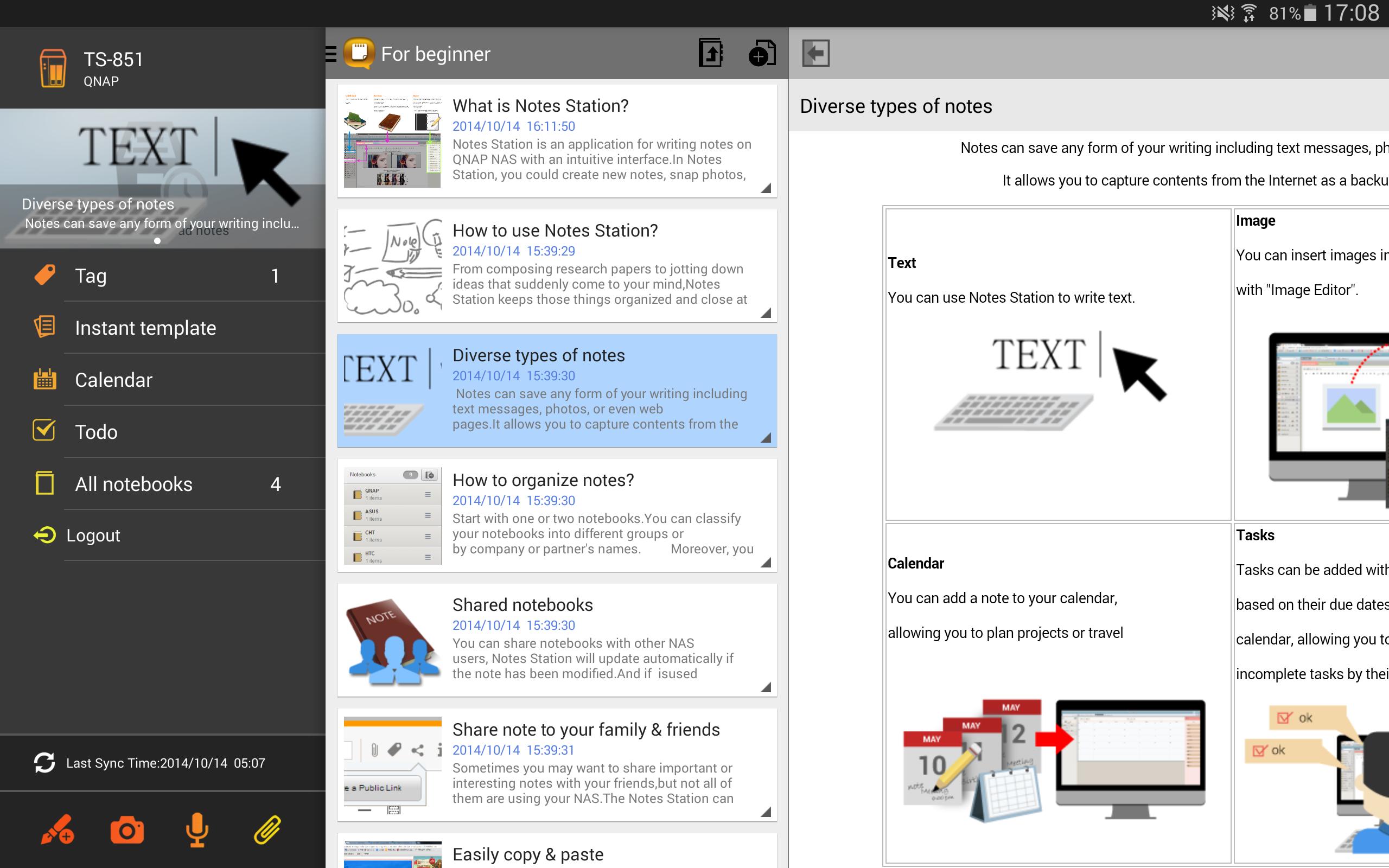
Qnotes provides an effective way to take notes with highly privacy. It is the only android note taking app that supports private cloud. Qnotes can sync data with other devices via QNAP Turbo NAS, but can also works alone without any NAS or Internet.
Key Features:
- Support local mode that can work alone with your Android device.
- With Notes Station on the QNAP Turbo NAS, Qnotes can easily sync data with other devices or people.
- Create and edit text notes, calendar events and to-do lists.
- Add pictures or voices in your note.
- Organize notes by notebooks and sessions.
- Support offline editing.
System Requirements:
- Android 4.0.3 and above
Private Cloud Requirements (to sync and share data)
- QNAP QTS 4.0.7 and above
- QNAP Notes Station 1.0.92 and above
Avance
Información
Desarrollador
QNAP
La última versión
1.2.6.0621
Última actualización
2018-08-03
Categoría
Herramientas
Disponible en
Google Play
Mostrar más
Cómo jugar Qnotes HD con GameLoop en PC
1. Descargue GameLoop desde el sitio web oficial, luego ejecute el archivo exe para instalar GameLoop.
2. Abra GameLoop y busque "Qnotes HD", busque Qnotes HD en los resultados de búsqueda y haga clic en "Instalar".
3. Disfruta jugando Qnotes HD en GameLoop.
Minimum requirements
OS
Windows 8.1 64-bit or Windows 10 64-bit
GPU
GTX 1050
CPU
i3-8300
Memory
8GB RAM
Storage
1GB available space
Recommended requirements
OS
Windows 8.1 64-bit or Windows 10 64-bit
GPU
GTX 1050
CPU
i3-9320
Memory
16GB RAM
Storage
1GB available space