PDF Reader: PDF Viewer App para PC
Office Lens: Android Tool, Translate, Scanner, PDF
Descarga PDF Reader: PDF Viewer App en PC con GameLoop Emulator
PDF Reader: PDF Viewer App en PC
PDF Reader: PDF Viewer App, proveniente del desarrollador Office Lens: Android Tool, Translate, Scanner, PDF, se ejecuta en el sistema Android en el pasado.
Ahora, puedes jugar PDF Reader: PDF Viewer App en PC con GameLoop sin problemas.
Descárgalo en la biblioteca de GameLoop o en los resultados de búsqueda. No más mirar la batería o llamadas frustrantes en el momento equivocado nunca más.
Simplemente disfrute de PDF Reader: PDF Viewer App PC en la pantalla grande de forma gratuita!
PDF Reader: PDF Viewer App Introducción
PDF Reader - PDF Viewer & PDF Converter is an all-in-one PDF solution that helps you read, view, scan, convert, and manage PDF files anytime, anywhere. Designed with simplicity and performance in mind, this free PDF reader is the perfect tool for students, professionals, and everyday users who deal with documents on a daily basis. With features like image to PDF conversion, PDF file manager, bookmarks, day/night reading mode, and offline support, it ensures your productivity never slows down. Whether you need a lightweight PDF reader, a fast PDF converter, or a secure offline document manager, this app has you covered.
⭐ Key Features
Smooth and fast PDF Reader & Viewer with zoom, scroll, and navigation
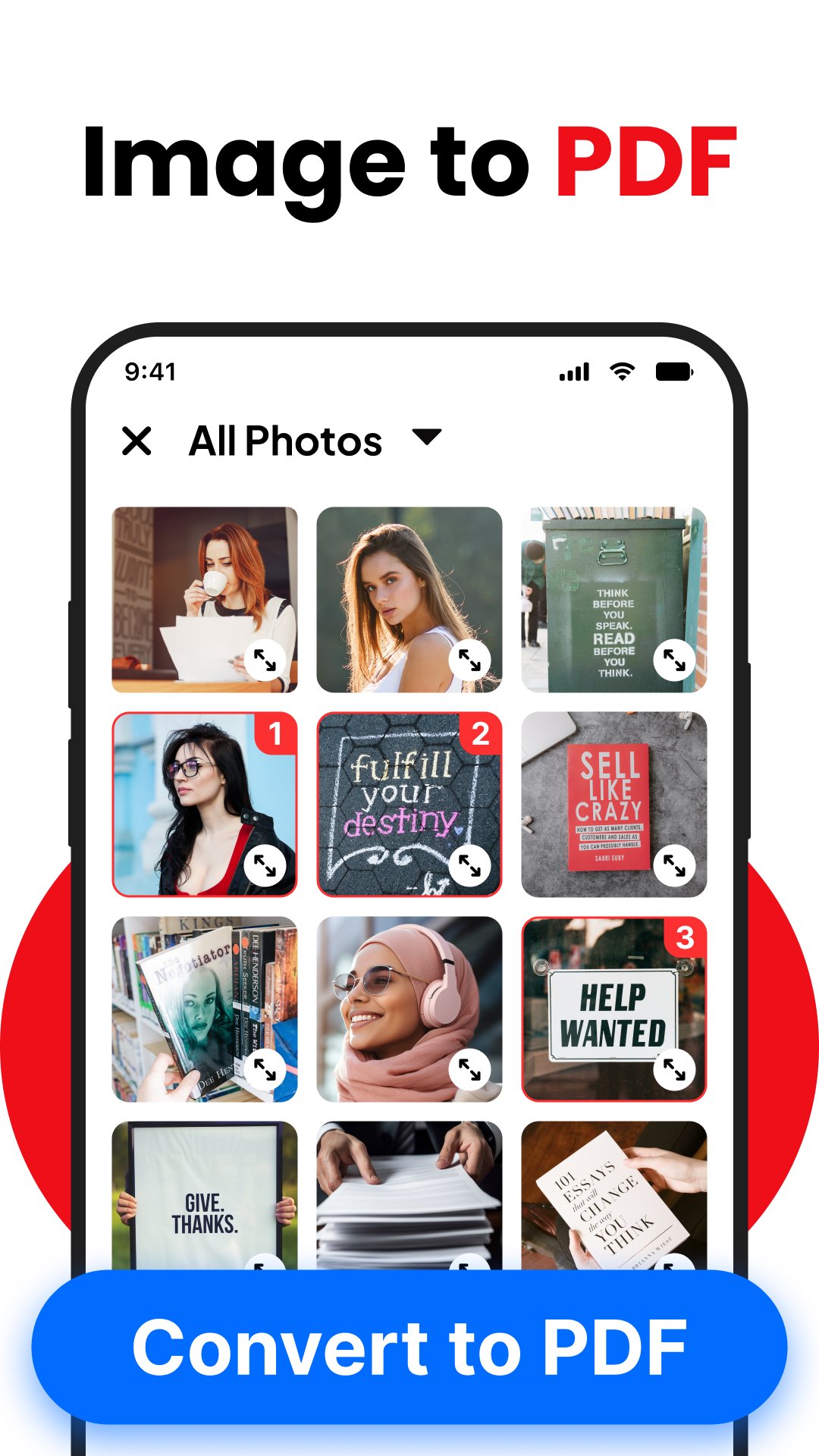
Convert JPG to PDF, PNG to PDF, and Image to PDF in seconds
Merge multiple images into one PDF document
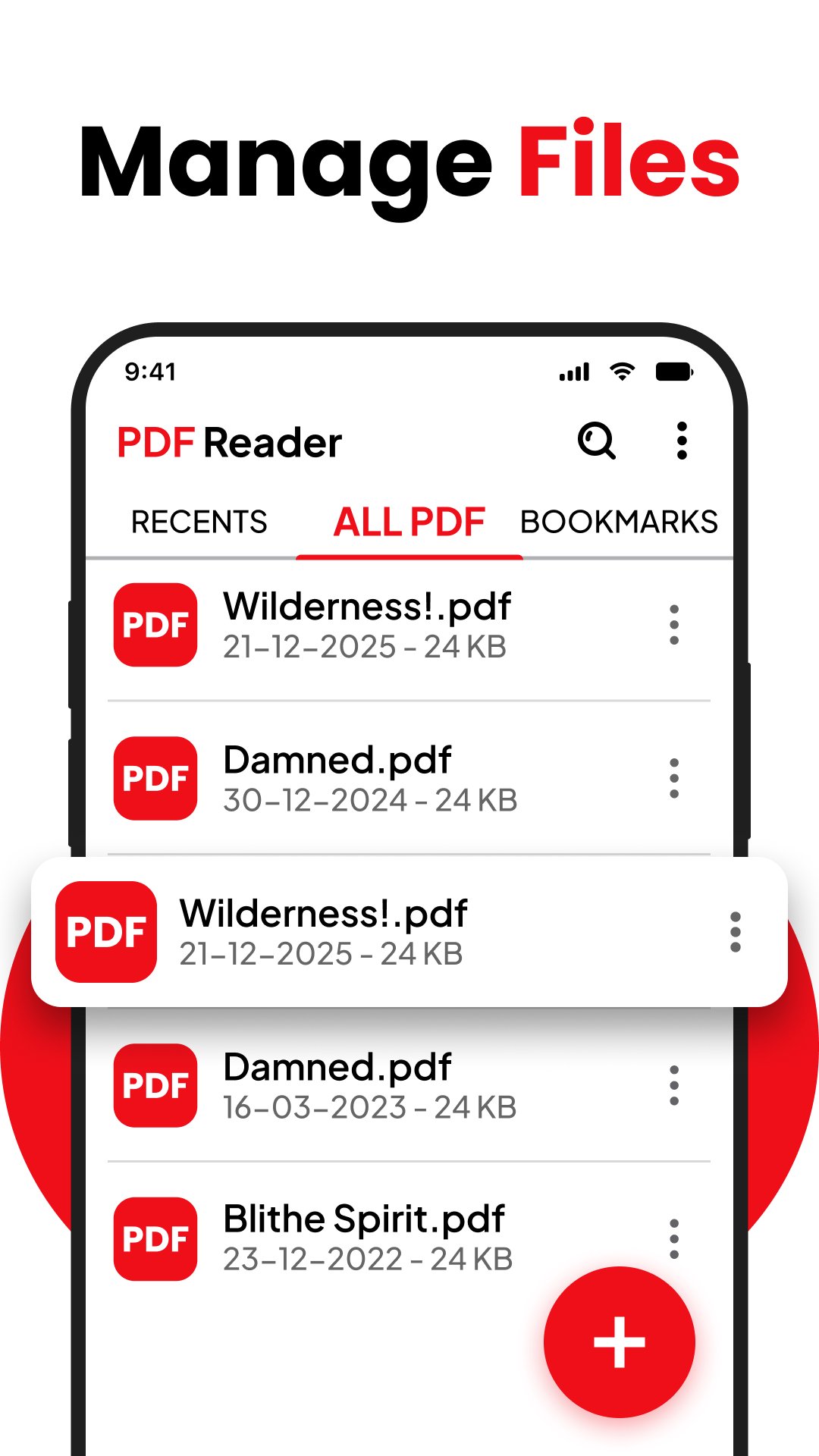
Built-in PDF file manager for easy sorting, renaming, and sharing
Search text inside PDFs and add bookmarks for quick access
Light & Dark reading modes for eye comfort
100% offline PDF app, no internet or account required
Lightweight, free, and optimized for all Android devices
🔎 Detailed Features
📚 Professional PDF Reader & Viewer
Open and read all PDF files stored on your device with a clean, fast, and responsive interface. Navigate easily between pages, zoom in and out, and enjoy uninterrupted reading whether you’re reviewing eBooks, reports, study notes, contracts, or official documents.
🖼️ Image to PDF Converter & JPG to PDF Maker
Easily convert your photos, scans, or screenshots into high-quality PDF files. Supports multiple formats like JPG, PNG, JPEG, and BMP. Perfect for turning assignments, ID cards, receipts, business documents, and handwritten notes into secure PDF documents.
📂 Batch Processing & File Merging
Select multiple images and combine them into a single PDF document. Reorder images, rotate, or adjust before finalizing. The built-in PDF maker ensures you have complete control over your final file.
🔍 Smart Search & Bookmark Tools
Find exactly what you need within seconds. Use the advanced text search to highlight specific content in your PDFs or save important pages with bookmarks to return instantly later.
🌗 Light & Dark Mode for Comfortable Reading
Switch between bright mode for daylight and dark mode for nighttime reading. Reduce eye strain and make long reading sessions more enjoyable.
📑 Built-In PDF File Manager
No more messy folders! The app automatically scans and detects all PDF files on your device, letting you organize them by name, size, or date. Rename, delete, share, or sort your PDFs without leaving the app.
📤 Easy Sharing & Secure Storage
Share your PDFs instantly via email, WhatsApp, cloud drives, or Bluetooth. All files are stored locally on your device — ensuring 100% privacy and security.
⚡ Offline, Lightweight & Fast
No login, no internet required, and no heavy storage consumption. This free PDF app is lightweight, fast, and battery-friendly, making it the perfect tool for daily use.
📌 Why Choose PDF Reader - PDF Viewer & PDF Converter?
Unlike other heavy PDF apps, this one is simple, clean, and powerful. You get the complete package of PDF reader, PDF viewer, PDF converter, image to PDF maker, and document manager without unnecessary features that slow down your phone. Whether you’re at school, in the office, or on the go, this app gives you the fastest way to handle PDFs.
Take control of your documents with the most reliable and easy-to-use PDF reader and converter app. With advanced reading tools, offline PDF conversion, and smooth document management, you’ll never need another PDF tool again.
📥 Download Now
Boost your productivity today with PDF Reader - PDF Viewer & PDF Converter. Download now and experience the fastest way to read, create, and manage all your PDF files in one app.
Avance
Etiquetas
HerramientasInformación
Desarrollador
Office Lens: Android Tool, Translate, Scanner, PDF
La última versión
1.4.0
Última actualización
2025-12-26
Categoría
Herramientas
Disponible en
Google Play
Mostrar más
Cómo jugar PDF Reader: PDF Viewer App con GameLoop en PC
1. Descargue GameLoop desde el sitio web oficial, luego ejecute el archivo exe para instalar GameLoop.
2. Abra GameLoop y busque "PDF Reader: PDF Viewer App", busque PDF Reader: PDF Viewer App en los resultados de búsqueda y haga clic en "Instalar".
3. Disfruta jugando PDF Reader: PDF Viewer App en GameLoop.
Minimum requirements
OS
Windows 8.1 64-bit or Windows 10 64-bit
GPU
GTX 1050
CPU
i3-8300
Memory
8GB RAM
Storage
1GB available space
Recommended requirements
OS
Windows 8.1 64-bit or Windows 10 64-bit
GPU
GTX 1050
CPU
i3-9320
Memory
16GB RAM
Storage
1GB available space