
HIKMICRO Viewer para PC
Hangzhou Microimage Software Co.Ltd
Descarga HIKMICRO Viewer en PC con GameLoop Emulator
HIKMICRO Viewer en PC
HIKMICRO Viewer, proveniente del desarrollador Hangzhou Microimage Software Co.Ltd, se ejecuta en el sistema Android en el pasado.
Ahora, puedes jugar HIKMICRO Viewer en PC con GameLoop sin problemas.
Descárgalo en la biblioteca de GameLoop o en los resultados de búsqueda. No más mirar la batería o llamadas frustrantes en el momento equivocado nunca más.
Simplemente disfrute de HIKMICRO Viewer PC en la pantalla grande de forma gratuita!
HIKMICRO Viewer Introducción
HIKMICRO Viewer is a powerful and intuitive HIKMICRO thermal camera app.
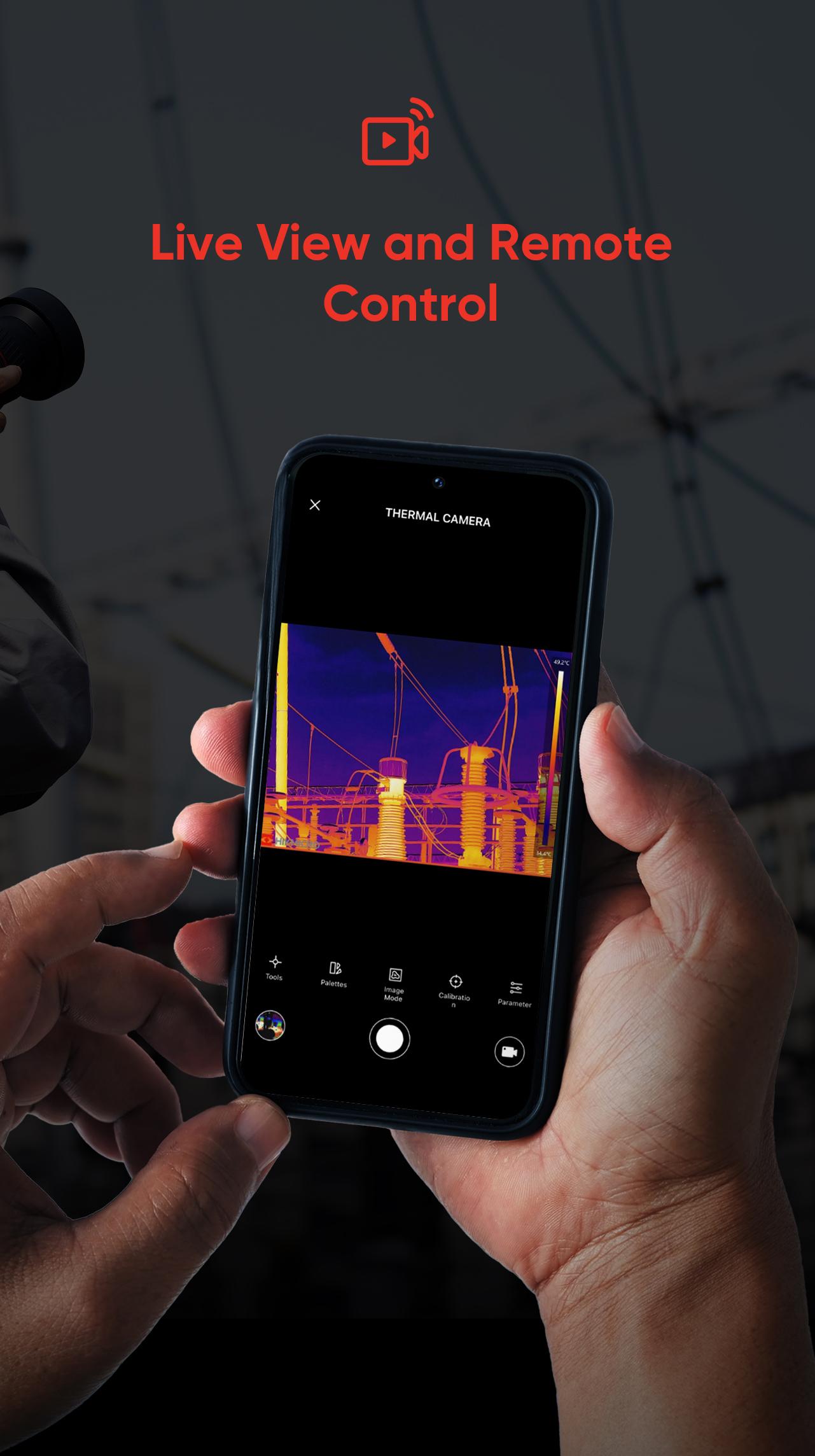
It allows thermographers to view and capture live streaming infrared video and still images from select HIKMICRO thermal imaging cameras using a mobile device.
With the HIKMICRO Viewer, the thermal imager can be placed in an area and operated wirelessly from a distance - helping infrared detection work safely in hard-to-reach locations and harsh work environments. Streaming video and remote access also provide opportunities for decision-makers and others on the team to observe and collaborate during IR surveys. With a powerful reports function, you can efficiently generate reports for your clients in the field.
You can do the followings with the HIKMICRO Viewer app:
• Scan and Connect Easily
• Device Firmware Upgrade
• Download On-Device Images and Sharing
• Screen Stream Mirroring from your HIKMICRO camera
• Remotely control your HIKMICRO camera
• Image manipulation and analysis
• Quickly generate reports and share them via email
• Turn screen rotation on and off
• Get Online Support Services
and more.
Avance

Etiquetas
HerramientasInformación
Desarrollador
Hangzhou Microimage Software Co.Ltd
La última versión
2.4.3
Última actualización
2024-11-19
Categoría
Herramientas
Disponible en
Google Play
Mostrar más
Cómo jugar HIKMICRO Viewer con GameLoop en PC
1. Descargue GameLoop desde el sitio web oficial, luego ejecute el archivo exe para instalar GameLoop.
2. Abra GameLoop y busque "HIKMICRO Viewer", busque HIKMICRO Viewer en los resultados de búsqueda y haga clic en "Instalar".
3. Disfruta jugando HIKMICRO Viewer en GameLoop.
Minimum requirements
OS
Windows 8.1 64-bit or Windows 10 64-bit
GPU
GTX 1050
CPU
i3-8300
Memory
8GB RAM
Storage
1GB available space
Recommended requirements
OS
Windows 8.1 64-bit or Windows 10 64-bit
GPU
GTX 1050
CPU
i3-9320
Memory
16GB RAM
Storage
1GB available space