
Language Translator para PC
Infinite Translate
Descarga Language Translator en PC con GameLoop Emulator
Language Translator en PC
Language Translator, proveniente del desarrollador Infinite Translate, se ejecuta en el sistema Android en el pasado.
Ahora, puedes jugar Language Translator en PC con GameLoop sin problemas.
Descárgalo en la biblioteca de GameLoop o en los resultados de búsqueda. No más mirar la batería o llamadas frustrantes en el momento equivocado nunca más.
Simplemente disfrute de Language Translator PC en la pantalla grande de forma gratuita!
Language Translator Introducción
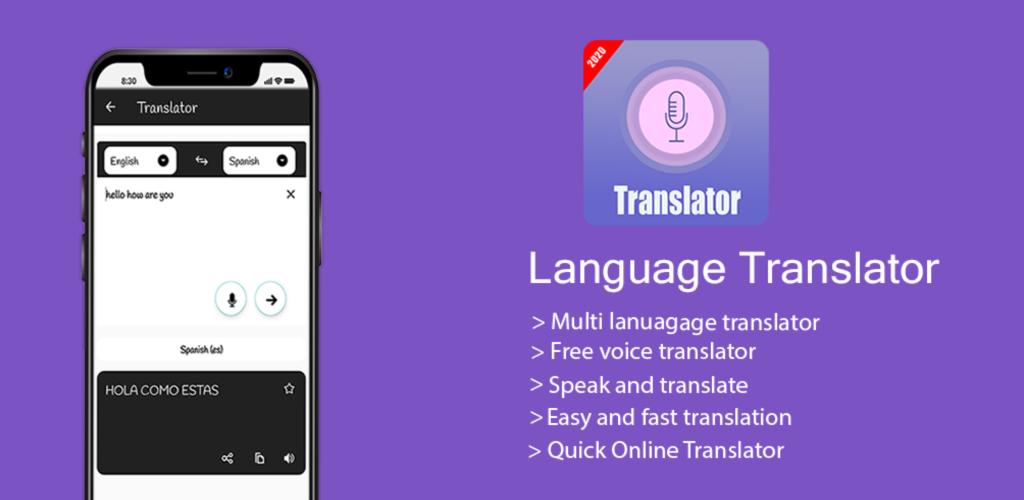
Are you facing hurdles while communicating in foreign languages? Then don’t worry at all, we have an elegant solution for you-All language Offline Translator. This All Language Offline translator gives you an opportunity to translate multiple languages without internet connection. So you can easily conversation in different languages with the help of our offline Voice translation app.
Voice translator feature help you out in pronunciation of different words of different languages, so make your communication easy and effective
Features of All Language Offline Translator:
There are multiple features of our Voice translator app which gives you an access to communicate with your friends in any language, some of the main features are listed;
• User friendly app:
Easy to use, User friendly setup, and can be downloaded easily from Google Play Store
• No Internet Connect required:
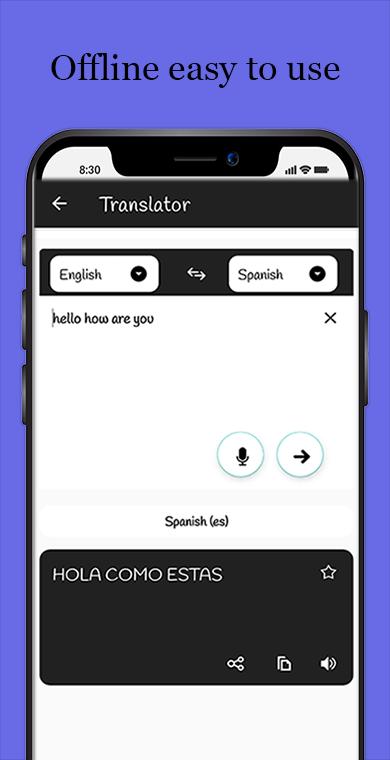
It does not require internet connection so once you download the language you can translate it without Internet.
• Fast Output:
Offline Language Translator gives fastest results. It will take couple of seconds to translate in different languages.
• Vast Collection of Languages:
Offline Language Translator supports Almost 60+ languages.
• Text/Speech to translate:
You can translate your queries either by text or voice. Just enter your text and tap to translate within no time, or speak to translate it!
• Add to favorites:
There is separate tab available, where you can save or mark favorite your translations.
• Share translation to your friends and Family members:
You can also browse translation history and can also share you translations via other applications.
How to use Language Translator:
Step 1: Download our app from Google Play store and Install it!
Step 2: On main screen you have option to choose wither you want to translate your query by text or voice.
Step 3: Enter Text or speech to translate and get fast results without any internet connection. You can mark your translations as favorites to access them easily and you can also share them to your friends through other apps i.e. WhatsApp, Facebook Messenger etc.
Supported Languages:
In All Language Offline translator app, you can explore more than 55 languages which includes Afrikaans, Albanian, Arabic, Belarusian, Bulgarian, Bengali, Catalan, Chinese, Croatian, Czech, Danish, Dutch, English, Esperanto, Estonian, Finnish, French, Galician, Georgian, German, Guajarati, Haitian Creole, Hebrew, Hindi, Hungarian, Icelandic, Indonesian, Irish, Italian, Japanese, Kannada, Korean, Lithuanian, Latvian, Macedonian, Marathi, Malay, Maltese, Norwegian, Persian, Polish, Portuguese, Romanian, Russian, Slovak, Slovenian, Swedish, Swahili, Tagalog, Tamil, Telugu, Thai, Turkish, Ukrainian, Urdu, Vietnamese & Welsh.
Avance
Etiquetas
HerramientasInformación
Desarrollador
Infinite Translate
La última versión
2.4
Última actualización
2025-08-31
Categoría
Herramientas
Disponible en
Google Play
Mostrar más
Cómo jugar Language Translator con GameLoop en PC
1. Descargue GameLoop desde el sitio web oficial, luego ejecute el archivo exe para instalar GameLoop.
2. Abra GameLoop y busque "Language Translator", busque Language Translator en los resultados de búsqueda y haga clic en "Instalar".
3. Disfruta jugando Language Translator en GameLoop.
Minimum requirements
OS
Windows 8.1 64-bit or Windows 10 64-bit
GPU
GTX 1050
CPU
i3-8300
Memory
8GB RAM
Storage
1GB available space
Recommended requirements
OS
Windows 8.1 64-bit or Windows 10 64-bit
GPU
GTX 1050
CPU
i3-9320
Memory
16GB RAM
Storage
1GB available space