
Bluetooth Finder and Scanner para PC
Zoltán Pallagi
Descarga Bluetooth Finder and Scanner en PC con GameLoop Emulator
Bluetooth Finder and Scanner en PC
Bluetooth Finder and Scanner, proveniente del desarrollador Zoltán Pallagi, se ejecuta en el sistema Android en el pasado.
Ahora, puedes jugar Bluetooth Finder and Scanner en PC con GameLoop sin problemas.
Descárgalo en la biblioteca de GameLoop o en los resultados de búsqueda. No más mirar la batería o llamadas frustrantes en el momento equivocado nunca más.
Simplemente disfrute de Bluetooth Finder and Scanner PC en la pantalla grande de forma gratuita!
Bluetooth Finder and Scanner Introducción
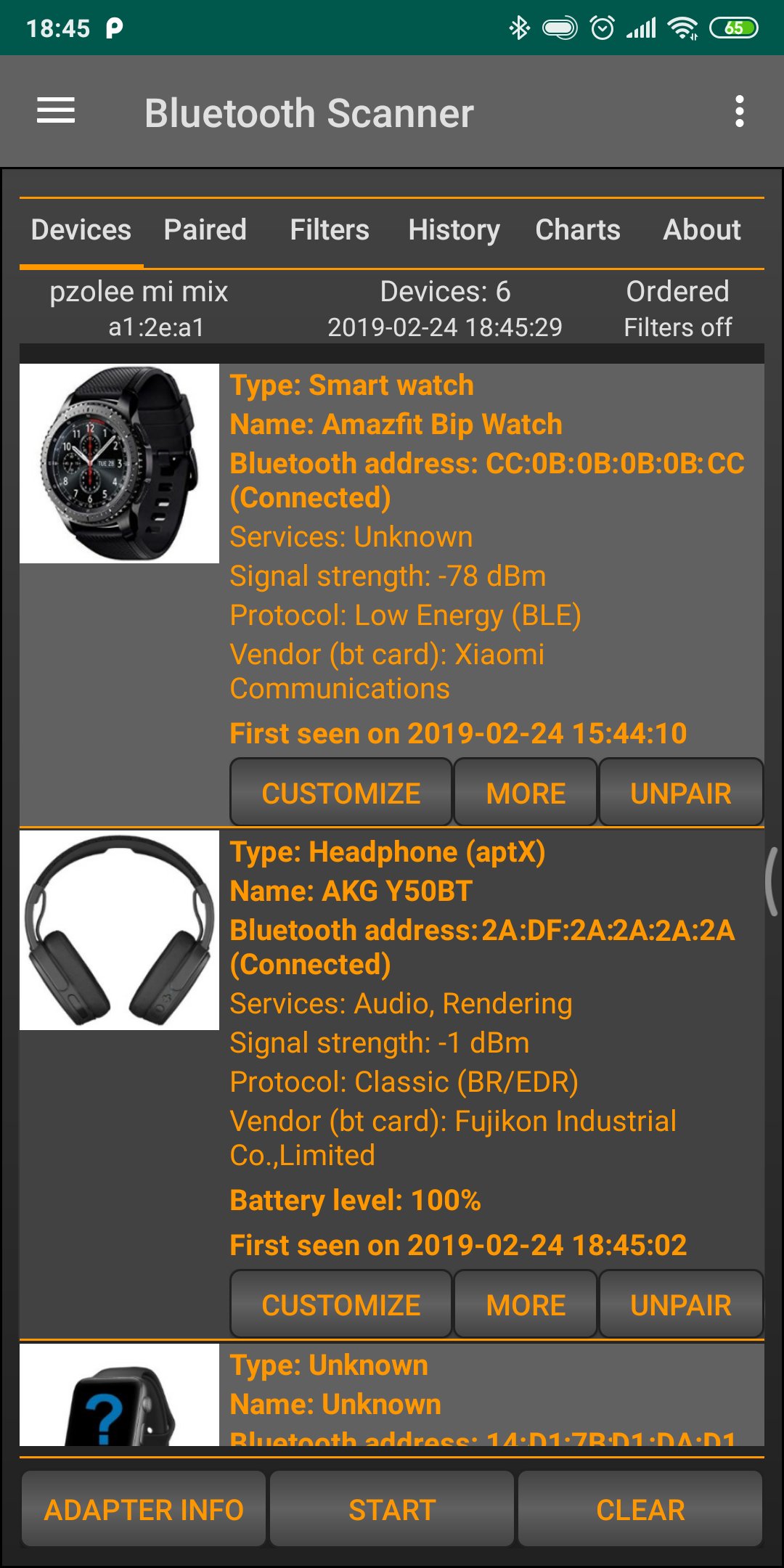
Track & find lost BT devices by signal. Locate earbuds, smartwatch, fitness band quickly.
Are you ready to discover any bluetooth devices around you?
Would you like to know everything about the connected bt devices?
Key Features:
- Scan and list all nearby Bluetooth devices.
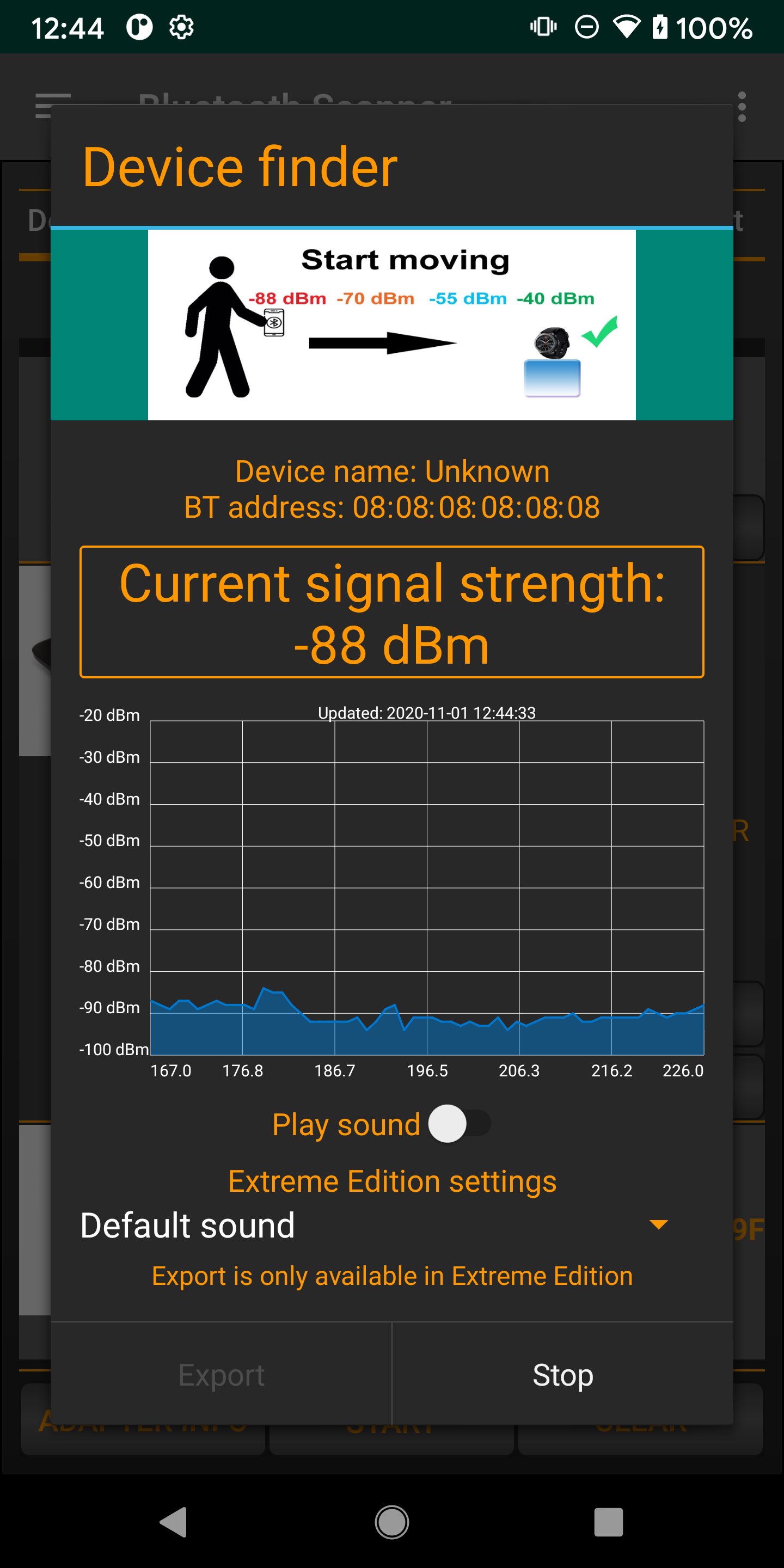
- Real-time signal strength tracking for easy locating.
- Fast and secure device pairing.
- Save favorite devices for quick access.
- Multi-language support for a global experience.
- Find all bluetooth devices, including connected, paired and unknown devices.
- Keep track of your devices
- Bluetooth 4.0, 5.0, 5.1, 5.2, 5.3 scanner
- Connect to bt devices
- Find Low energy and classic devices, including smart watch or band, TV, computer and others.
- Pair and unpair bt device
- Show battery level of connected bluetooth devices (only from Android 9)
- Show signal strength, codec information (aptX, LDAC, SBC and others)
- Replay any scan in history, see any bt devices in the past
- Customize device (rename, change device type)
- Useful filters based on device type, device name, time
- Order by RSSI, address, name, vendor and others
- Highlight new devices around you
- Generate charts from data (device group distribution and others)
- Export database for further processing
- Find My Device function
- switch between active bluetooth devices
- restart scan automatically
Avance
Etiquetas
HerramientasInformación
Desarrollador
Zoltán Pallagi
La última versión
1.8.4
Última actualización
2026-04-24
Categoría
Herramientas
Disponible en
Google Play
Mostrar más
Cómo jugar Bluetooth Finder and Scanner con GameLoop en PC
1. Descargue GameLoop desde el sitio web oficial, luego ejecute el archivo exe para instalar GameLoop.
2. Abra GameLoop y busque "Bluetooth Finder and Scanner", busque Bluetooth Finder and Scanner en los resultados de búsqueda y haga clic en "Instalar".
3. Disfruta jugando Bluetooth Finder and Scanner en GameLoop.
Minimum requirements
OS
Windows 8.1 64-bit or Windows 10 64-bit
GPU
GTX 1050
CPU
i3-8300
Memory
8GB RAM
Storage
1GB available space
Recommended requirements
OS
Windows 8.1 64-bit or Windows 10 64-bit
GPU
GTX 1050
CPU
i3-9320
Memory
16GB RAM
Storage
1GB available space