
Auto Call Scheduler & Reminder para PC
COvayurt
Descarga Auto Call Scheduler & Reminder en PC con GameLoop Emulator
Auto Call Scheduler & Reminder en PC
Auto Call Scheduler & Reminder, proveniente del desarrollador COvayurt, se ejecuta en el sistema Android en el pasado.
Ahora, puedes jugar Auto Call Scheduler & Reminder en PC con GameLoop sin problemas.
Descárgalo en la biblioteca de GameLoop o en los resultados de búsqueda. No más mirar la batería o llamadas frustrantes en el momento equivocado nunca más.
Simplemente disfrute de Auto Call Scheduler & Reminder PC en la pantalla grande de forma gratuita!
Auto Call Scheduler & Reminder Introducción
Forget to call back? Not anymore.
Life is full of things to remember — follow-ups, check-ins, work calls, and personal moments.
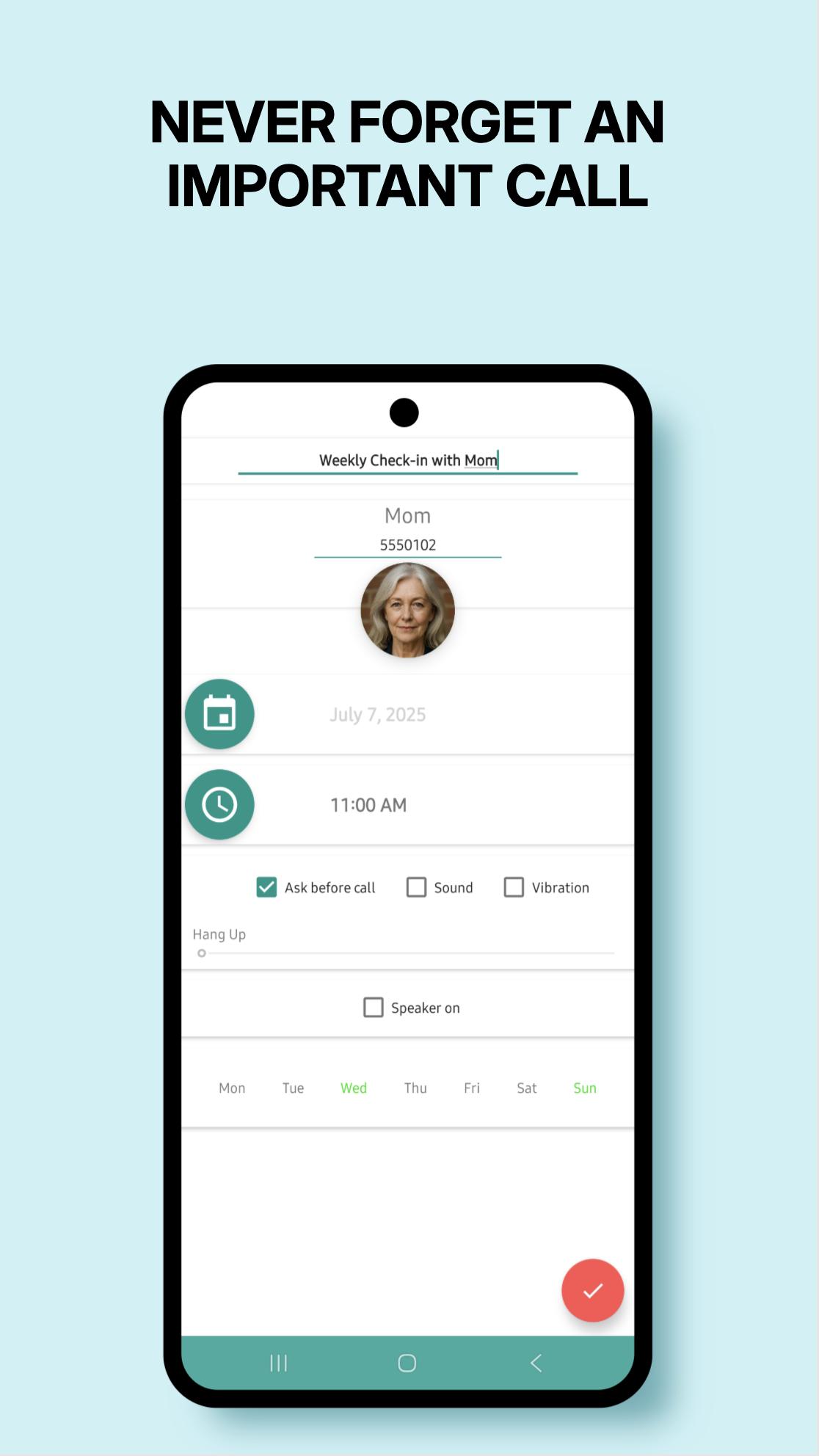
Auto Call Scheduler & Reminder helps you stay organized by letting you schedule calls ahead of time. So even when life gets chaotic, your calls stay on track.
Simple, reliable, and designed to make calling easier — right when you need it.
✨ Here’s what you can do with Auto Call Scheduler:
✅ Schedule calls by minute, hour, day, week, or specific weekdays
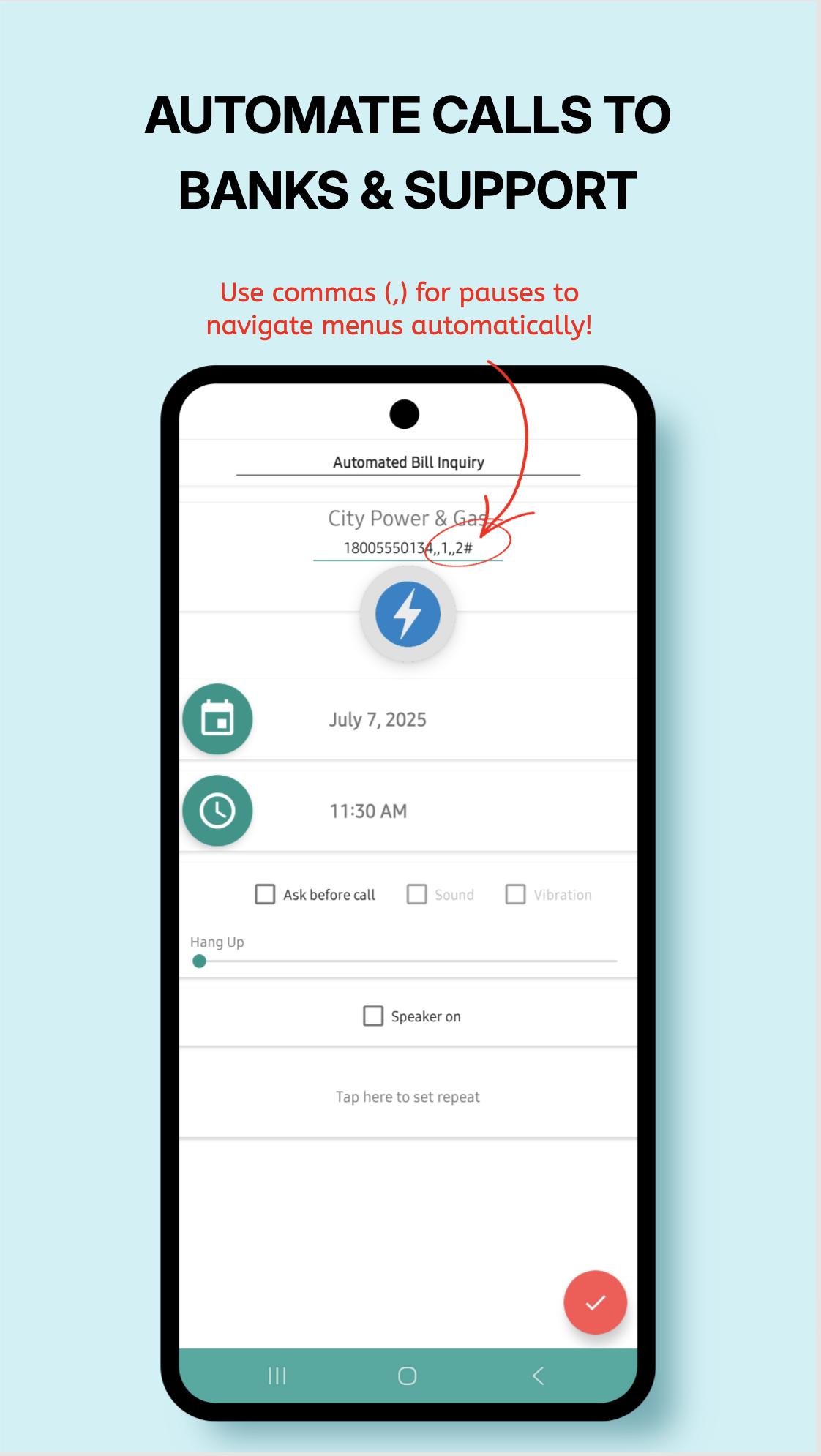
✅ Hands-free calls with automatic “speaker on”
✅ Get a reminder alarm before each scheduled call — cancel if needed
✅ Add notes to remember what the call is about
✅ Duplicate, edit, or delete schedules in seconds
✅ Auto hang-up after a set time (if supported by your device)
✅ Multi-SIM support
✅ Sleek, easy-to-use design
✅ Quick Call Widget – instantly schedule or dismiss calls while you're still on the line!
Whether it’s a client, a loved one, or a follow-up you must not forget —
Auto Call Scheduler helps you stay connected, on time, and stress-free.
Got feedback? We'd love to hear it: c.ovayurt@gmail.com
Want to try new features first?
Join our beta program:
https://play.google.com/apps/testing/autocallschedule.covayurt.com.autocallschedule
Avance
Etiquetas
HerramientasInformación
Desarrollador
COvayurt
La última versión
1.25.7
Última actualización
2025-08-09
Categoría
Herramientas
Disponible en
Google Play
Mostrar más
Cómo jugar Auto Call Scheduler & Reminder con GameLoop en PC
1. Descargue GameLoop desde el sitio web oficial, luego ejecute el archivo exe para instalar GameLoop.
2. Abra GameLoop y busque "Auto Call Scheduler & Reminder", busque Auto Call Scheduler & Reminder en los resultados de búsqueda y haga clic en "Instalar".
3. Disfruta jugando Auto Call Scheduler & Reminder en GameLoop.
Minimum requirements
OS
Windows 8.1 64-bit or Windows 10 64-bit
GPU
GTX 1050
CPU
i3-8300
Memory
8GB RAM
Storage
1GB available space
Recommended requirements
OS
Windows 8.1 64-bit or Windows 10 64-bit
GPU
GTX 1050
CPU
i3-9320
Memory
16GB RAM
Storage
1GB available space