
Authenticator 2.0 para PC
Must Have Apps SRL
Descarga Authenticator 2.0 en PC con GameLoop Emulator
Authenticator 2.0 en PC
Authenticator 2.0, proveniente del desarrollador Must Have Apps SRL, se ejecuta en el sistema Android en el pasado.
Ahora, puedes jugar Authenticator 2.0 en PC con GameLoop sin problemas.
Descárgalo en la biblioteca de GameLoop o en los resultados de búsqueda. No más mirar la batería o llamadas frustrantes en el momento equivocado nunca más.
Simplemente disfrute de Authenticator 2.0 PC en la pantalla grande de forma gratuita!
Authenticator 2.0 Introducción
Get ultimate online security with Authenticator 2.0 - store passwords & 2FA with ease.
With its advanced features, you can have peace of mind knowing that your accounts are protected from potential risks. Here are some of the key features of Authenticator 2.0:
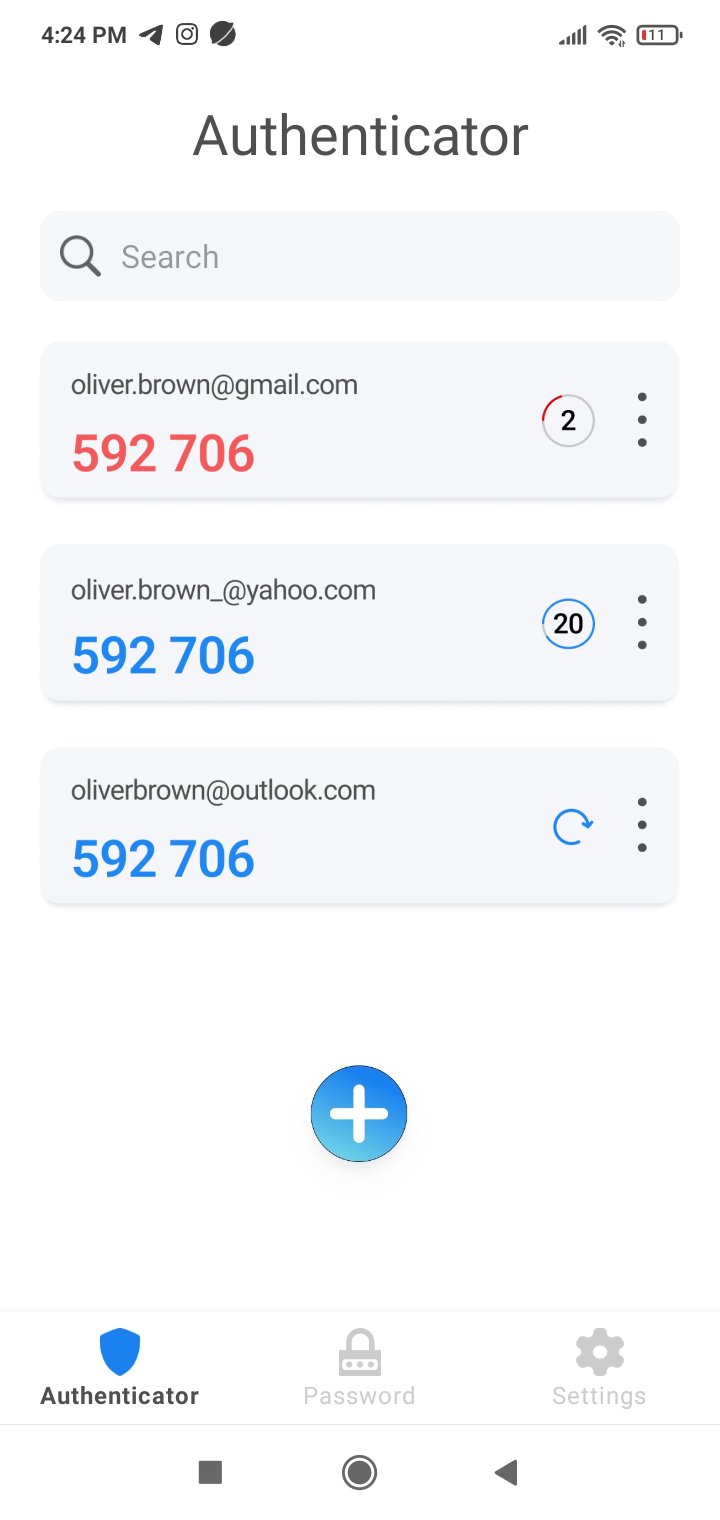
*** - Advanced Two-Step Verification Process: The 2 step verification or 2 factor authentication, is the foundation of Authenticator 2.0. It requires you to enter a unique code generated by the app either every 30 seconds or by tapping the button to log in to a protected service, ensuring that only you have access to your accounts. This 2FA authenticator eliminates the risk of your accounts being hacked and ensures that your information remains safe and secure.
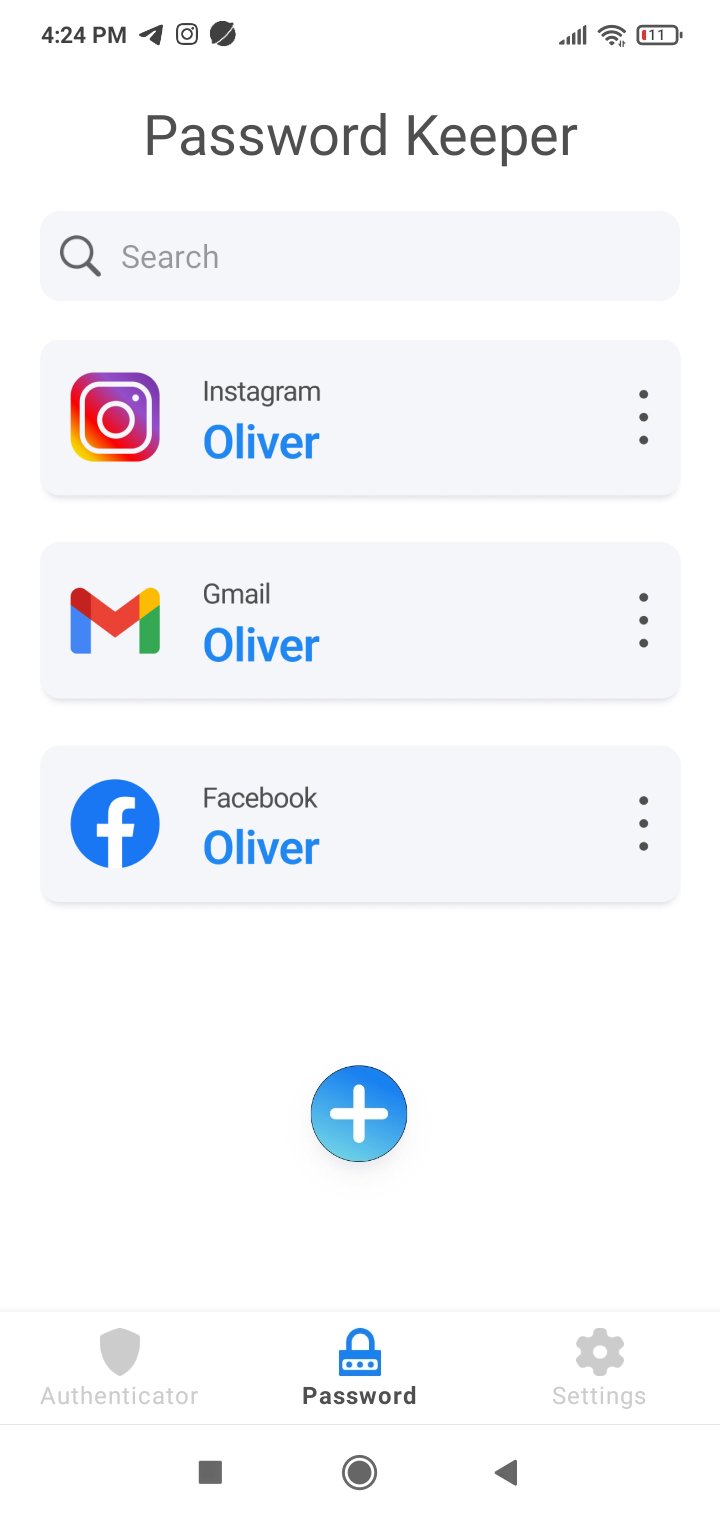
*** - Powerful Password Manager: Authenticator 2.0 also serves as a powerful password manager, allowing you to store all your passwords securely within the app. With its password generator tool, you can easily create strong and secure passwords with just a few taps, eliminating the risk of using weak passwords that can be easily hacked. With this password keeper, you'll never have to remember multiple passwords again.
*** - User-Friendly Interface: Authenticator 2.0 is designed with ease of use in mind, making it an ideal solution for those who are not tech literate. It's easy to set up and use, and the user-friendly interface makes it easy to manage your passwords and 2FA codes.
*** - Real-Life Use Cases: Authenticator 2.0 has real-life use cases for email and social media accounts. You can protect your accounts with its two-step verification process, receive a unique code every time you log in to your email account, and keep your social media accounts safe with Authenticator 2.0.
*** - App Password Protection: For maximum security of your important information, Authenticator 2.0 requires you to set a password upon opening the app. This password protects the app that stores your passwords and 2 step verification codes, ensuring that only you have access to your information.
Authenticator 2.0 is the perfect solution for anyone looking for a secure password keeper manager and 2FA authenticator. With its advanced two-step verification process and powerful password manager, you can keep your online accounts safe and secure. Try Authenticator 2.0 today and see the difference it can make in your digital life!
Avance
Etiquetas
HerramientasInformación
Desarrollador
Must Have Apps SRL
La última versión
1.6
Última actualización
2025-08-28
Categoría
Herramientas
Disponible en
Google Play
Mostrar más
Cómo jugar Authenticator 2.0 con GameLoop en PC
1. Descargue GameLoop desde el sitio web oficial, luego ejecute el archivo exe para instalar GameLoop.
2. Abra GameLoop y busque "Authenticator 2.0", busque Authenticator 2.0 en los resultados de búsqueda y haga clic en "Instalar".
3. Disfruta jugando Authenticator 2.0 en GameLoop.
Minimum requirements
OS
Windows 8.1 64-bit or Windows 10 64-bit
GPU
GTX 1050
CPU
i3-8300
Memory
8GB RAM
Storage
1GB available space
Recommended requirements
OS
Windows 8.1 64-bit or Windows 10 64-bit
GPU
GTX 1050
CPU
i3-9320
Memory
16GB RAM
Storage
1GB available space