Apowersoft Screenshot para PC
APOWERSOFT
Descarga Apowersoft Screenshot en PC con GameLoop Emulator
Apowersoft Screenshot en PC
Apowersoft Screenshot, proveniente del desarrollador APOWERSOFT, se ejecuta en el sistema Android en el pasado.
Ahora, puedes jugar Apowersoft Screenshot en PC con GameLoop sin problemas.
Descárgalo en la biblioteca de GameLoop o en los resultados de búsqueda. No más mirar la batería o llamadas frustrantes en el momento equivocado nunca más.
Simplemente disfrute de Apowersoft Screenshot PC en la pantalla grande de forma gratuita!
Apowersoft Screenshot Introducción
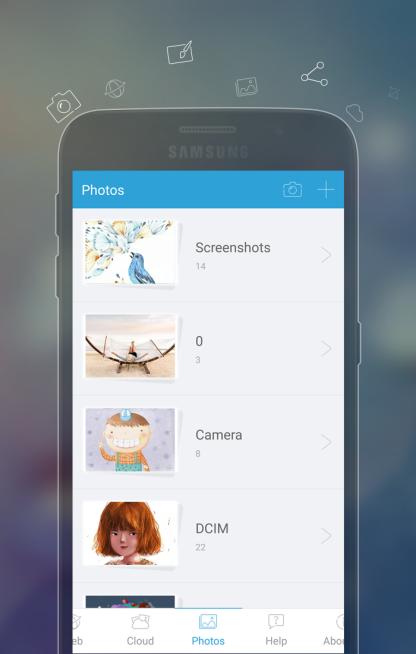
Apowersoft Screenshot is a free yet efficient app that lets you surf the Internet, take screenshots and edit images on your phone. This app is equipped with a built-in browser which provides various tips on how to screenshot on mobile devices. And also, it enables you to screenshot a region of the webpage or even a full webpage with contents beyond the screen. After taking a screenshot, you can crop it and annotate it with lines, arrows, texts, etc. It also allows you to directly share images to popular social networks or upload them to the free cloud space provided by the developer.
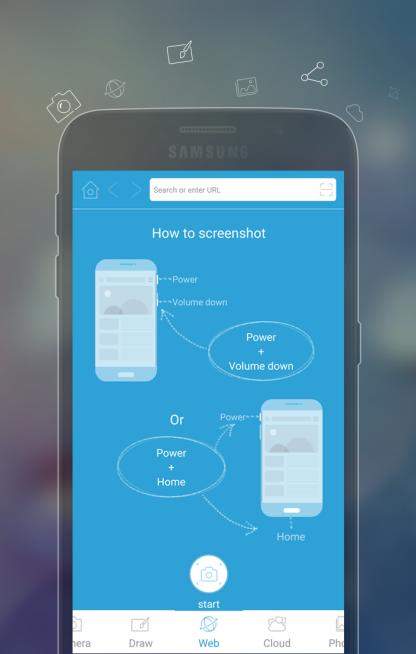
How to take a screenshot
1. Tap the overlay icon (only for Android 5.0 and higher).
2. Press the "Power" button and the "Volume down" button at the same time, or press the "Power" button and the "Home" button at the same time (mostly on Samsung phones).
3. Capture webpage screenshots. You can screenshot a region, the visible contents or the full webpage.
Other highlight features
# Crop and annotate images with lines, circles, texts, mosaics, etc.
# Take photo and edit it instantly.
# Draw your inspiration on fingertips.
# Share images to popular social networks immediately.
# Upload images to free cloud space.
# Additional QR code scanner.
SUPPORTS
Official site: http://screenshot.net
Facebook: https://www.facebook.com/freescreenshot/
Twitter: https://twitter.com/FreeScreenshot
Google+: https://plus.google.com/u/3/117614636045536552999/posts
Avance
Etiquetas
HerramientasInformación
Desarrollador
APOWERSOFT
La última versión
1.2.3
Última actualización
2017-08-17
Categoría
Herramientas
Disponible en
Google Play
Mostrar más
Cómo jugar Apowersoft Screenshot con GameLoop en PC
1. Descargue GameLoop desde el sitio web oficial, luego ejecute el archivo exe para instalar GameLoop.
2. Abra GameLoop y busque "Apowersoft Screenshot", busque Apowersoft Screenshot en los resultados de búsqueda y haga clic en "Instalar".
3. Disfruta jugando Apowersoft Screenshot en GameLoop.
Minimum requirements
OS
Windows 8.1 64-bit or Windows 10 64-bit
GPU
GTX 1050
CPU
i3-8300
Memory
8GB RAM
Storage
1GB available space
Recommended requirements
OS
Windows 8.1 64-bit or Windows 10 64-bit
GPU
GTX 1050
CPU
i3-9320
Memory
16GB RAM
Storage
1GB available space