Fractions and Odds Calculator para PC
Office110
Descarga Fractions and Odds Calculator en PC con GameLoop Emulator
Fractions and Odds Calculator en PC
Fractions and Odds Calculator, proveniente del desarrollador Office110, se ejecuta en el sistema Android en el pasado.
Ahora, puedes jugar Fractions and Odds Calculator en PC con GameLoop sin problemas.
Descárgalo en la biblioteca de GameLoop o en los resultados de búsqueda. No más mirar la batería o llamadas frustrantes en el momento equivocado nunca más.
Simplemente disfrute de Fractions and Odds Calculator PC en la pantalla grande de forma gratuita!
Fractions and Odds Calculator Introducción
You can calculate multiple fractions.(Up to three)
You can also calculate with the same denominator and different denominators with a single button.And you can calculate three odds and calculate fair odds.It can be used for phase odds calculations such as sports books.
"Fractions Calculator"tab
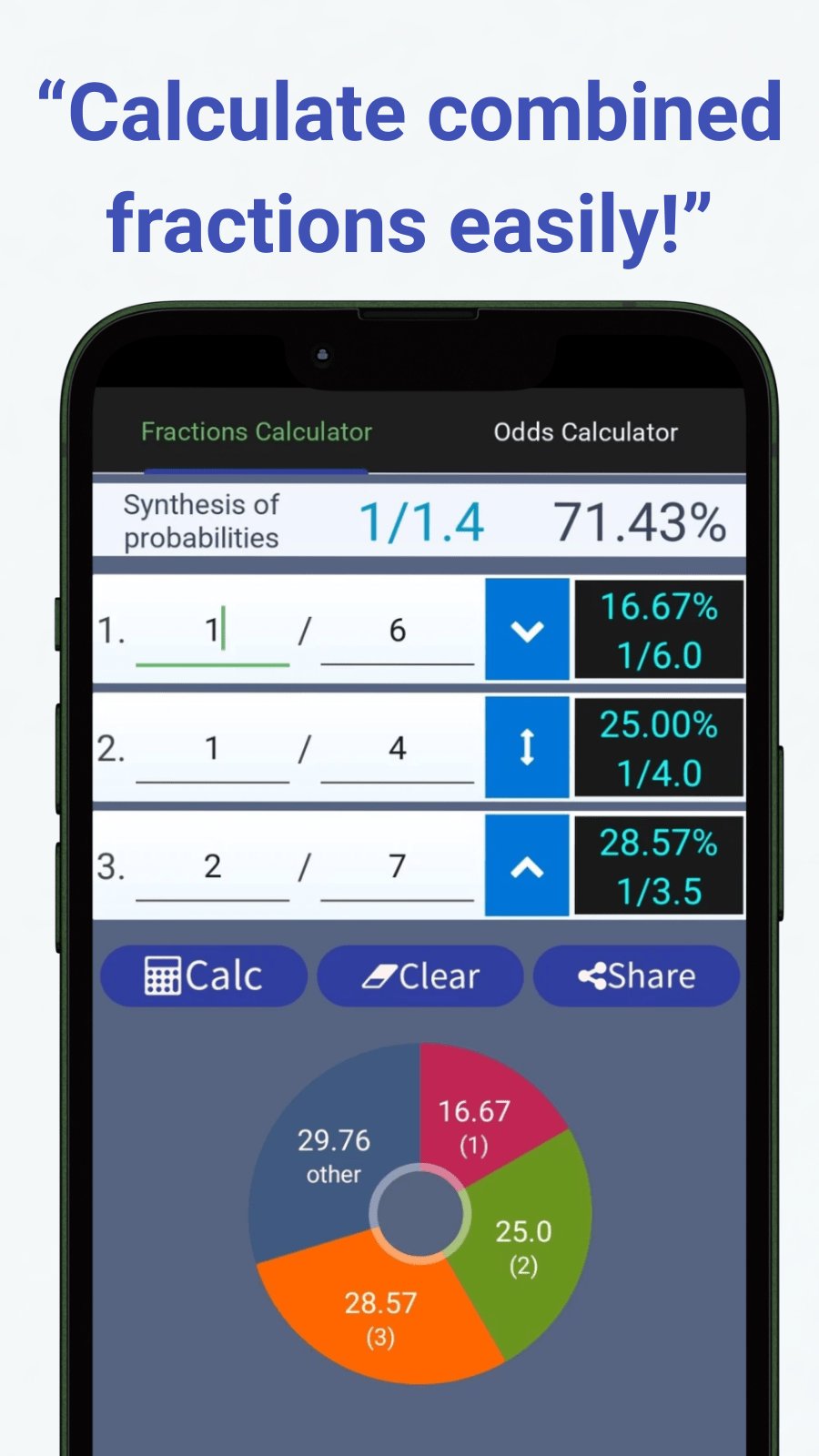
Composite calculation of up to three fractions.
Enter the numerator and denominator in each row, and press the "Calculate" button.
In the column of "Synthesis of probabilities", we display the fraction and the probability of synthesis, expressed as a percentage.
"Odds Calculator"tab
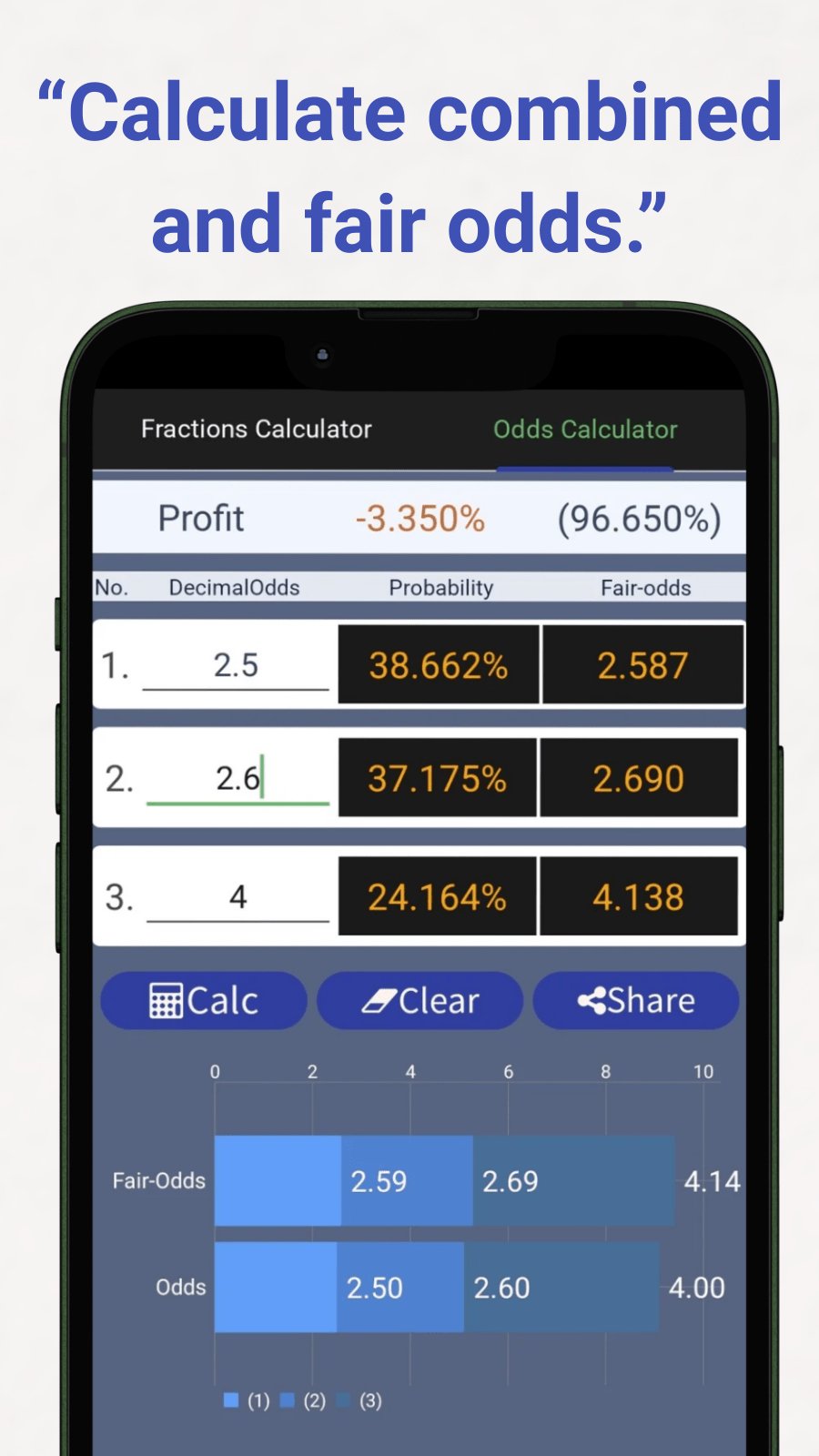
Calculate up to three odds.
Please enter the odds on each line and press the "Calculate" button.
- In the "Probability" column, the probability of being considered to occur with that odds is displayed.
- In the "fair-odds" column you will see the correct odds calculated from that odds combination and probability.
- In the "Profit" column, a positive value will be displayed if it exceeds 100%.
It can be used for calculating fair odds such as sports books.
Use the "Clear" button to erase all inputs.
By "Share" button you can record it in Notepad etc.
== Recommended operating environment ==
Android 4.0.3+
Overview of Privacy Policy
This application does not handle user information.
For details on the privacy policy, please refer to this URL.
http://androidkaihatu.blog.fc2.com/blog-entry-97.html
Avance
Etiquetas
HerramientasInformación
Desarrollador
Office110
La última versión
1.4.8
Última actualización
2026-04-10
Categoría
Herramientas
Disponible en
Google Play
Mostrar más
Cómo jugar Fractions and Odds Calculator con GameLoop en PC
1. Descargue GameLoop desde el sitio web oficial, luego ejecute el archivo exe para instalar GameLoop.
2. Abra GameLoop y busque "Fractions and Odds Calculator", busque Fractions and Odds Calculator en los resultados de búsqueda y haga clic en "Instalar".
3. Disfruta jugando Fractions and Odds Calculator en GameLoop.
Minimum requirements
OS
Windows 8.1 64-bit or Windows 10 64-bit
GPU
GTX 1050
CPU
i3-8300
Memory
8GB RAM
Storage
1GB available space
Recommended requirements
OS
Windows 8.1 64-bit or Windows 10 64-bit
GPU
GTX 1050
CPU
i3-9320
Memory
16GB RAM
Storage
1GB available space