
Always visible Volume Booster para PC
OK soft
Descarga Always visible Volume Booster en PC con GameLoop Emulator
Always visible Volume Booster en PC
Always visible Volume Booster, proveniente del desarrollador OK soft, se ejecuta en el sistema Android en el pasado.
Ahora, puedes jugar Always visible Volume Booster en PC con GameLoop sin problemas.
Descárgalo en la biblioteca de GameLoop o en los resultados de búsqueda. No más mirar la batería o llamadas frustrantes en el momento equivocado nunca más.
Simplemente disfrute de Always visible Volume Booster PC en la pantalla grande de forma gratuita!
Always visible Volume Booster Introducción
Volume Booster - Sound Equalizer & Volume Control
Take full control of your device's audio with Volume Booster, the ultimate sound enhancement app for Android. Whether you want louder music, clearer calls, or perfectly balanced audio, this powerful volume booster and equalizer gives you precise control over every aspect of your sound.
Key Features:
🔊 Smart Volume Booster
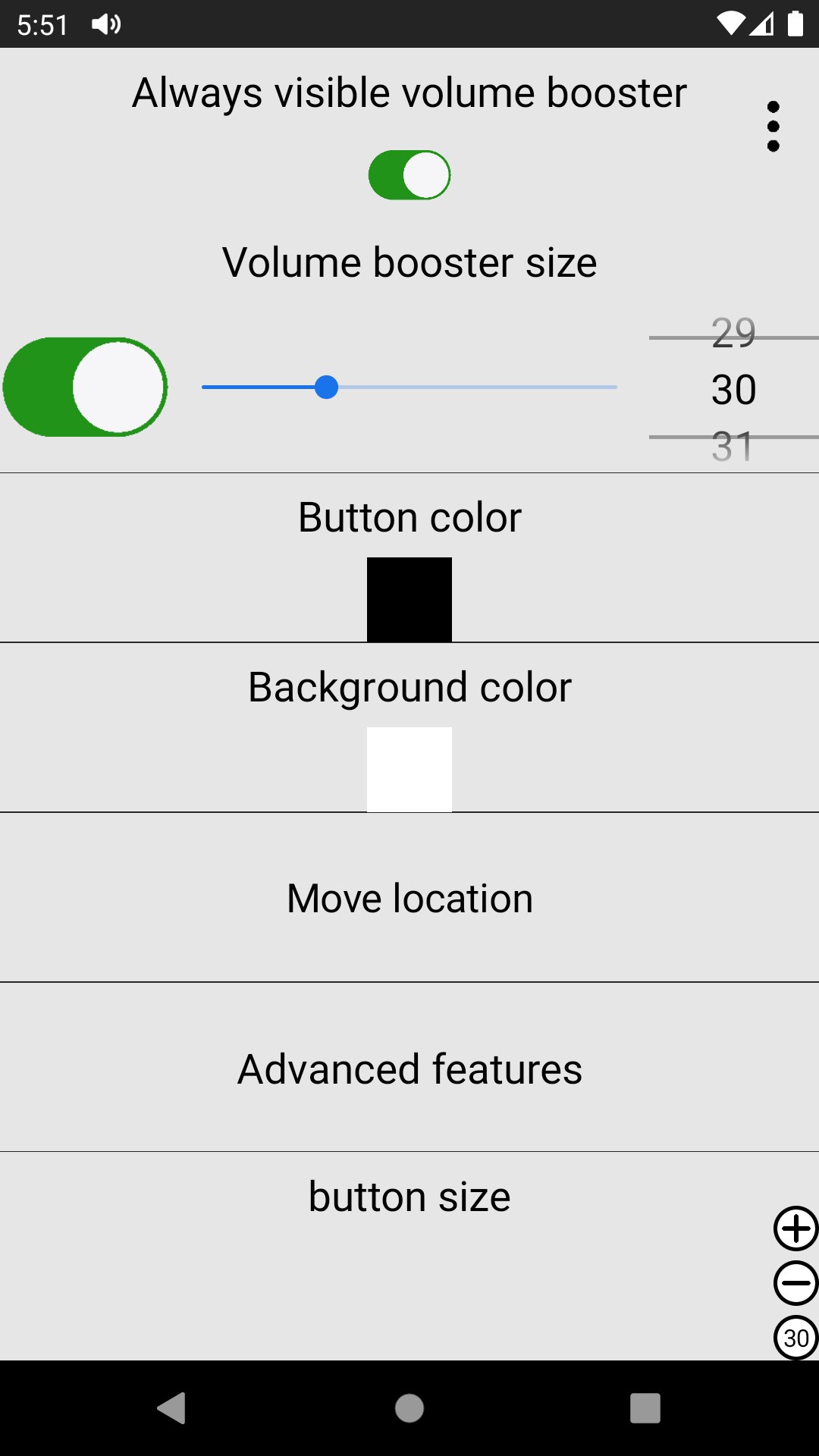
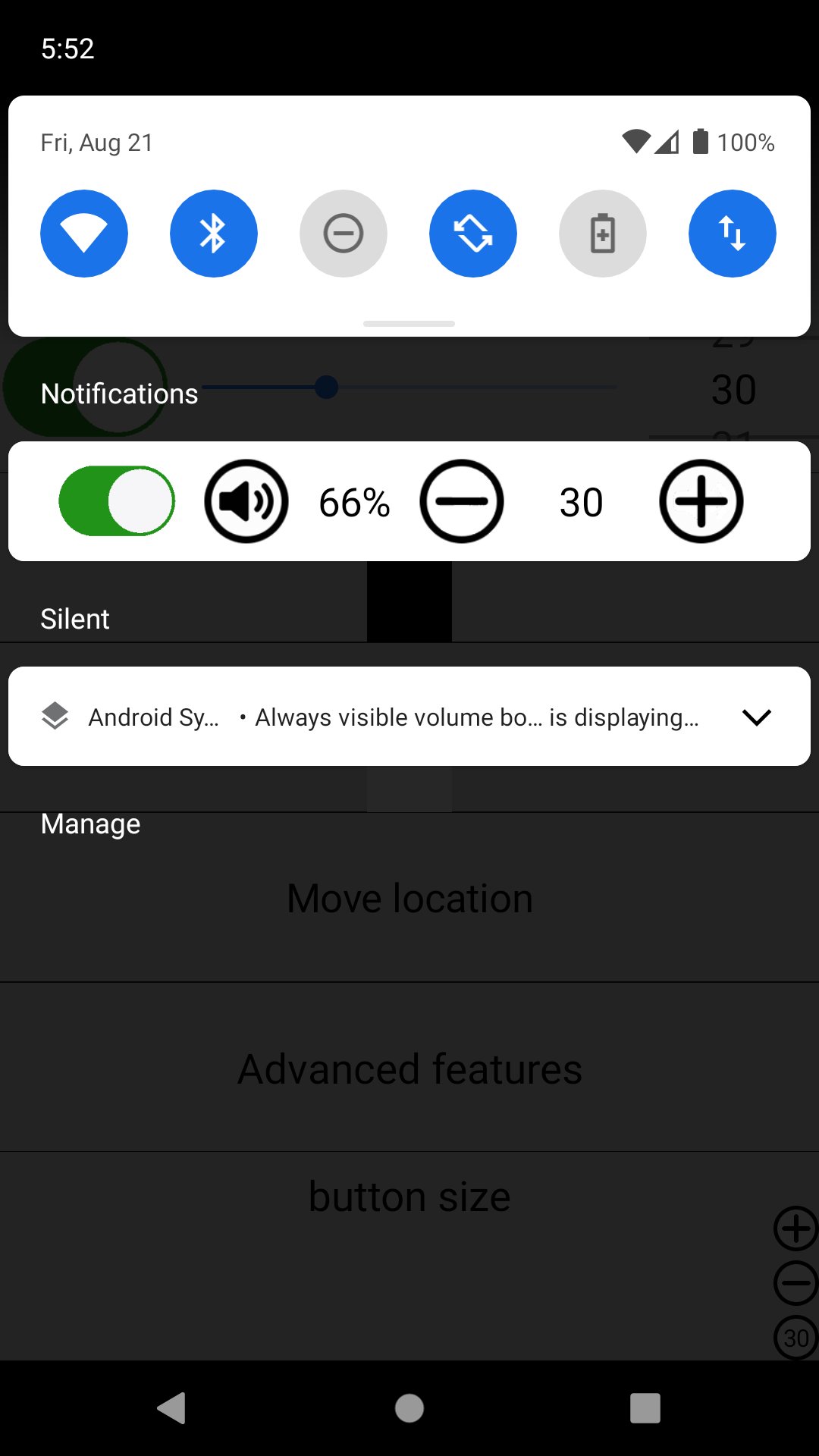
Large, easy-to-use Volume Booster button displayed directly on your screen
Adjust booster level instantly with + (Plus) and - (Minus) buttons
Refresh Button at the top: Tap to show the system volume bar and reload the booster when it stops working
🎛️ Professional 5-Band Equalizer
Advanced equalizer with 5 frequency bands:
60Hz (Bass)
230Hz
910Hz
3kHz
14kHz (Treble)
Fine-tune your audio to get the perfect sound signature for music, movies, or calls
📱 Multi-Profile Volume Control
Separate volume controls for:
Media
Calls
Ringtone
Alarm
Current Status
Manual Save Mode: Save your custom volume settings for different situations
When Manual Save is enabled, a convenient floating button appears above the refresh button to quickly select volume types
🔇 Smart Mute Options
Single tap or double tap the volume icon to mute sound instantly
Choose your preferred mute gesture for quick access
📏 Edge Bar & Volume Step Settings
Edge Bar Option: Long-press the volume button to hide/show volume controls using the edge bar
Volume Step Control: Customize how much the volume changes with each tap of the + and - buttons
Why Choose Volume Booster?
Clean and simple floating interface that doesn't interfere with your apps
Quick access to system volume with one tap
Reliable booster reload function for maximum stability
Highly customizable settings for advanced users
Works with music players, videos, games, calls, and more
Whether you're at a party, watching movies, or just want clearer phone calls, Volume Booster helps you get the most out of your Android device's audio.
Note: This app enhances your device's volume output. Please use it responsibly and avoid setting volumes too high for long periods to protect your hearing.
Download now and experience powerful, crystal-clear sound like never before!
Avance
Etiquetas
HerramientasInformación
Desarrollador
OK soft
La última versión
3.36
Última actualización
2026-06-02
Categoría
Herramientas
Disponible en
Google Play
Mostrar más
Cómo jugar Always visible Volume Booster con GameLoop en PC
1. Descargue GameLoop desde el sitio web oficial, luego ejecute el archivo exe para instalar GameLoop.
2. Abra GameLoop y busque "Always visible Volume Booster", busque Always visible Volume Booster en los resultados de búsqueda y haga clic en "Instalar".
3. Disfruta jugando Always visible Volume Booster en GameLoop.
Minimum requirements
OS
Windows 8.1 64-bit or Windows 10 64-bit
GPU
GTX 1050
CPU
i3-8300
Memory
8GB RAM
Storage
1GB available space
Recommended requirements
OS
Windows 8.1 64-bit or Windows 10 64-bit
GPU
GTX 1050
CPU
i3-9320
Memory
16GB RAM
Storage
1GB available space