myLifeID para PC
Zing HR
Descarga myLifeID en PC con GameLoop Emulator
myLifeID en PC
myLifeID, proveniente del desarrollador Zing HR, se ejecuta en el sistema Android en el pasado.
Ahora, puedes jugar myLifeID en PC con GameLoop sin problemas.
Descárgalo en la biblioteca de GameLoop o en los resultados de búsqueda. No más mirar la batería o llamadas frustrantes en el momento equivocado nunca más.
Simplemente disfrute de myLifeID PC en la pantalla grande de forma gratuita!
myLifeID Introducción
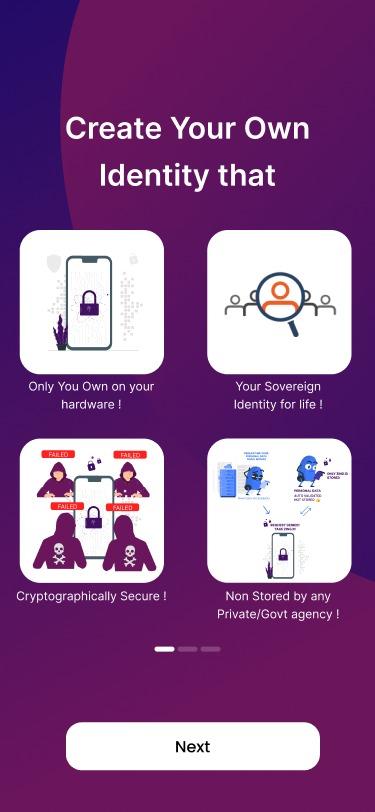
- Revolutionary new innovation in the internet privacy space, that solves the biggest need of your life- security.
- Store anything digital, starting from your most treasured memories and graphics to business card, call records and work reports.
- It’s a single click to lock up all your data and keep it safe from phishers.
- Industry’s finest precautions taken to protect your files wherever & whenever.
- Prejudice interference from external sources, you can rest assured that your information will always be safe.
- Integrated with Digilocker that was made by Indian Government
- New UX design to make it even more appealing.
- Entire suite of features like Document Upload, White Label store, Bulk linking of RUBIX Blockchain with DigiLocker and many more.
Avance

Etiquetas
ProductividadInformación
Desarrollador
Zing HR
La última versión
4.1.5
Última actualización
2023-06-29
Categoría
Productividad
Disponible en
Google Play
Mostrar más
Cómo jugar myLifeID con GameLoop en PC
1. Descargue GameLoop desde el sitio web oficial, luego ejecute el archivo exe para instalar GameLoop.
2. Abra GameLoop y busque "myLifeID", busque myLifeID en los resultados de búsqueda y haga clic en "Instalar".
3. Disfruta jugando myLifeID en GameLoop.
Minimum requirements
OS
Windows 8.1 64-bit or Windows 10 64-bit
GPU
GTX 1050
CPU
i3-8300
Memory
8GB RAM
Storage
1GB available space
Recommended requirements
OS
Windows 8.1 64-bit or Windows 10 64-bit
GPU
GTX 1050
CPU
i3-9320
Memory
16GB RAM
Storage
1GB available space