
Three Month Calendar para PC
PeterClements
Descarga Three Month Calendar en PC con GameLoop Emulator
Three Month Calendar en PC
Three Month Calendar, proveniente del desarrollador PeterClements, se ejecuta en el sistema Android en el pasado.
Ahora, puedes jugar Three Month Calendar en PC con GameLoop sin problemas.
Descárgalo en la biblioteca de GameLoop o en los resultados de búsqueda. No más mirar la batería o llamadas frustrantes en el momento equivocado nunca más.
Simplemente disfrute de Three Month Calendar PC en la pantalla grande de forma gratuita!
Three Month Calendar Introducción
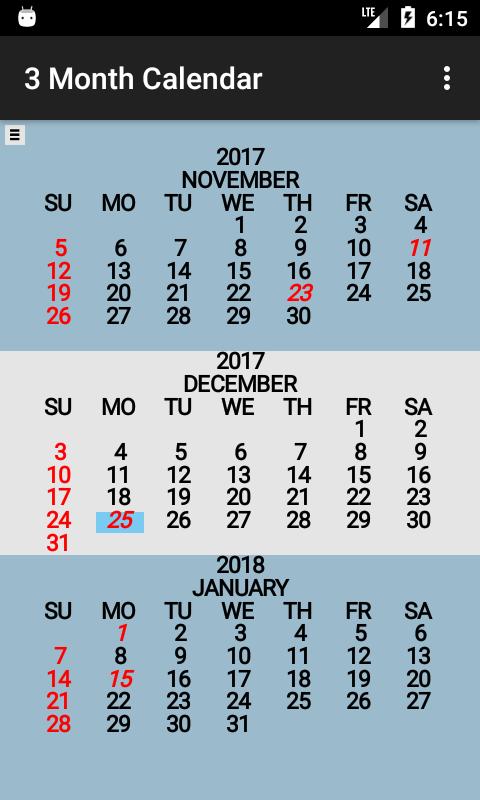
Three Month Calendar is a "back to basics" calendar providing a view of three months of the year on a single screen (similar to the 3 month view wall calendar).
The current date is displayed with a "blue" background.
United States holidays are displayed in "red". Sundays are also displayed in "red".
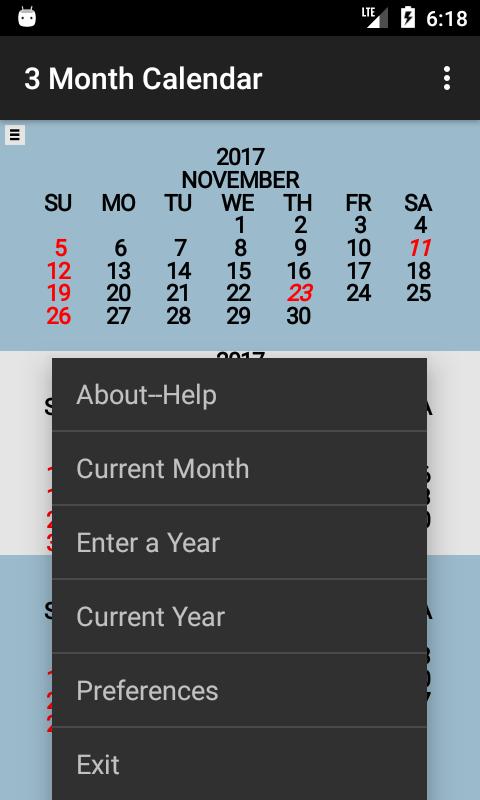
Some Preferences:
-Sunday or Monday as first day of week.
-Display Week Number
-Show holidays
-Background color different for not current.
-Countdown to date display line.
Holidays displayed are:
-New Year's day -- January 1
-Martin Luther King Jr's Birthday -- third Monday in January
-George Washington's Birthday -- third Monday in February
-Memorial Day -- last Monday in May
-Juneteenth National Independence Day -- June 19
-Independence Day -- July 4
-Labor Day -- first Monday in September
-Columbus Day -- second Monday in October
-Veterans Day -- November 11
-Thanksgiving Day -- fourth Thursday in November
-Christmas Day -- December 25
Current month is displayed in center at start up. Swipe to change the displayed months by one month. A year can be entered via the keyboard and displayed with the shown months unchanged. The background is changed to "blue" when displaying other than the current month (change can be disabled).
Avance
Etiquetas
ProductividadInformación
Desarrollador
PeterClements
La última versión
1.3.9
Última actualización
2023-05-08
Categoría
Productividad
Disponible en
Google Play
Mostrar más
Cómo jugar Three Month Calendar con GameLoop en PC
1. Descargue GameLoop desde el sitio web oficial, luego ejecute el archivo exe para instalar GameLoop.
2. Abra GameLoop y busque "Three Month Calendar", busque Three Month Calendar en los resultados de búsqueda y haga clic en "Instalar".
3. Disfruta jugando Three Month Calendar en GameLoop.
Minimum requirements
OS
Windows 8.1 64-bit or Windows 10 64-bit
GPU
GTX 1050
CPU
i3-8300
Memory
8GB RAM
Storage
1GB available space
Recommended requirements
OS
Windows 8.1 64-bit or Windows 10 64-bit
GPU
GTX 1050
CPU
i3-9320
Memory
16GB RAM
Storage
1GB available space