Myanmar English Easy keyboard para PC
Creative Click Apps Studio
Descarga Myanmar English Easy keyboard en PC con GameLoop Emulator
Myanmar English Easy keyboard en PC
Myanmar English Easy keyboard, proveniente del desarrollador Creative Click Apps Studio, se ejecuta en el sistema Android en el pasado.
Ahora, puedes jugar Myanmar English Easy keyboard en PC con GameLoop sin problemas.
Descárgalo en la biblioteca de GameLoop o en los resultados de búsqueda. No más mirar la batería o llamadas frustrantes en el momento equivocado nunca más.
Simplemente disfrute de Myanmar English Easy keyboard PC en la pantalla grande de forma gratuita!
Myanmar English Easy keyboard Introducción
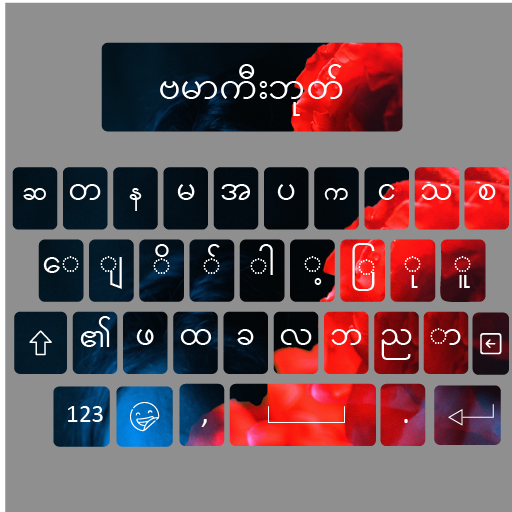
Fast Myanmar English keyboard is distinct with English and Myanmar letters all at once that enable you to enjoy typing in Myanmar and English it is Dual language keyboard. With this easy Myanmar keypad English alphabet words, you can type Myanmar letters, documents, emails, messages, and many more. Myanmar English keyboard 2021- Myanmar Keypad is best Myanmar typing app with Myanmar font and emoji’s.
Main features of Myanmar English keyboard 2021- Myanmar Keypad:
Fast Myanmar English typing keyboard.
Fancy English fonts customizing fast Myanmar typing keypad
Auto suggestions and Autocorrect spellings with Easy Myanmar keyboard.
Smooth keypad with delightful sounds in Stylish Myanmar keyboard.
Prediction of words in Myanmar and English.
Dual language keyboard.
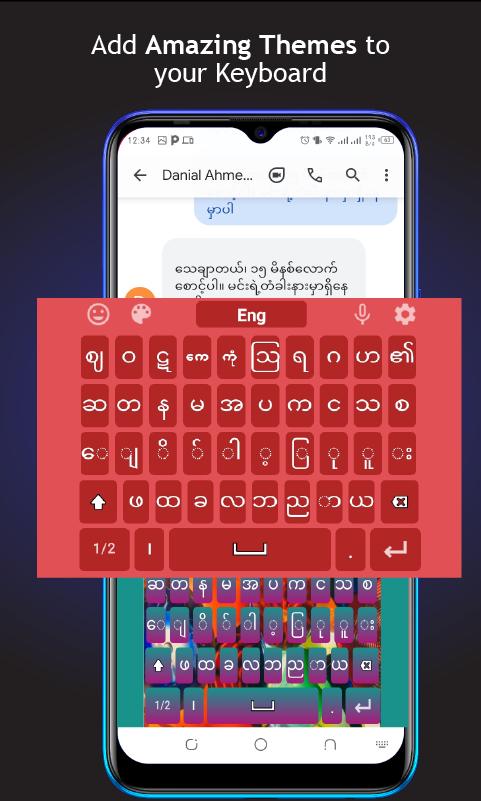
Easily manageable colorful themes, fonts, and backgrounds.
User-friendly Myanmar keyboard.
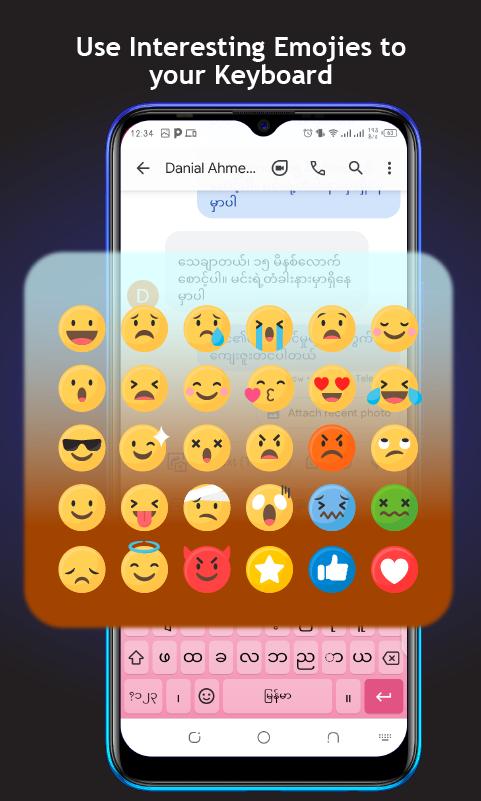
Myanmar English keyboard 2021- Myanmar Keypad works in dual language. You can type in English as well as in Myanmar language. Smart & unique Myanmar English keyboards have a variety of awesome features. Easy Myanmar keyboard 2021 has Emojis and themes in different colors. Sometime emoji performs better than your words and your feelings. Auto text Myanmar keyboards help you while talking to Arbi friends.
Complete best typing app with Stylish Myanmar font, themes and Emojis comes with a lot of features and Words. Myanmar English keyboard 2021- Myanmar Keypad is use for the learning of two different languages. Useful Myanmar to English and English to Myanmar translation features.
Myanmar English keyboard 2021- Myanmar Keypad helps you switch English to Myanmar language. This kind of keyboard applications are making writing and typing in different languages easy. Just write English words and let the keyboard convert English into Myanmar with Myanmar font.
Fancy English Myanmar keyboard is designed with beautiful fancy fonts. We hope you will enjoy Myanmar keyboard theme in smart Myanmar English typing app. Myanmar keyboard 2021 provides you the best Myanmar keyboard with cute emojis, stylish fonts beautiful background themes. Fancy English Myanmar keyboard is Dual language keyboard and Best Myanmar typing keypad with Myanmar keyboard themes. Just download our Fancy English Myanmar keyboard and its each and every feature.
Myanmar language keyboard is best mobile keyboard for typing in Myanmar language and smart typing app with Dual languages. best English to Myanmar keypad app is easy Myanmar typing app for those who want to learn Myanmar and type in Myanmar language which contains Myanmar keyboard themes
The best Myanmar English keyboard 2021 app for android user is very simple to use with its amazing interface having its outstanding features like emoji’s, stickers, themes and beautiful Myanmar fonts. English Myanmar keyboard contains Re-adjustable sizes and fonts. Stylize your Dual language Myanmar English keyboard for your android devices with cute emoji and fancy fonts.
How to use:
Download and Install
Go to the settings and enable keyboard.
Set input method (Myanmar keyboard).
Enjoy your new keypad with a lot of themes and emojis.
Avance
Información
Desarrollador
Creative Click Apps Studio
La última versión
1.0
Última actualización
2021-08-10
Categoría
Productividad
Disponible en
Google Play
Mostrar más
Cómo jugar Myanmar English Easy keyboard con GameLoop en PC
1. Descargue GameLoop desde el sitio web oficial, luego ejecute el archivo exe para instalar GameLoop.
2. Abra GameLoop y busque "Myanmar English Easy keyboard", busque Myanmar English Easy keyboard en los resultados de búsqueda y haga clic en "Instalar".
3. Disfruta jugando Myanmar English Easy keyboard en GameLoop.
Minimum requirements
OS
Windows 8.1 64-bit or Windows 10 64-bit
GPU
GTX 1050
CPU
i3-8300
Memory
8GB RAM
Storage
1GB available space
Recommended requirements
OS
Windows 8.1 64-bit or Windows 10 64-bit
GPU
GTX 1050
CPU
i3-9320
Memory
16GB RAM
Storage
1GB available space