
Khmer Calendar para PC
AwesomeDev
Descarga Khmer Calendar en PC con GameLoop Emulator
Khmer Calendar en PC
Khmer Calendar, proveniente del desarrollador AwesomeDev, se ejecuta en el sistema Android en el pasado.
Ahora, puedes jugar Khmer Calendar en PC con GameLoop sin problemas.
Descárgalo en la biblioteca de GameLoop o en los resultados de búsqueda. No más mirar la batería o llamadas frustrantes en el momento equivocado nunca más.
Simplemente disfrute de Khmer Calendar PC en la pantalla grande de forma gratuita!
Khmer Calendar Introducción
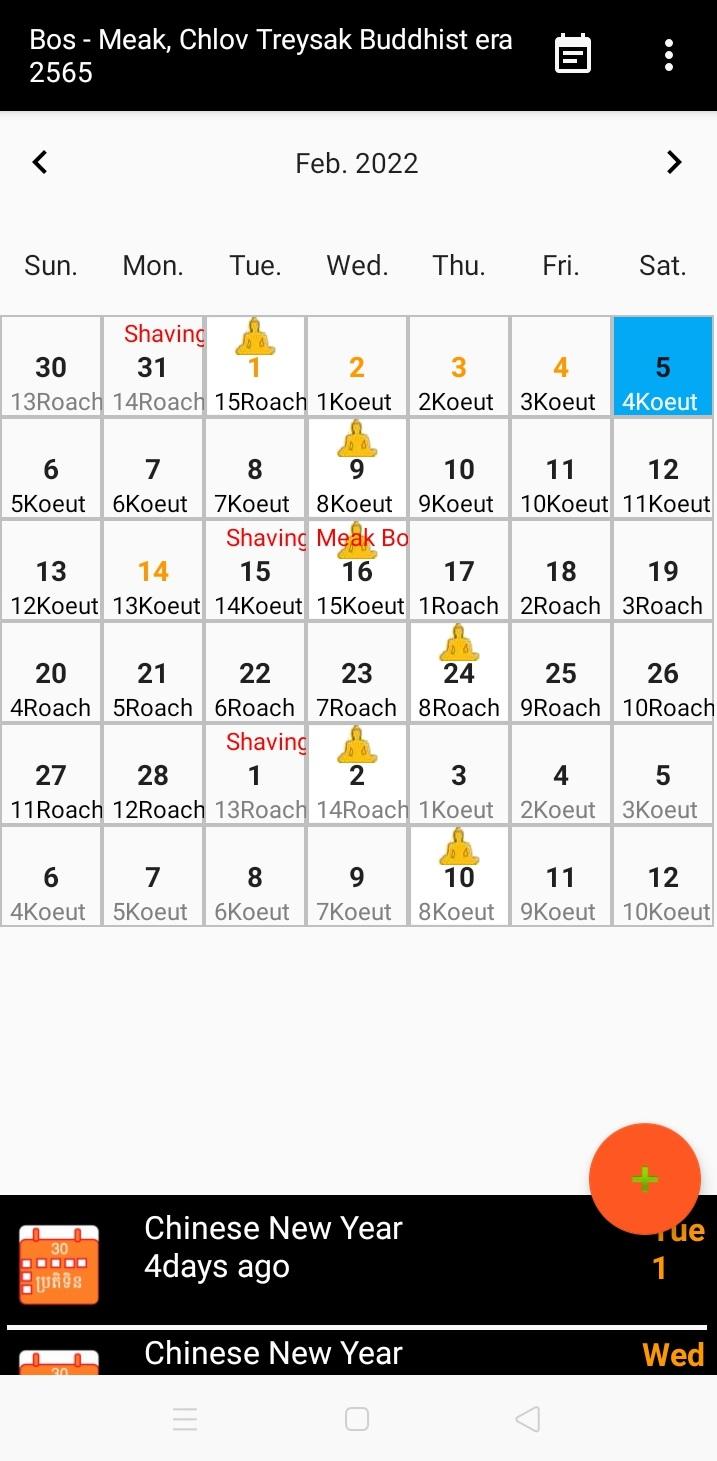
Khmer Calendar is easy to view public holidays in Cambodia and your special events or tasks. It also shows religious events such as Meak Bochea, Pisak Bochea, Jole Preah Vosa, Jegn Preah Vosa, Kann Ben 1st -14th, Kathin, Sompeas Preah Khae, and Thgnei Sel.
Features of Khmer Calendar:
- English and Khmer Languages
- Easy to switch between English and Khmer
- Add events or tasks to calendar
- Add widget to home screen
- Customize widget background color, text color, and image
- Customize background and text color of app
- Show number of days, weeks, and months until an event occurs or since an event passed
- Can exclude weekend from counting
- Export and import event list in csv file
- Widgets synchronize with main app
- Can use existing events to create widgets.
- Notify 1 day before an event occurs
- Edit and delete events from calendar
- Share event to Facebook, Telegram, Messenger.etc
- Easy to search for events
- Age Calculator
- Find birthday in Khmer
- Incorporate with Gregorian Calendar
Avance

Etiquetas
ProductividadInformación
Desarrollador
AwesomeDev
La última versión
1.3.6
Última actualización
2024-10-08
Categoría
Productividad
Disponible en
Google Play
Mostrar más
Cómo jugar Khmer Calendar con GameLoop en PC
1. Descargue GameLoop desde el sitio web oficial, luego ejecute el archivo exe para instalar GameLoop.
2. Abra GameLoop y busque "Khmer Calendar", busque Khmer Calendar en los resultados de búsqueda y haga clic en "Instalar".
3. Disfruta jugando Khmer Calendar en GameLoop.
Minimum requirements
OS
Windows 8.1 64-bit or Windows 10 64-bit
GPU
GTX 1050
CPU
i3-8300
Memory
8GB RAM
Storage
1GB available space
Recommended requirements
OS
Windows 8.1 64-bit or Windows 10 64-bit
GPU
GTX 1050
CPU
i3-9320
Memory
16GB RAM
Storage
1GB available space