
developer console para PC
22Hours
Descarga developer console en PC con GameLoop Emulator
developer console en PC
developer console, proveniente del desarrollador 22Hours, se ejecuta en el sistema Android en el pasado.
Ahora, puedes jugar developer console en PC con GameLoop sin problemas.
Descárgalo en la biblioteca de GameLoop o en los resultados de búsqueda. No más mirar la batería o llamadas frustrantes en el momento equivocado nunca más.
Simplemente disfrute de developer console PC en la pantalla grande de forma gratuita!
developer console Introducción
Access all developer consoles from one app
✅ If you don't have a console that I visit often, add it!
If there is no Developer console that I visit often,
You can access the Search tab through the menu bar at the bottom of the app and add it yourself!
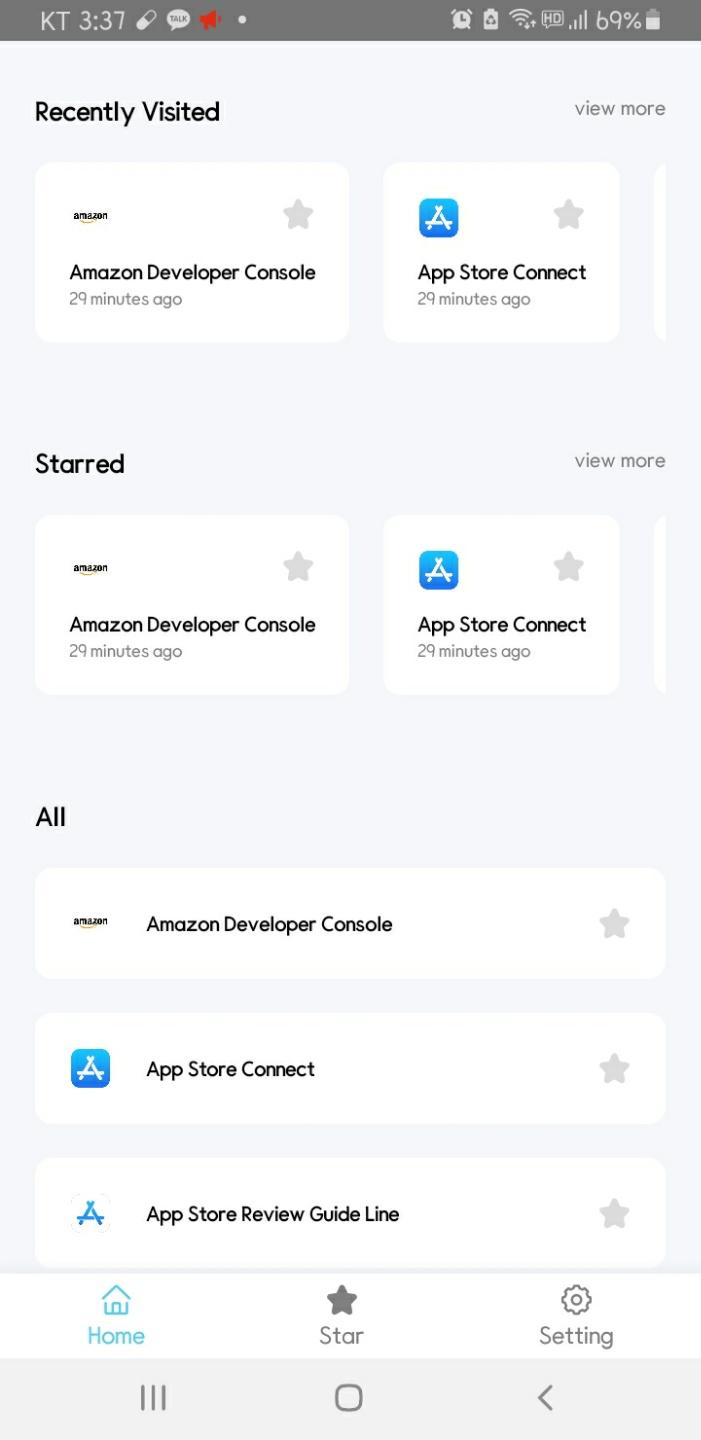
✅ Access the developer console you recently visited with a single touch!
Developer console is the most accessible home screen.
Here's your latest developer console access history.
(Of course, we don't send data to the server, we only store all data on the user's phone)
✅ Now Registered Console
------------------------------------------
Amazon Developer Console,
App Store Connect,
App Store Review Guide Line,
Epic Games Store,
GitHub,
GitKraken,
GitLab,
Bitbucket,
Slack,
Trello,
Jira,
npm,
Facebook Developers,
Gmail,
Google Play,
Google Developers,
Google Cloud Platform Console,
Google Play Policy,
Google Firebase Console,
Google Adsense,
Google AdMob,
Google Ads,
Google Analytics,
Paypal Developers,
Samsung Galaxy Sellers,
StackoverFlow,
Quora,
Unity Docs,
Kakao Developers,
Naver Developers,
Kaggle,
Devstu,
OKKY
✅ For consoles not included
If you have any additional consoles you would like to register, please leave them in the comments plz.
Avance
Etiquetas
ProductividadInformación
Desarrollador
22Hours
La última versión
8.0
Última actualización
2021-09-29
Categoría
Productividad
Disponible en
Google Play
Mostrar más
Cómo jugar developer console con GameLoop en PC
1. Descargue GameLoop desde el sitio web oficial, luego ejecute el archivo exe para instalar GameLoop.
2. Abra GameLoop y busque "developer console", busque developer console en los resultados de búsqueda y haga clic en "Instalar".
3. Disfruta jugando developer console en GameLoop.
Minimum requirements
OS
Windows 8.1 64-bit or Windows 10 64-bit
GPU
GTX 1050
CPU
i3-8300
Memory
8GB RAM
Storage
1GB available space
Recommended requirements
OS
Windows 8.1 64-bit or Windows 10 64-bit
GPU
GTX 1050
CPU
i3-9320
Memory
16GB RAM
Storage
1GB available space